


Installation du combiné numérique Volkswagen Lavida 2013-2017 : guide de mise à niveau en 17 étapes
Installation du tableau de bord numérique Volkswagen Lavida 2013-2017 avec 17 étapes réelles
Le présent Installation du tableau de bord numérique Volkswagen Lavida 2013-2017 le guide couvre l'itinéraire complet de mise à niveau de la plateforme PQ avec 17 étapes d'installation réelles, le transfert de la carte d'origine, les vérifications de la carte auxiliaire, le routage USB, la calibration et les tests finaux.
Le guide est basé sur les photos d'installation réelles de la Lavida de iKAGOO, les vidéos techniques et la procédure après-vente. Il est destiné aux véhicules qui utilisent encore le tableau de bord mécanique d'origine correspondant.
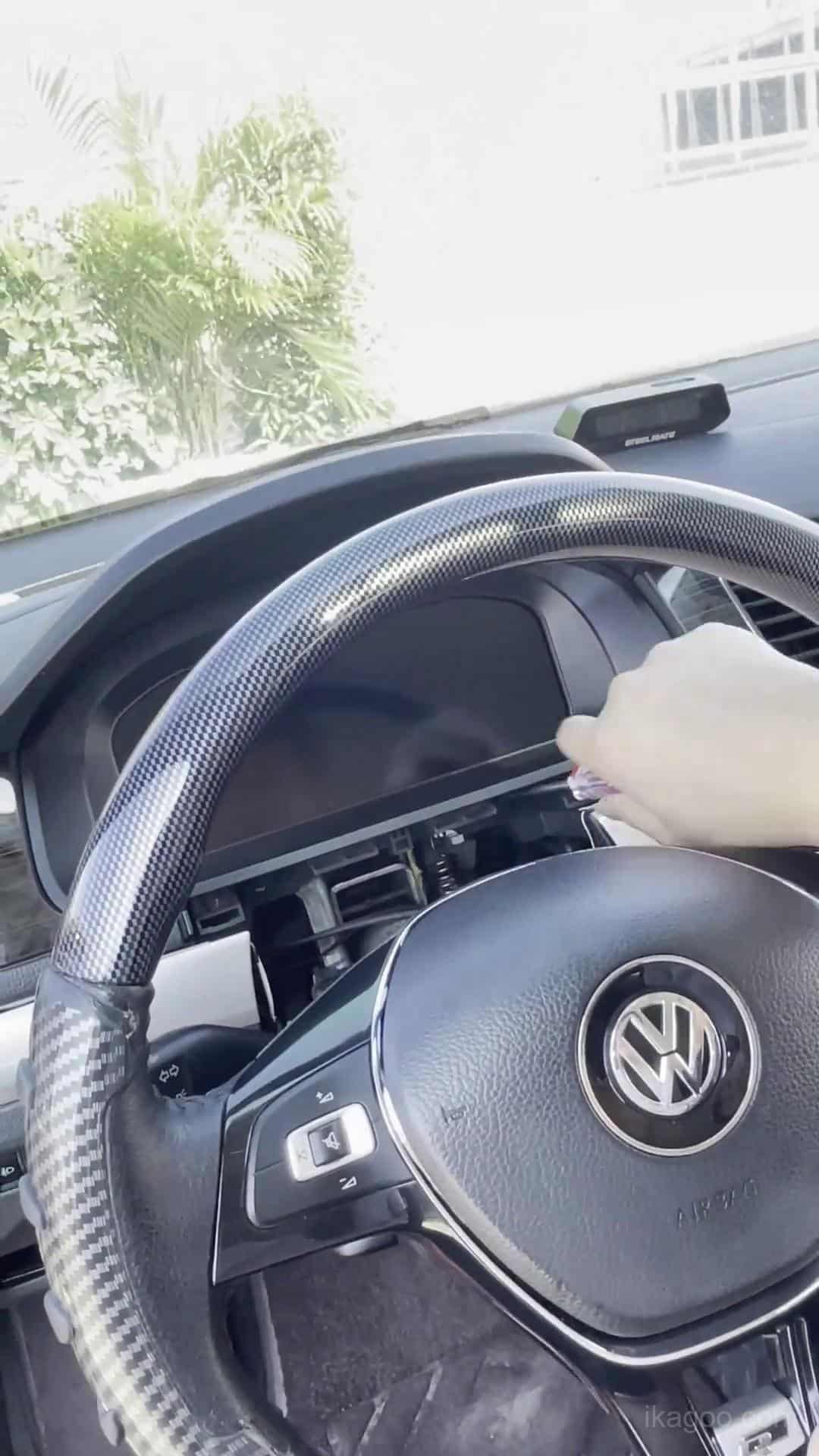
Comment fonctionne l'installation du tableau de bord numérique Volkswagen Lavida 2013-2017 ?
Réponse rapide : confirmez d'abord le tableau de bord mécanique d'origine, effectuez la préparation du menu d'avertissement d'origine, retirez le tableau de bord, transférez l'électronique d'origine requise sur un établi propre, vérifiez la carte auxiliaire en option, remontez le tableau de bord numérique, acheminez les deux câbles USB et testez le système avant de réinstaller la garniture du tableau de bord.
Le travail n'est pas terminé lorsque l'écran s'allume pour la première fois. La calibration du carburant, les réglages de l'éclairage physique, la sélection du modèle de véhicule et les vérifications finales d'avertissement/d'affichage peuvent encore être nécessaires.
Compatibilité du tableau de bord numérique Volkswagen Lavida 2013-2017
Utilisez cet itinéraire d'installation lorsque
- Le véhicule est une Volkswagen Lavida 2013-2017.
- Le tableau de bord d'origine utilise le tableau de bord mécanique correspondant de la plateforme PQ.
- La forme du tableau de bord d'origine correspond aux références d'installation ci-dessous.
- Le véhicule n'a pas été converti vers une architecture de tableau de bord différente.
Arrêtez-vous et vérifiez d'abord lorsque
- Le tableau de bord d'origine semble différent des photos de référence.
- Le tableau de bord ou le tableau de bord a déjà été modifié.
- Un câblage aftermarket précédent a modifié le chemin de connexion de l'instrument.
- Vous ne pouvez pas identifier l'architecture d'origine du combiné.
Réessayez la traduction de l’anglais vers le français. Conservez inchangés les tokens de marque/modèle/spécifications, mais traduisez les mots ordinaires. Important : “ plug-and-play ” signifie que l'installation prise en charge ne nécessite pas de couper ou d'épisser le faisceau d'origine du véhicule. Le démontage du tableau de bord, le transfert des composants d'origine, le passage des câbles USB et la calibration font toujours partie de l'installation.
Outils et préparation avant l’installation
Outils de base
- Outils de garniture en plastique
- Tournevis adaptés
- Établi propre et rembourré
- Bonne lumière de fonctionnement
Manipulation électronique
- Déchargez l'électricité statique d'abord
- Tenez les PCB par les bords
- Ne touchez pas directement les composants
- N'appuyez jamais sur l'écran LCD
Avant la fermeture du tableau de bord
- Vérifier tous les connecteurs
- Gardez les deux câbles USB accessibles
- Effectuez le premier test de mise sous tension
- Ne fermez les garnitures qu'après la réussite des tests
Ne pas retirer l'avertisseur sonore de l'instrument d'origine. Il fait partie du chemin du matériel d'origine conservé et doit rester installé.
Flux d'installation du combiné numérique Volkswagen Lavida
Complétez les paramètres d'avertissement avant le retrait
Faites-le pendant que le combiné d'instruments mécanique d'origine est encore installé et en fonctionnement.
- Réglez le avertissement de pneu hiver à la valeur maximale disponible.
- Réglez le avertissement de limitation de vitesse à la valeur maximale disponible.
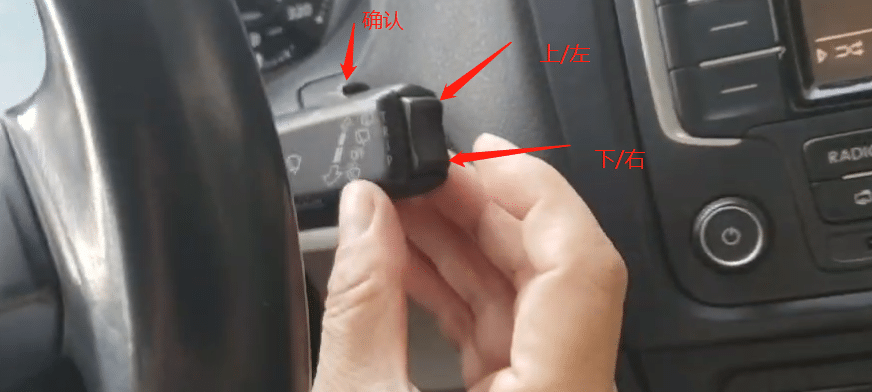
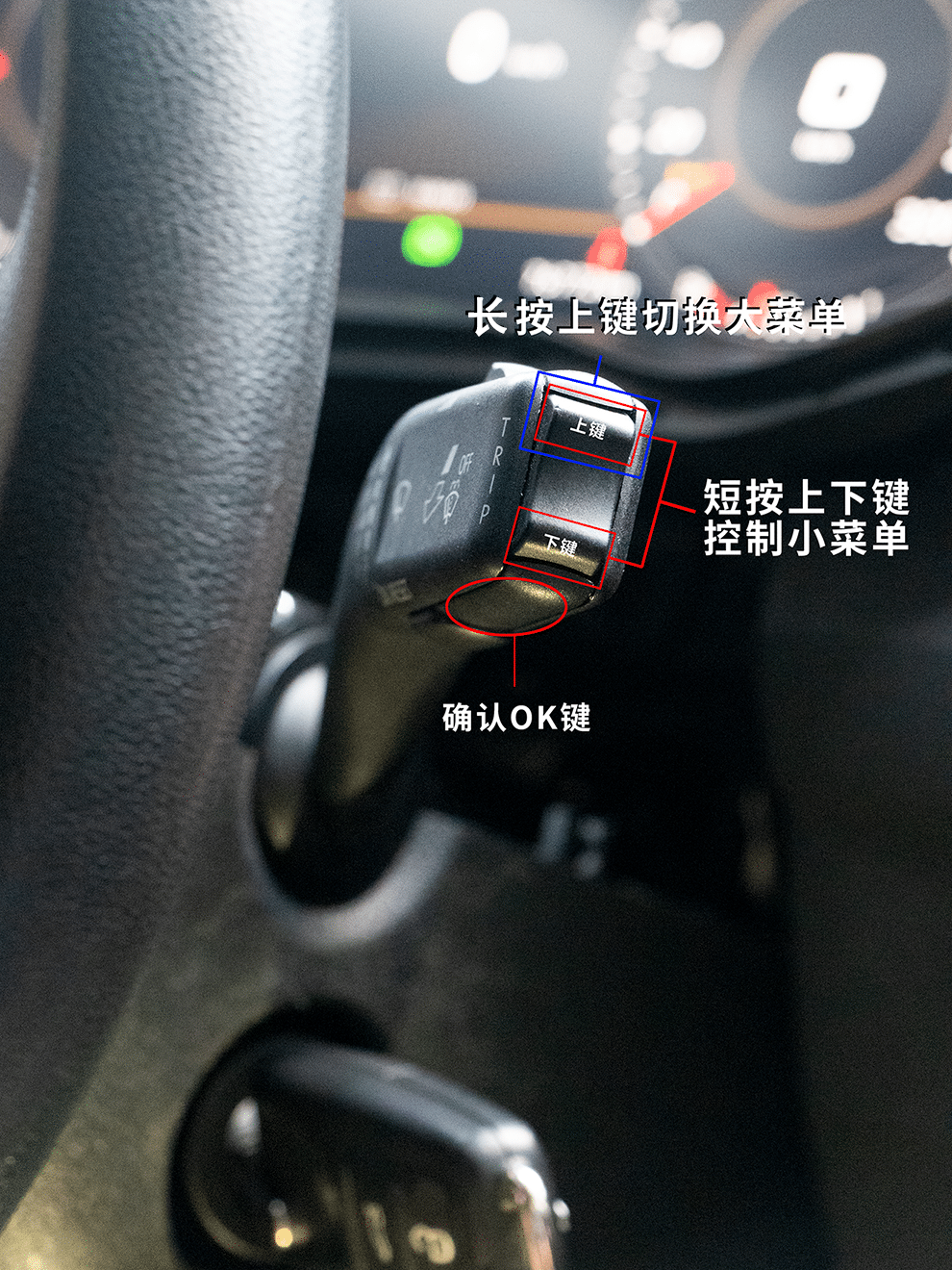
- Entrer dans le menu de limitation de vitesse multifonction.
- Commutation des deux fonctions d'avertissement désactivé.
- C'est seulement alors que vous pouvez commencer à retirer le combiné d'instruments d'origine.
Vérification d'achèvement : les deux chemins d'avertissement ont été préparés pendant que le menu du combiné d'origine est encore disponible.
Dépose des garnitures du tableau de bord et du combiné d'origine
La première étape physique est l'accès contrôlé au tableau de bord. Ne forcez pas le combiné d'instruments à travers une garniture qui n'a pas été complètement libérée.
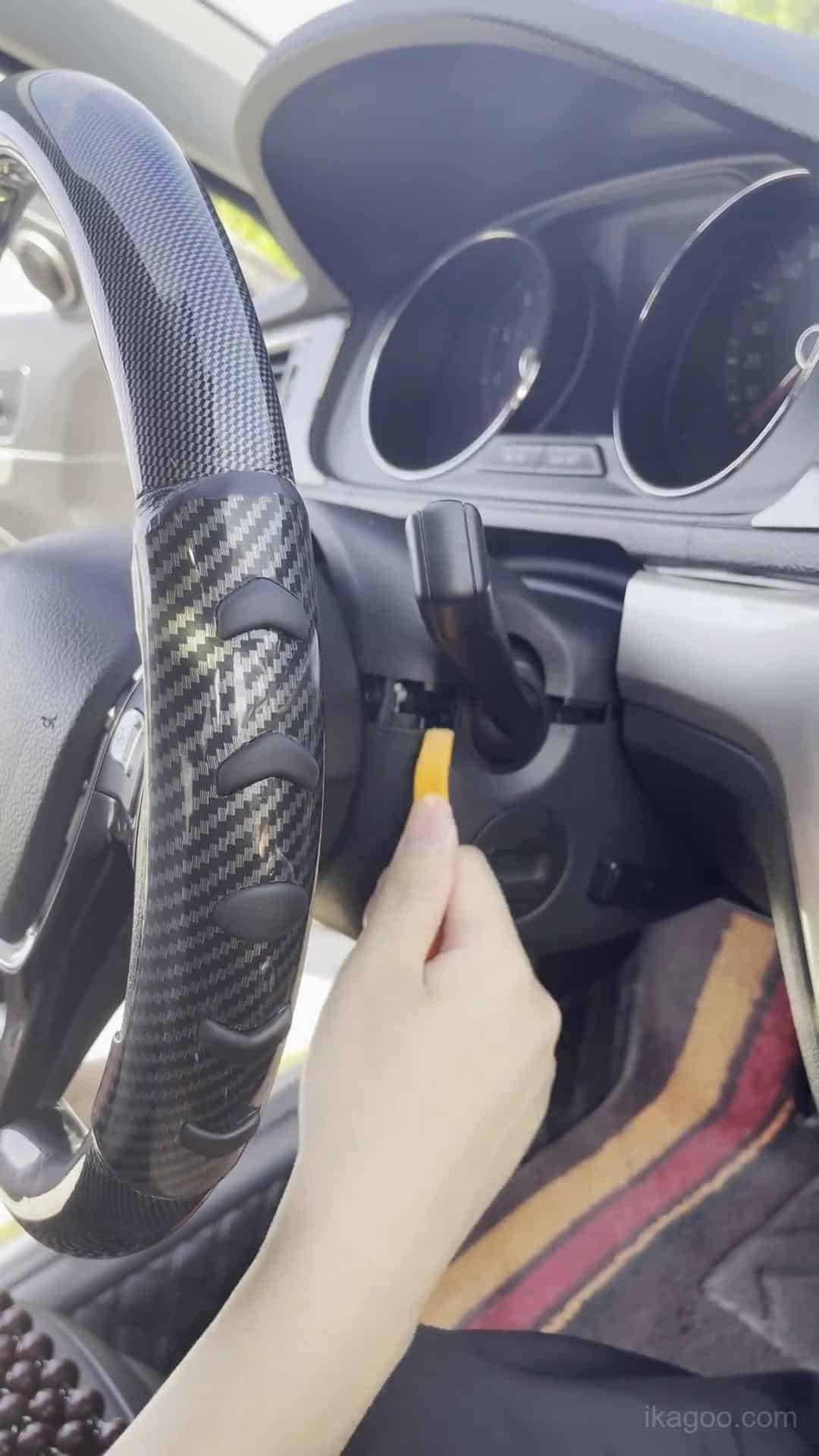
Étape 1. Confirmez le combiné mécanique d'origine
Comparez la face du combiné d'origine, la garniture du tableau de bord environnante et l'ouverture de l'instrument avec ce flux d'installation avant de retirer quoi que ce soit.
Prenez une photo claire du tableau de bord et du combiné d'origine avant de commencer. Cela fournit un enregistrement utile de toute indication d'avertissement ou de l'état existant du tableau de bord.
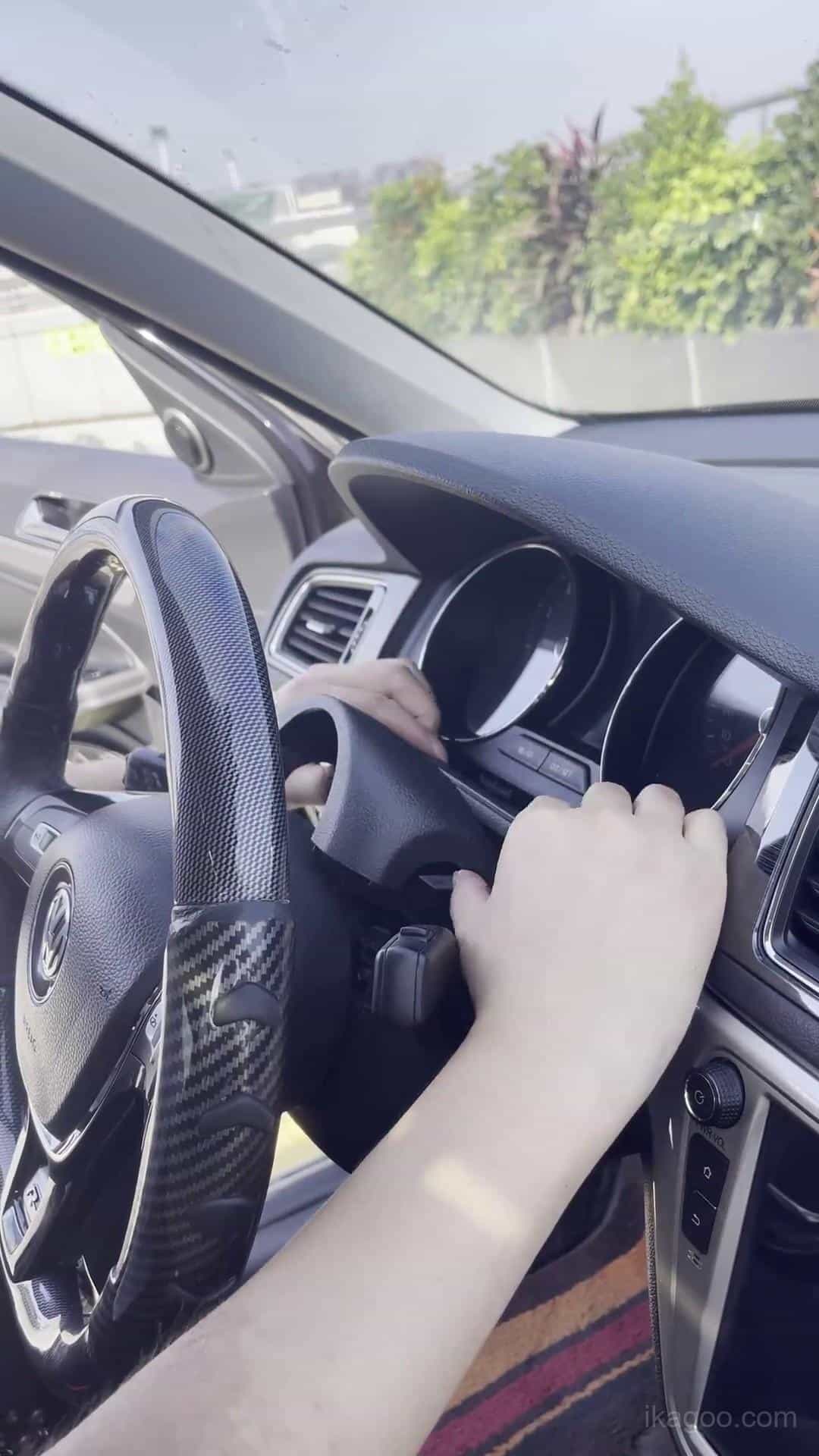
Étape 2. Commencer à dégager la garniture du tableau de bord
Utilisez un outil en plastique de retrait de garniture et dégagez progressivement le panneau environnant. Travaillez à partir des joints du panneau et des points de retenue plutôt que d'appliquer un levier important sur les surfaces de garniture visibles.
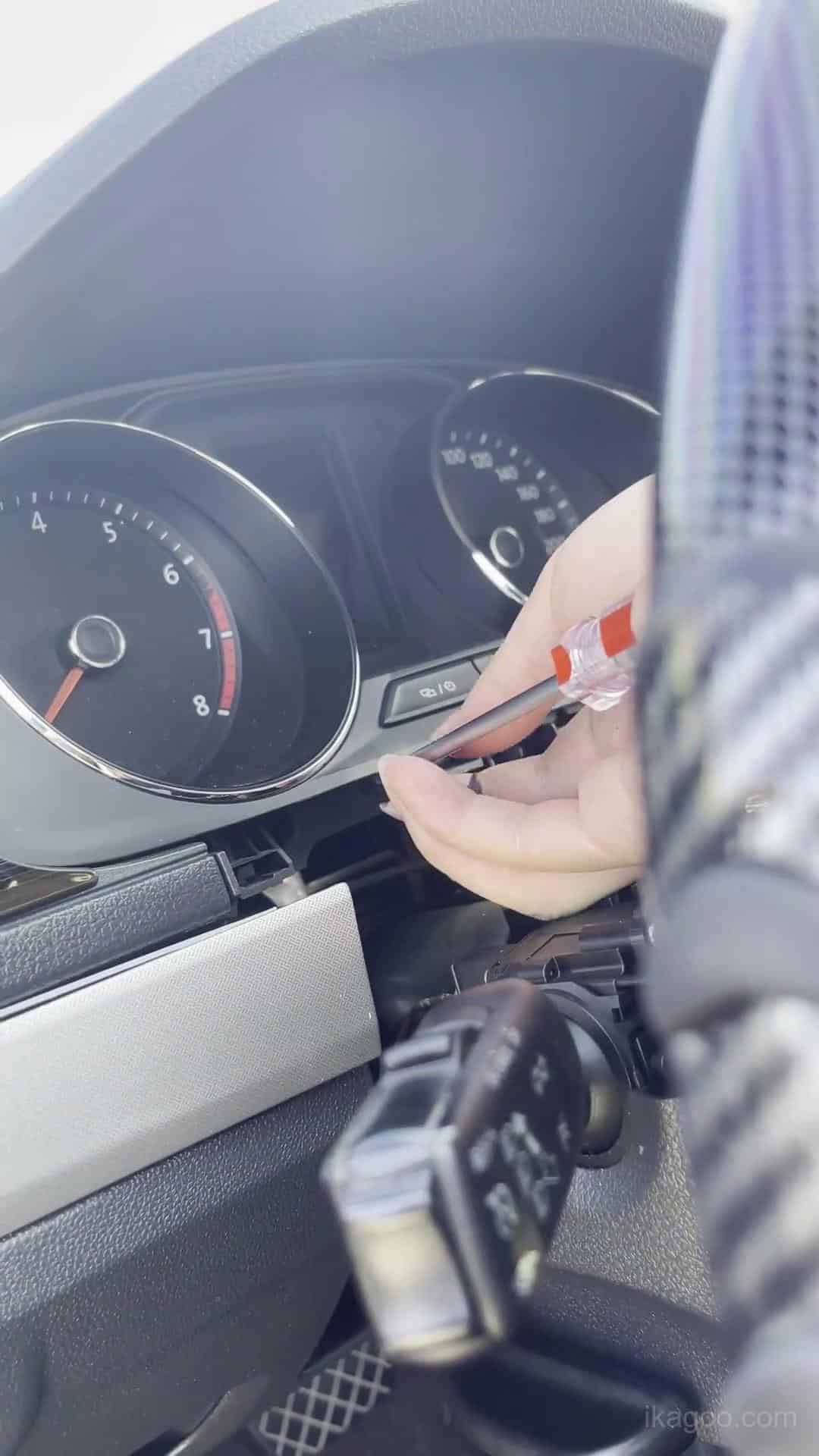
Étape 3. Continuer à ouvrir l'entourage du bloc d'instruments
Dégagez la garniture environnante uniformément. Ne tirez pas un côté vers l'extérieur pendant que le côté opposé reste fermement attaché.
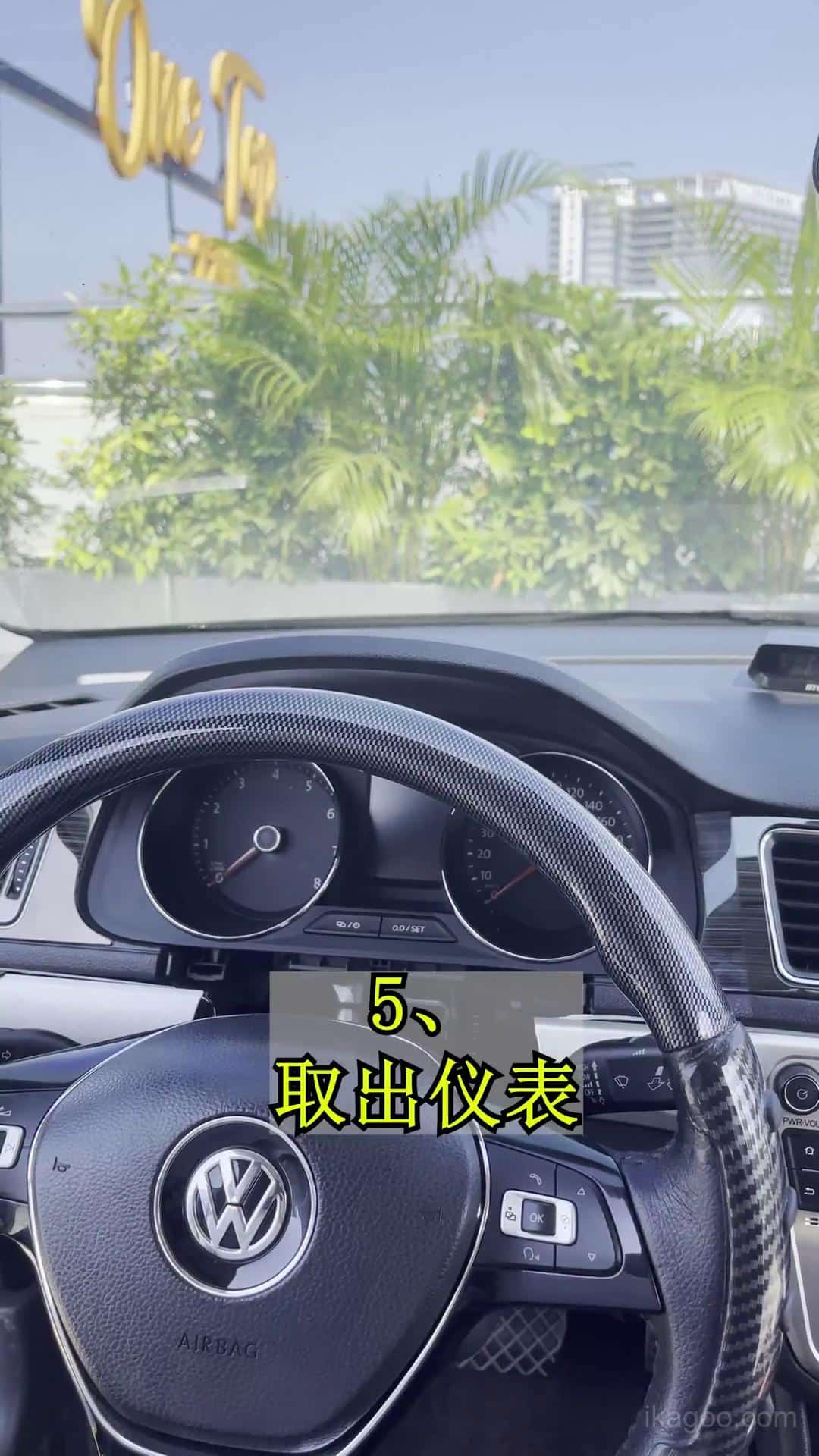
Étape 4. Exposer complètement la grappe d'origine
Dégagez suffisamment de garniture environnante pour que le bloc d'instruments d'origine puisse avancer le long de sa trajectoire de retrait normale sans racler ni forcer le contour.
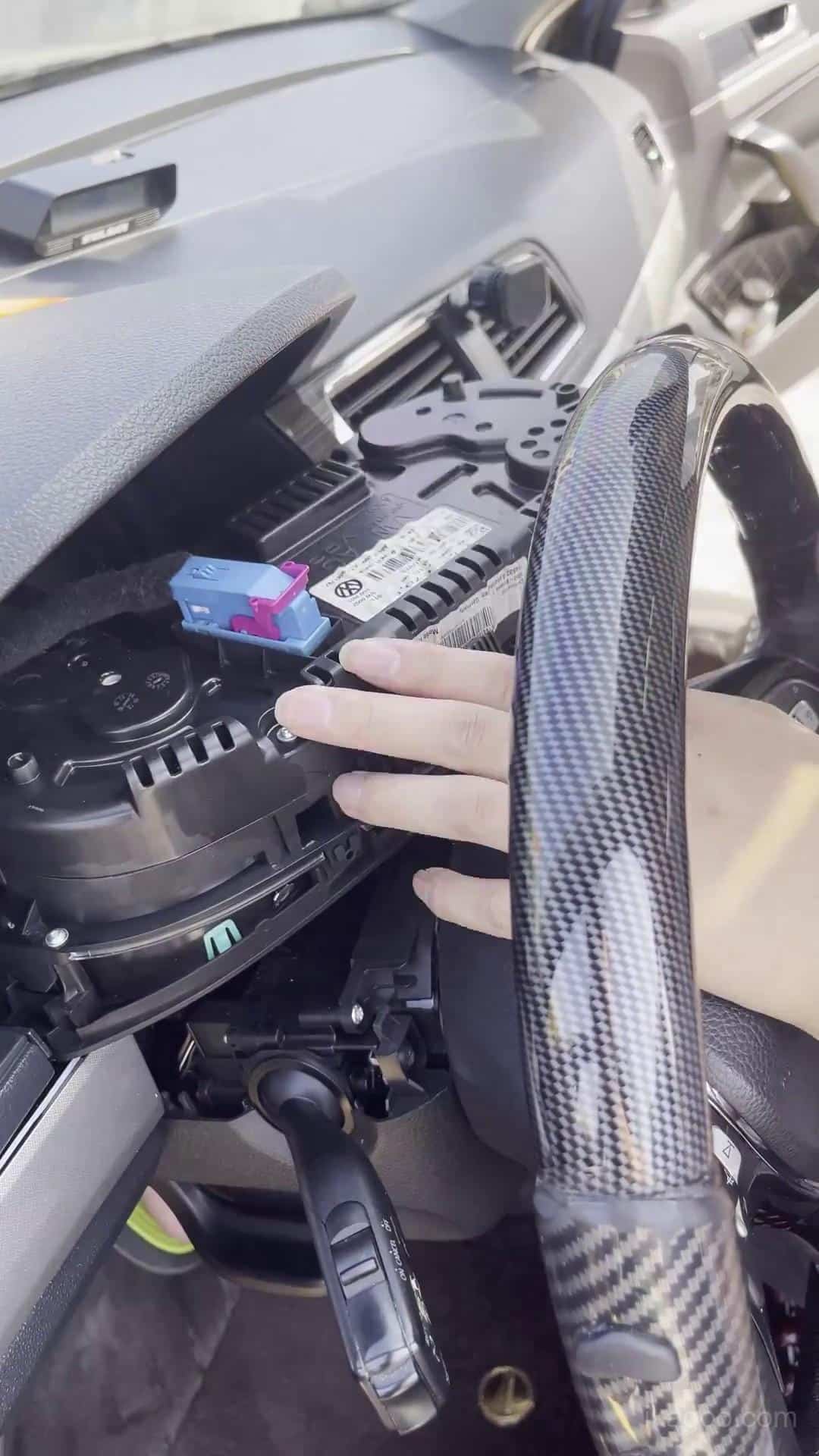
Étape 5. Retirer le groupe mécanique d'origine
Amenez le bloc d'instruments vers l'avant avec précaution et soutenez son poids pendant que vous débranchez le connecteur d'origine. Ne laissez pas le bloc d'instruments pendre du faisceau.
Transfert de la carte d'origine et travail sur établi
C'est la partie la plus délicate de l'installation du bloc d'instruments numérique Volkswagen Lavida 2013-2017, car les composants électroniques d'origine requis doivent être conservés et installés correctement.
Protection contre l’électricité statique : déchargez l'électricité statique de votre corps avant de toucher la carte PCB d'origine et tenez les cartes électroniques uniquement par leurs bords.
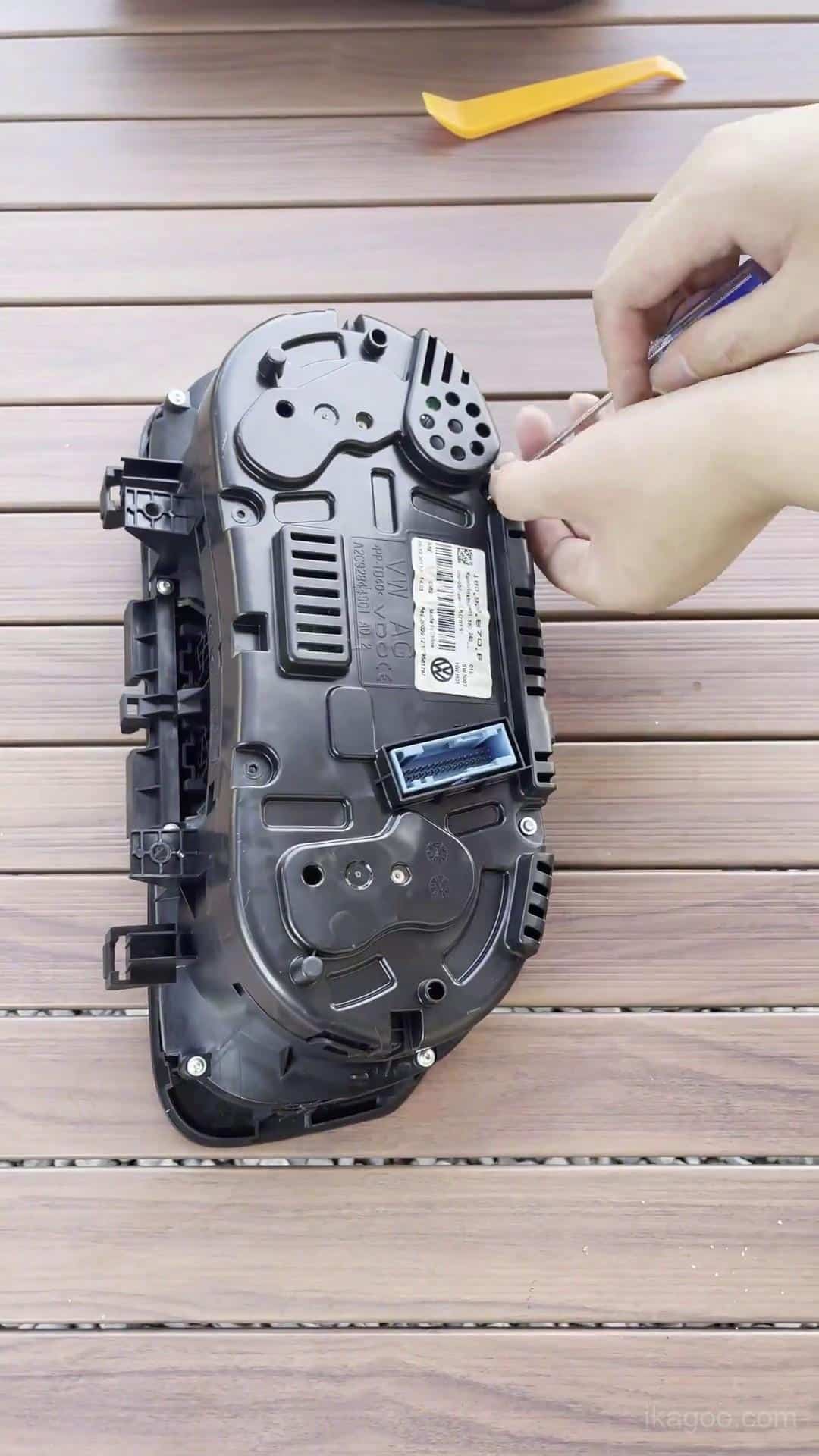
Étape 6. Déplacer le bloc d'instruments d'origine vers un établi propre
Effectuez le travail interne sur une surface propre et rembourrée. Organisez les vis et composants retirés avant d'ouvrir le boîtier.
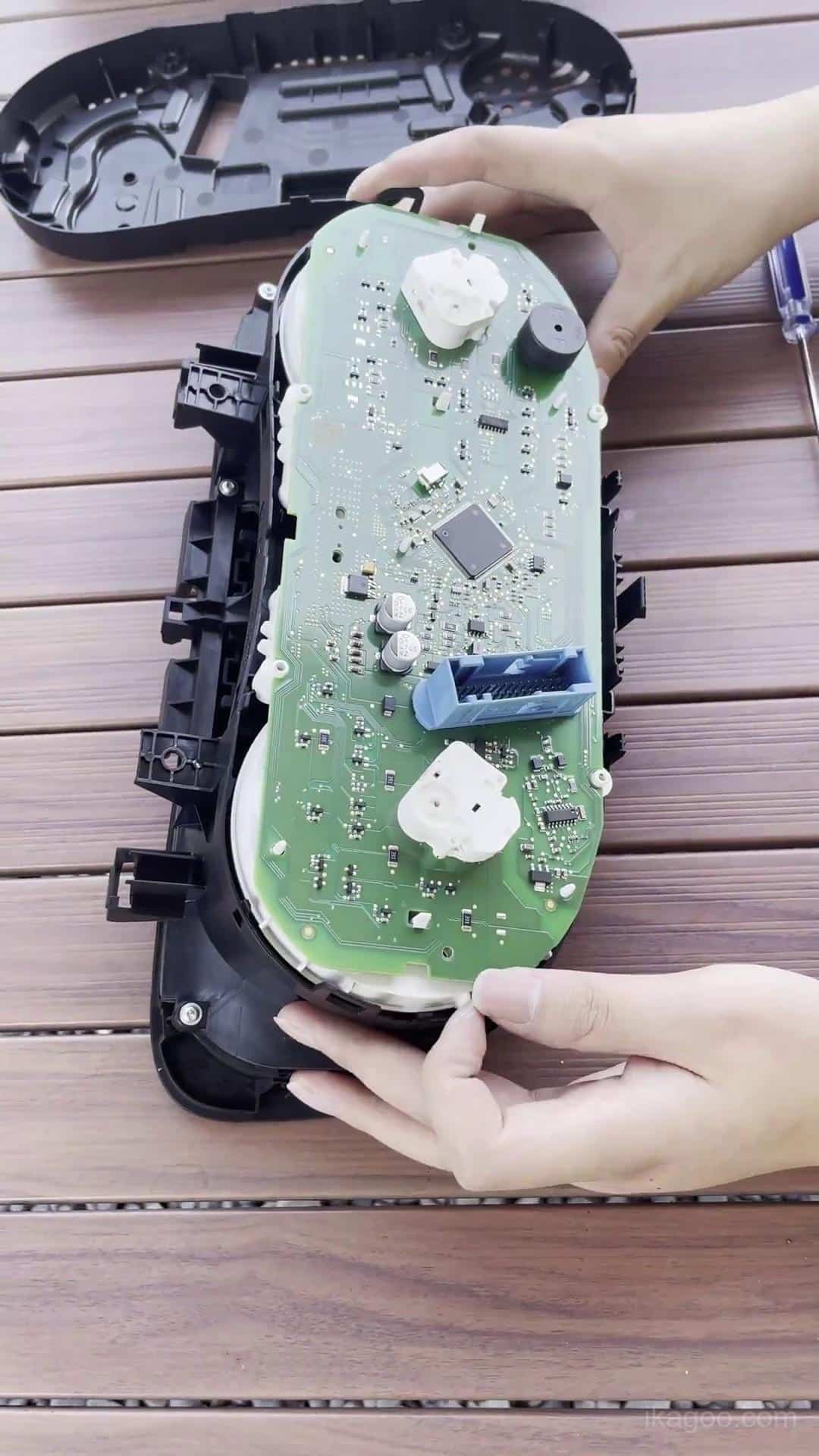
Étape 7. Ouvrez le boîtier d’origine du combiné
Dégagez les clips et fixations du boîtier méthodiquement. Si le boîtier ne se sépare pas naturellement, localisez le point de retenue restant plutôt que de le forcer.
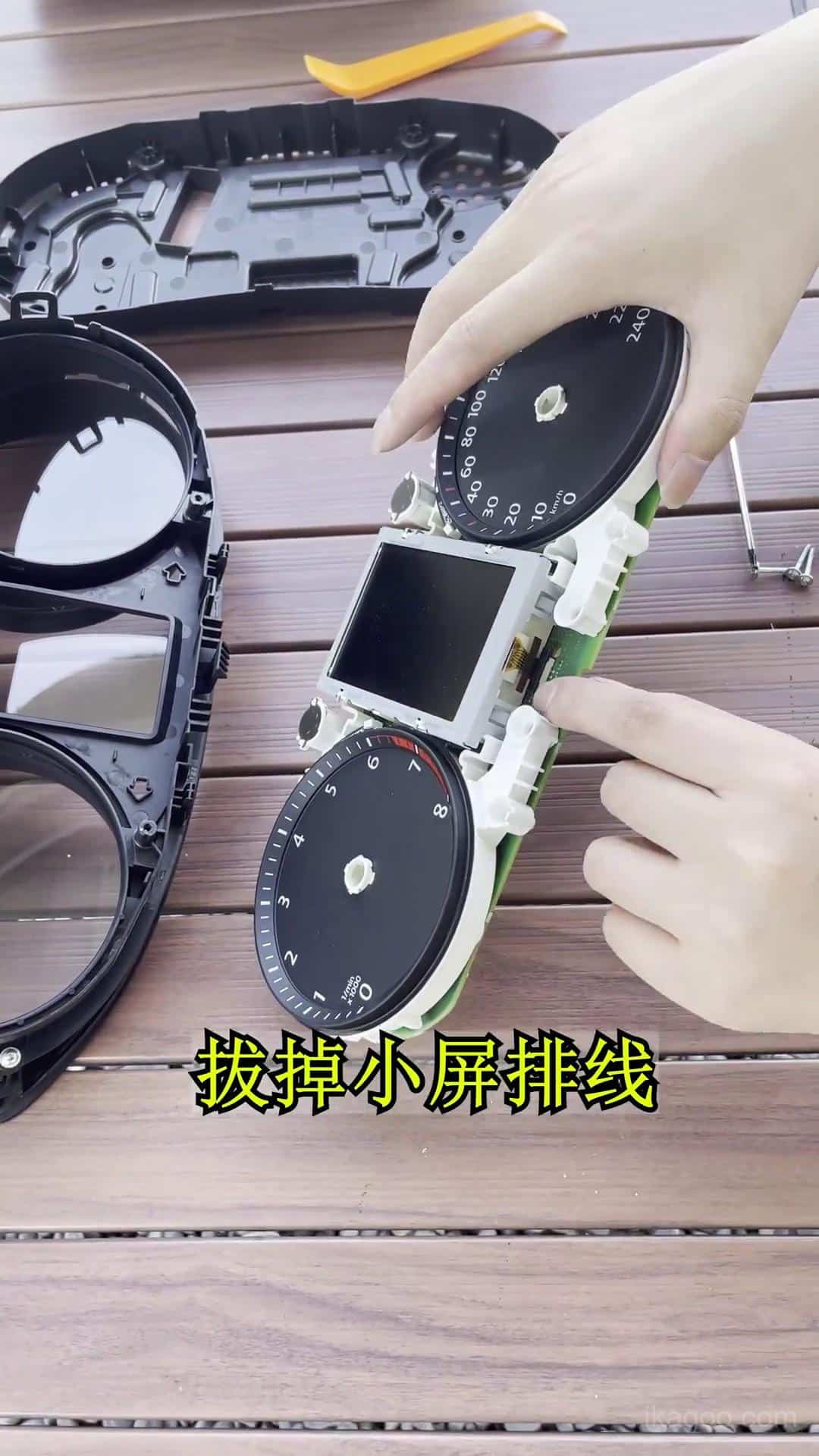
Étape 8. Accéder à l'électronique d'origine
Identifiez la voie requise de la carte d'origine avant de débrancher les composants. Évitez de toucher directement les composants de la carte PCB ou les contacts exposés.
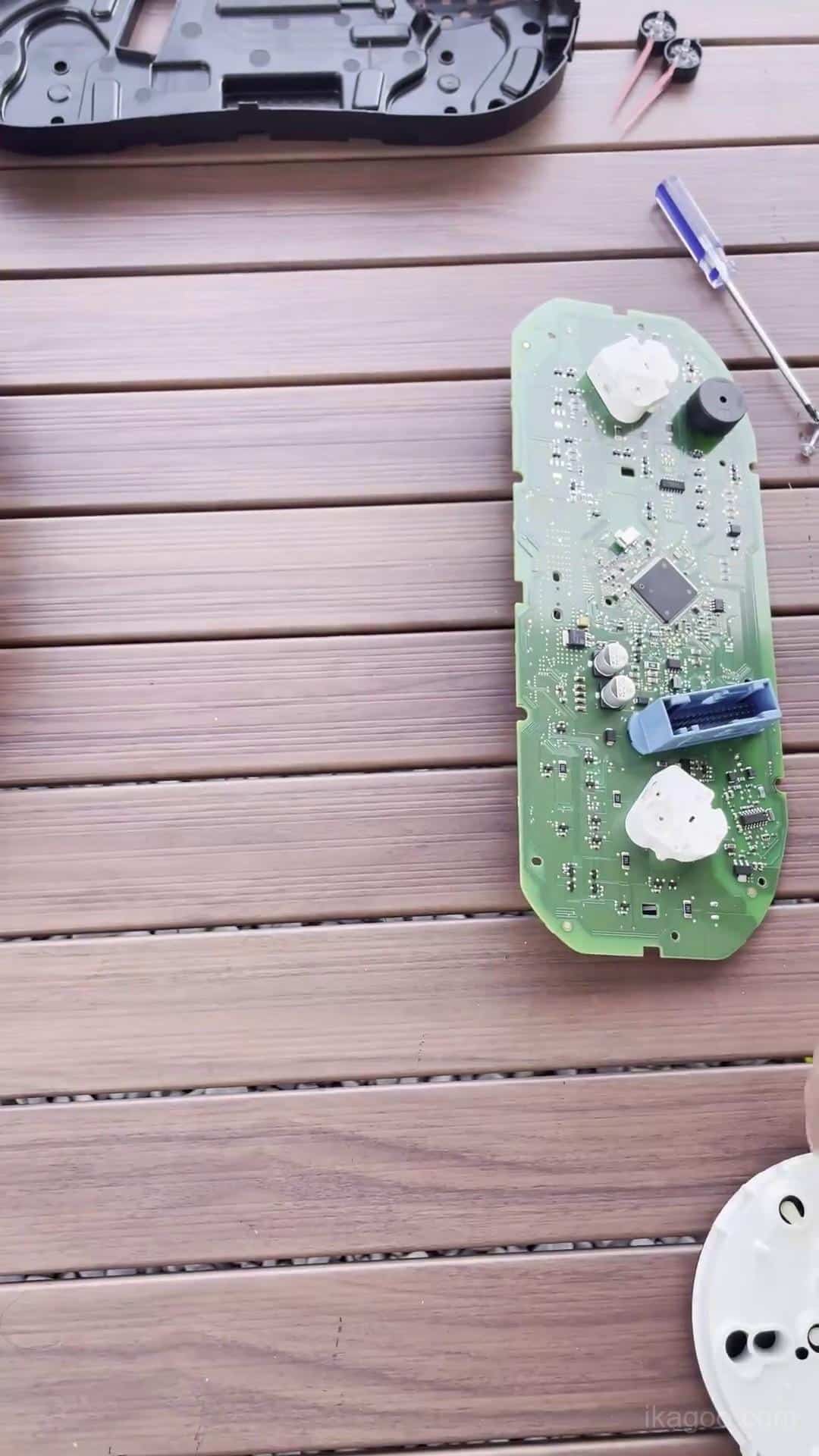
Étape 9. Transférer l'électronique d'origine requise
Déplacez les composants électroniques conservés requis dans l'ensemble du bloc d'instruments numérique amélioré et positionnez-les naturellement dans leurs emplacements de montage prévus.
Assurez-vous que tous les connecteurs sont complètement enfoncés et qu'aucun câble n'est coincé sous la carte.
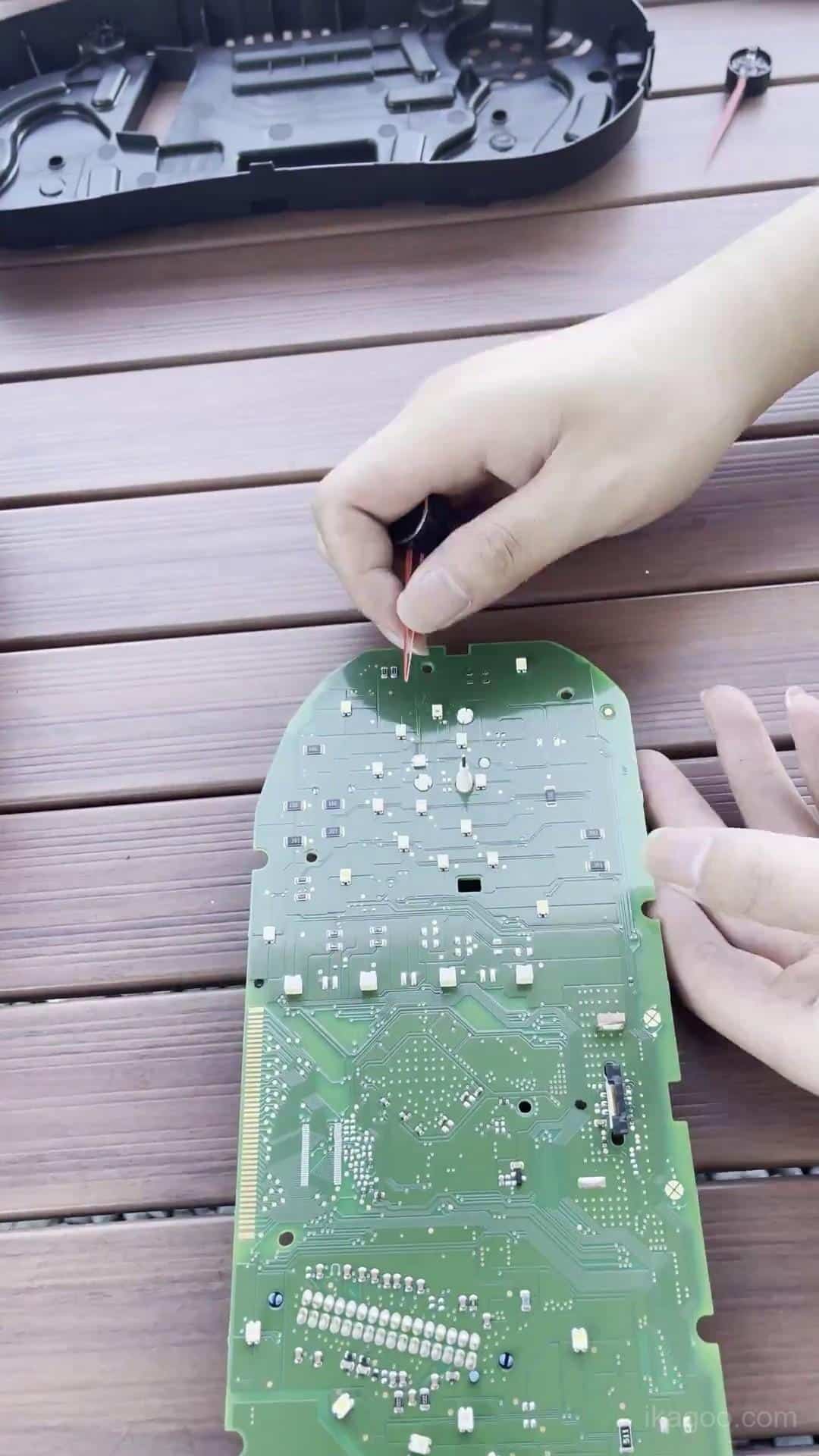
Étape 10. Vérifiez la visserie d'origine conservée
Avant de fermer le nouveau boîtier, inspectez la carte conservée, les connecteurs, le cheminement des câbles et le buzzer d'instrument d'origine.
C'est également le bon moment pour identifier si le combiné d'origine contient la petite carte auxiliaire décrite ci-dessous.
Vérifiez la petite carte auxiliaire
Certains combinés mécaniques d'origine de spécification supérieure contiennent une petite carte de circuit auxiliaire derrière l'écran d'origine. Elle n'est pas présente sur tous les combinés Lavida.
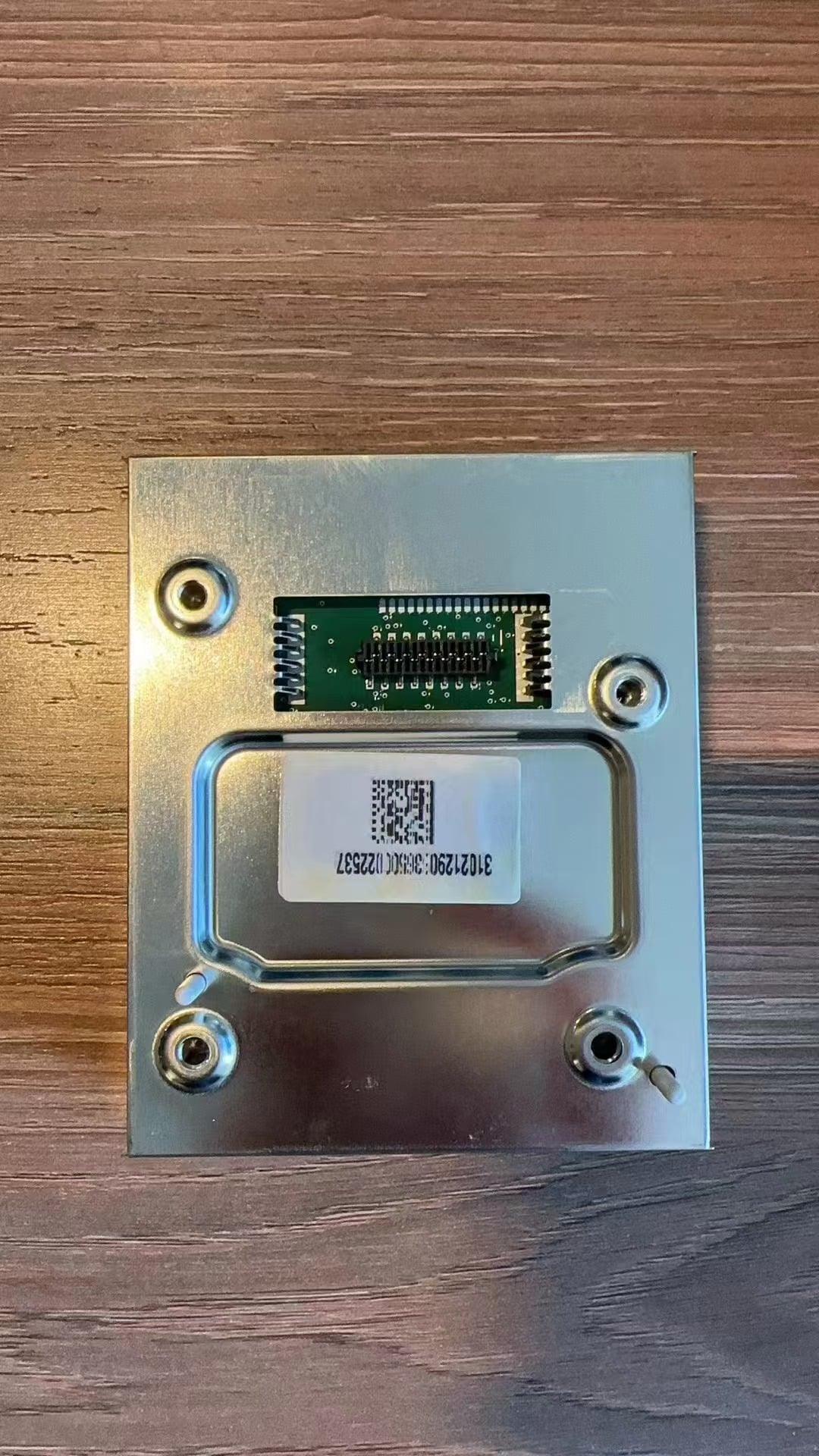
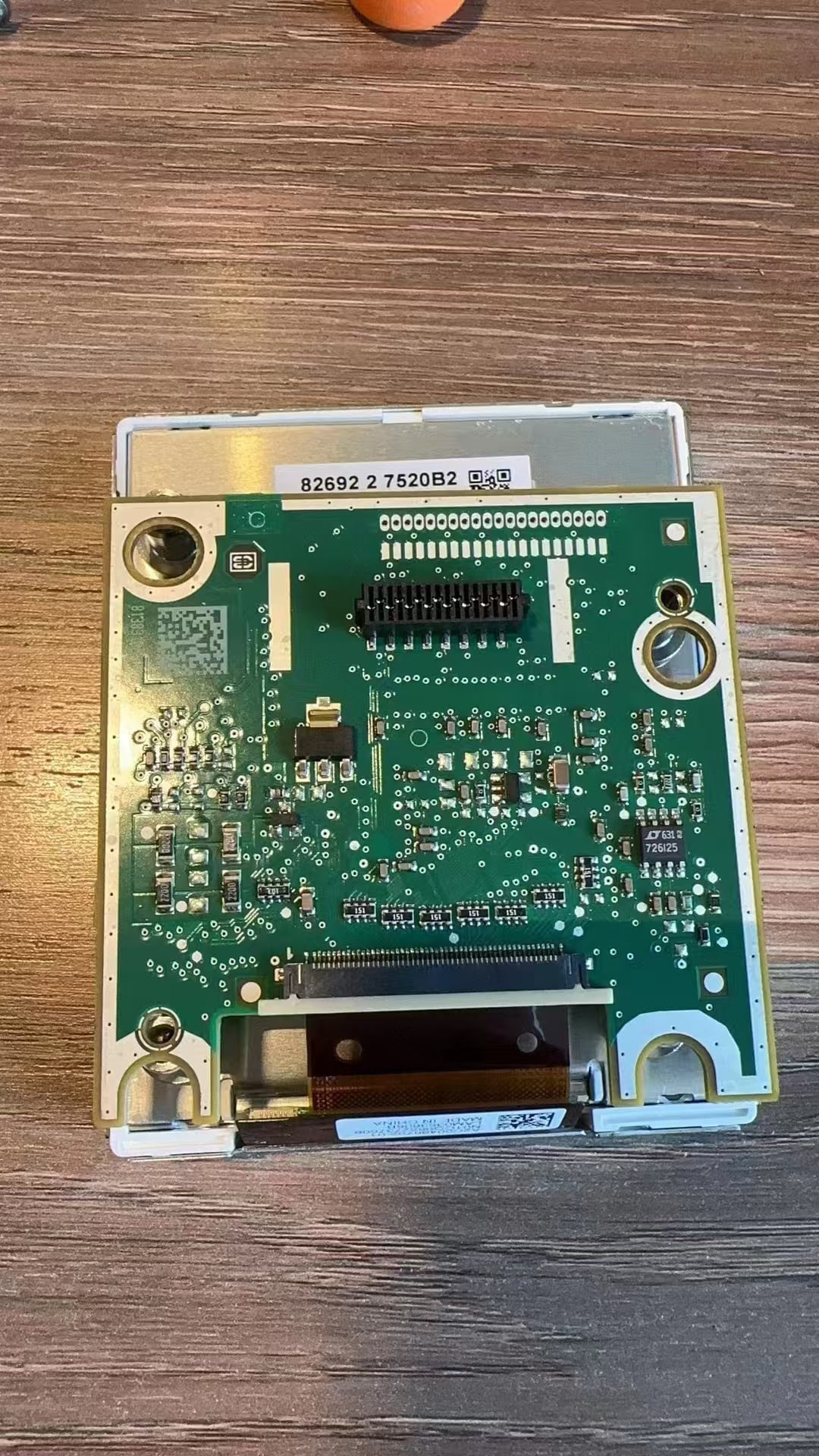
Si le combiné d'origine contient cette carte, transférez-la et fixez-la correctement. Si le combiné d'origine ne contient pas la carte, aucune installation de carte auxiliaire n'est nécessaire.
Vérification critique : lorsque le combiné d'origine contient cette carte, l'omettre ou la laisser desserrée peut contribuer à des erreurs de niveau de carburant ou à des avertissements de défaut d'instrument.
Explication de la carte auxiliaire
Référence d'installation de la carte auxiliaire
Remontage du combiné numérique et cheminement des câbles USB
Après avoir vérifié l'électronique conservée, remontez le combiné numérique et préparez-le pour la réinstallation dans le tableau de bord.
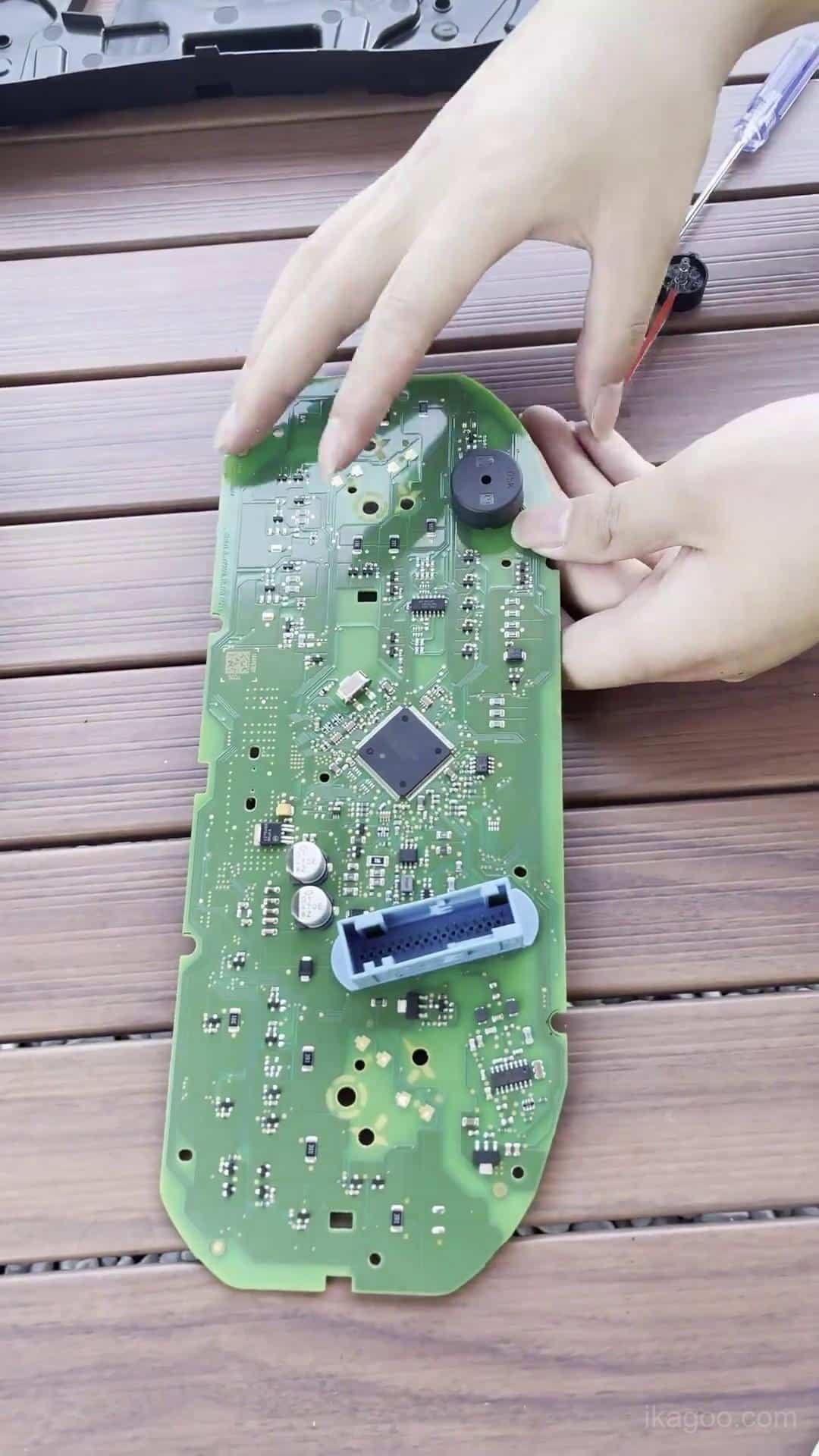
Étape 11. Remontez le combiné numérique
Fermez le boîtier uniformément sur tout le périmètre. Appliquez la pression uniquement sur les bords structurels du boîtier et jamais directement sur la surface de l'écran LCD.
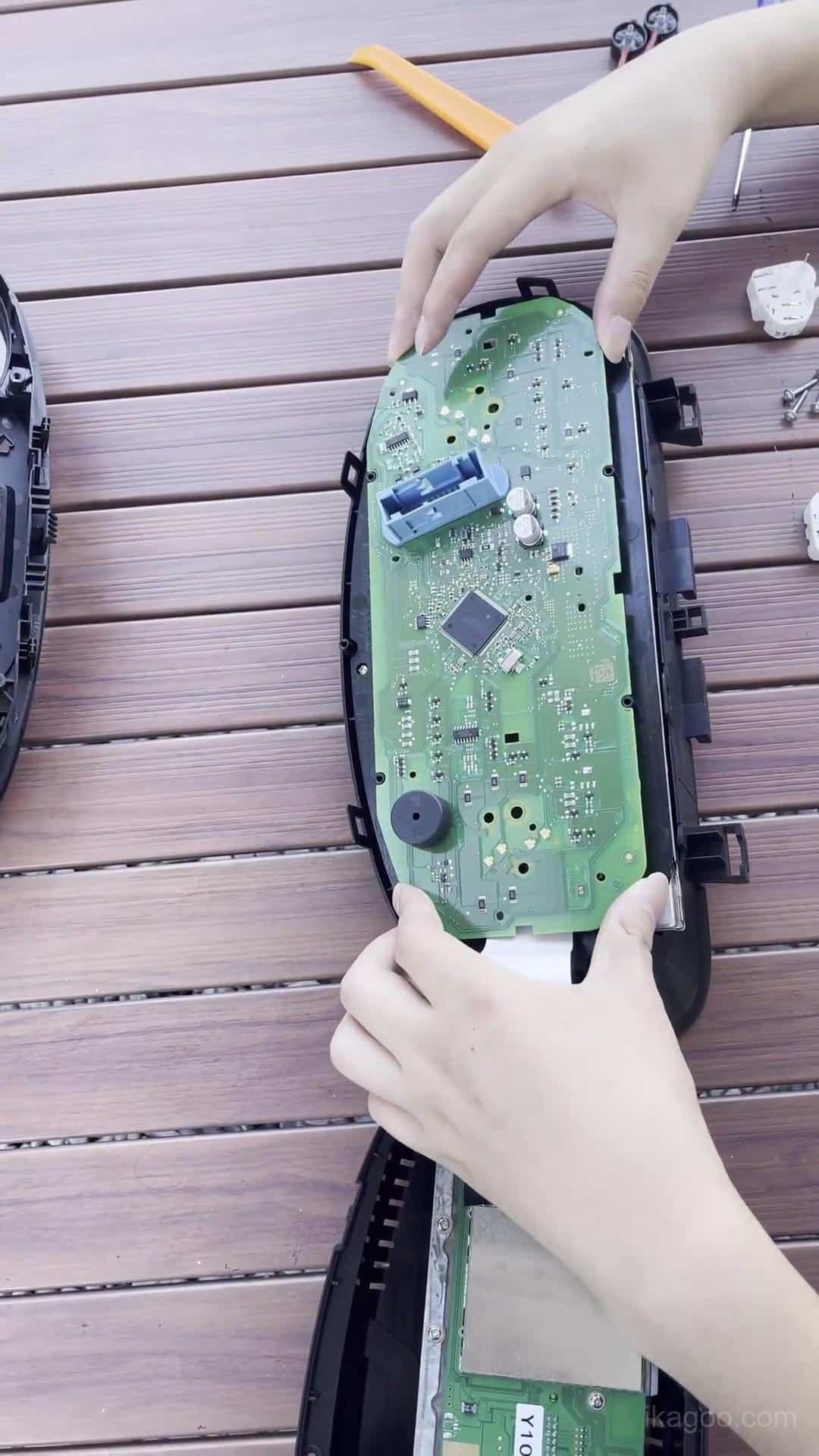
Étape 12. Inspectez le boîtier du combiné assemblé
Vérifiez toute la jointure du boîtier et assurez-vous que l'électronique conservée, le buzzer, les nappes et les câbles restent correctement positionnés.
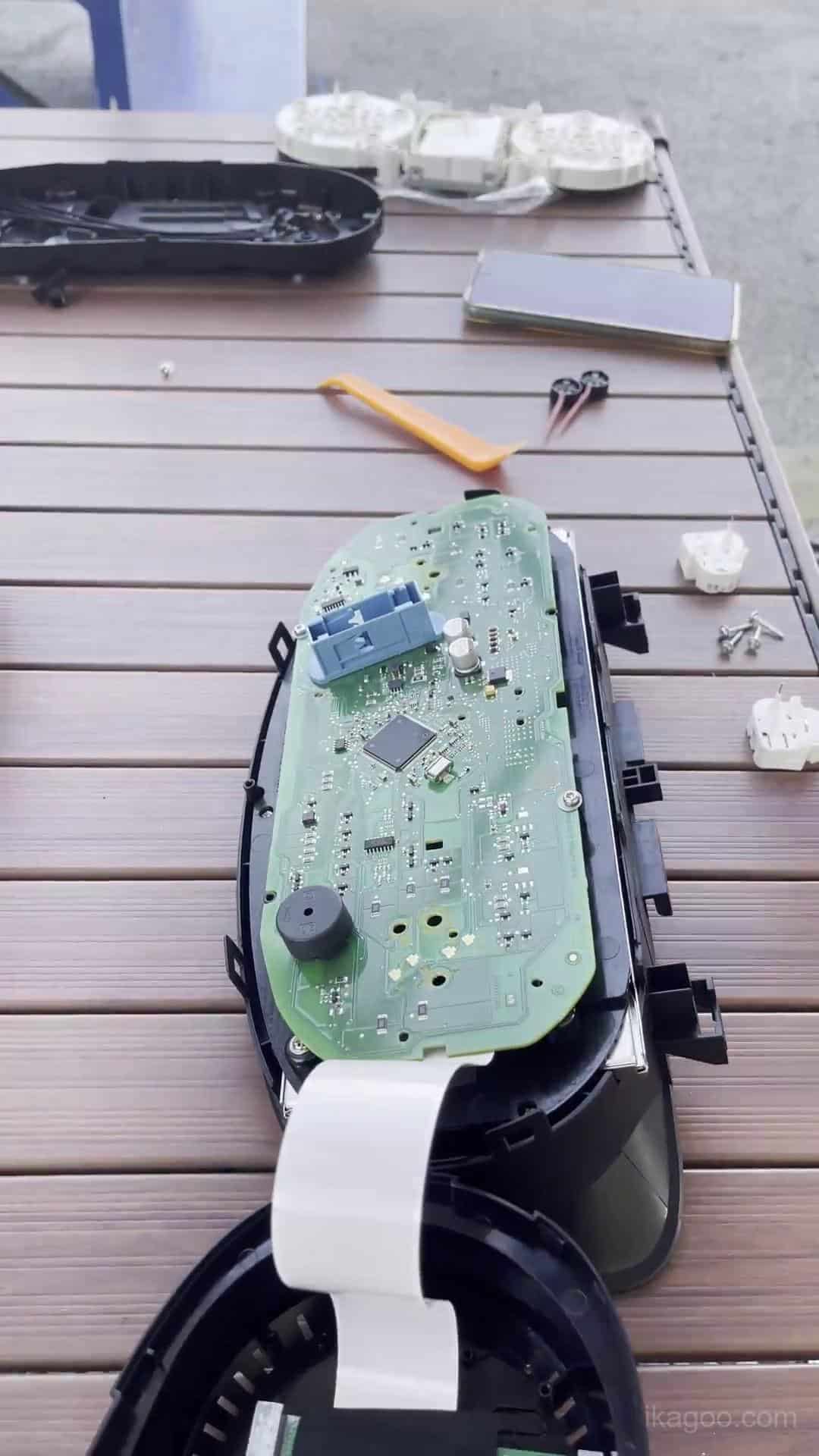
Étape 13. Rebranchez le combiné numérique
Rebranchez complètement le faisceau d'origine du véhicule et positionnez le combiné mis à niveau dans l'ouverture de l'instrument. Laissez la garniture environnante ouverte pour le premier test de mise sous tension.
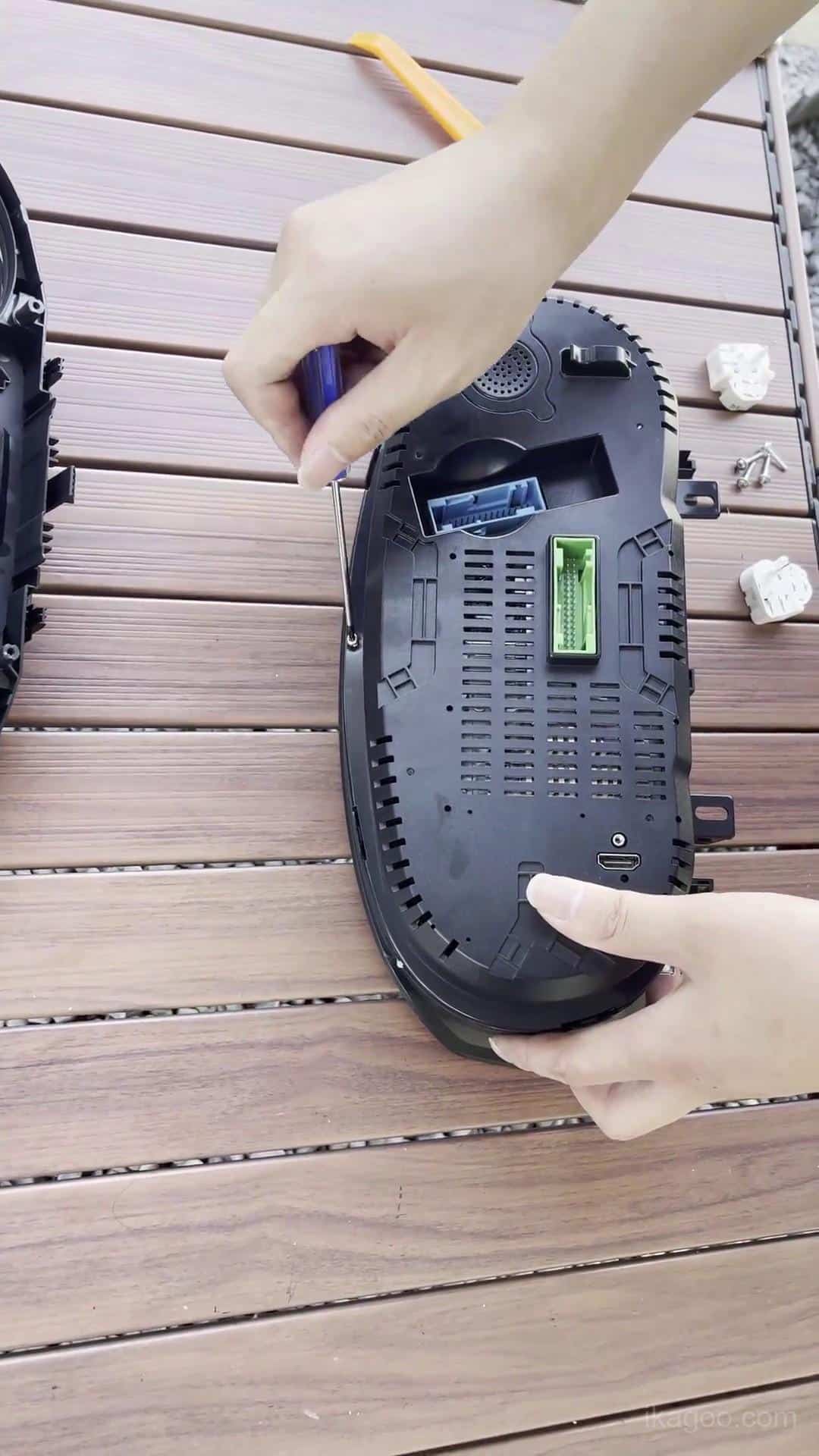
Étape 14. Faites cheminer les deux câbles USB
Gardez les deux câbles USB accessibles près de l'espace de rangement inférieur gauche sous le volant.
Un câble est conservé pour l'accès aux mises à jour logicielles par câble. L'autre est utilisé pour la projection filaire lorsque prise en charge par la version de combiné fournie.
Première mise sous tension et installation finale du tableau de bord
Ne réinstallez pas tous les habillages du tableau de bord avant que le combiné n'ait passé son test de première mise sous tension.
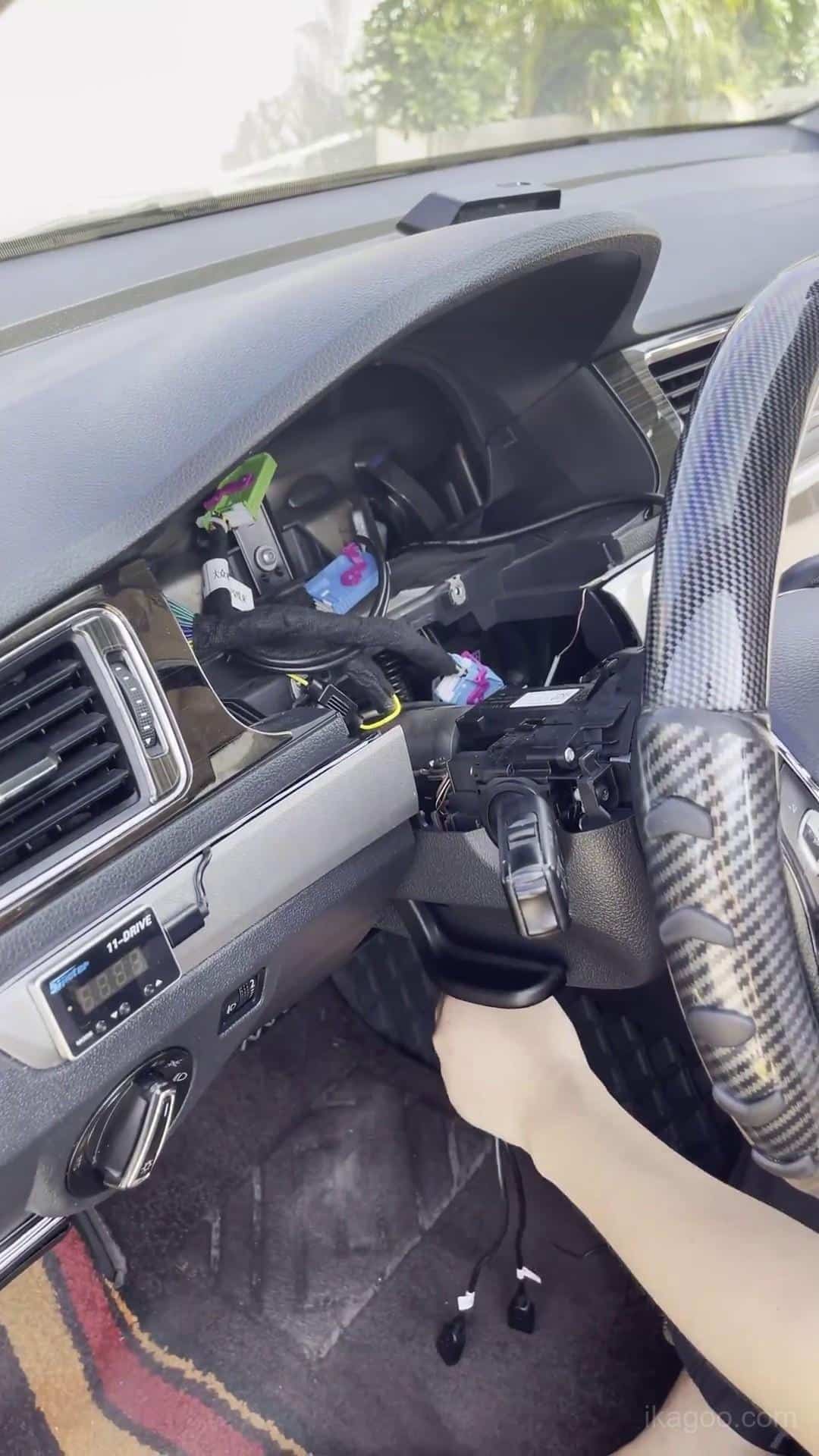
Étape 15. Mettre sous tension et tester le combiné numérique
Observez le démarrage, le comportement des avertissements et l'affichage principal des données du véhicule. Inspectez l'écran LCD pour détecter des lignes anormales, des zones sombres ou des marques de pression.
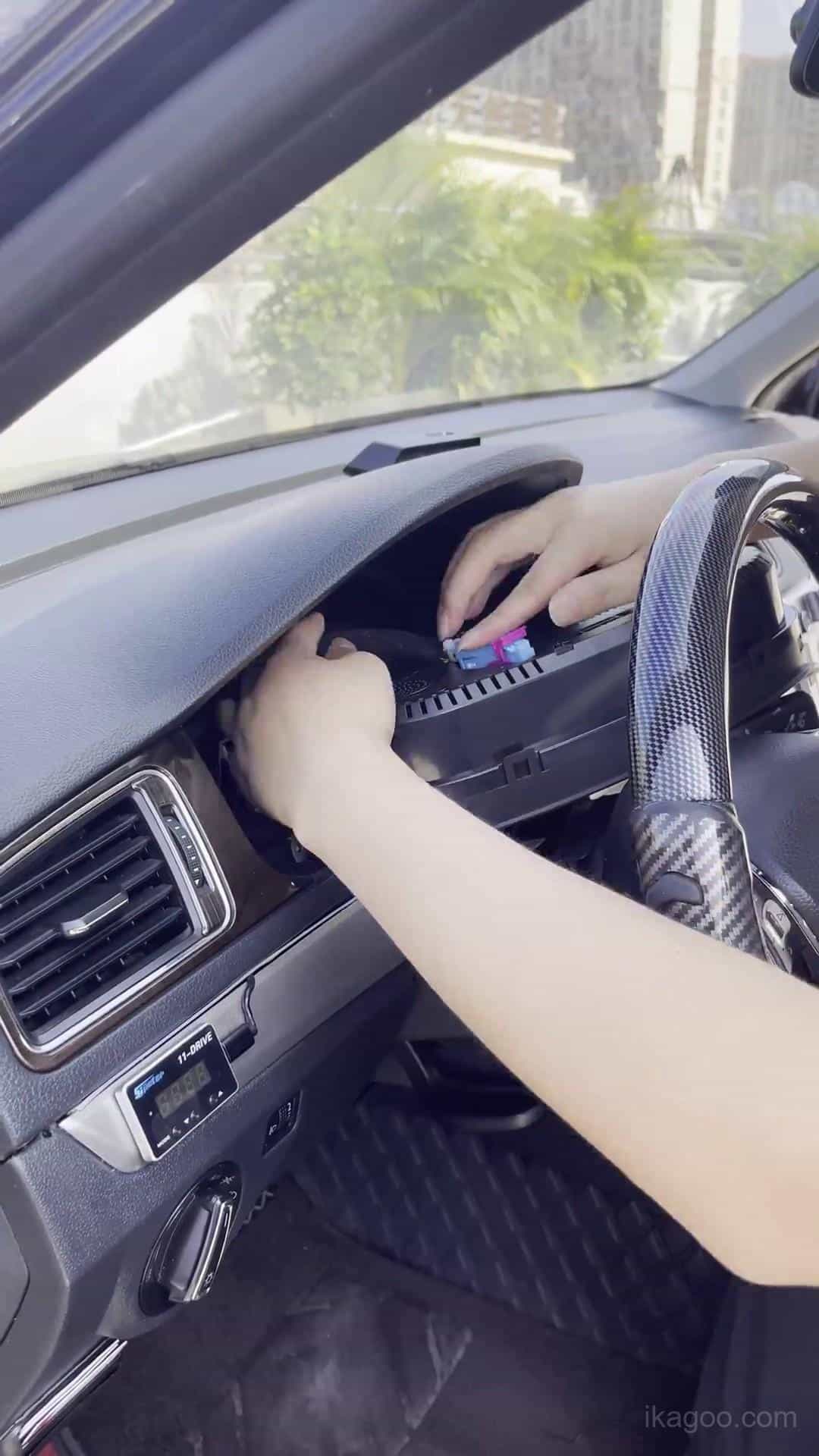
Étape 16. Réinstaller l'habillage environnant du tableau de bord
Une fois le test de première mise sous tension réussi, alignez l'habillage et réinstallez-le progressivement. Si une pression inhabituelle est nécessaire, vérifiez d'abord la position du combiné et le cheminement des câbles.
Étape 17. Vérifier l'installation finale
Vérifiez le tableau de bord terminé depuis la position du conducteur. Confirmez un ajustement propre, un démarrage normal, les indicateurs d'avertissement, l'affichage du carburant, l'affichage des clignotants, le fonctionnement des menus et le comportement général des informations du véhicule.
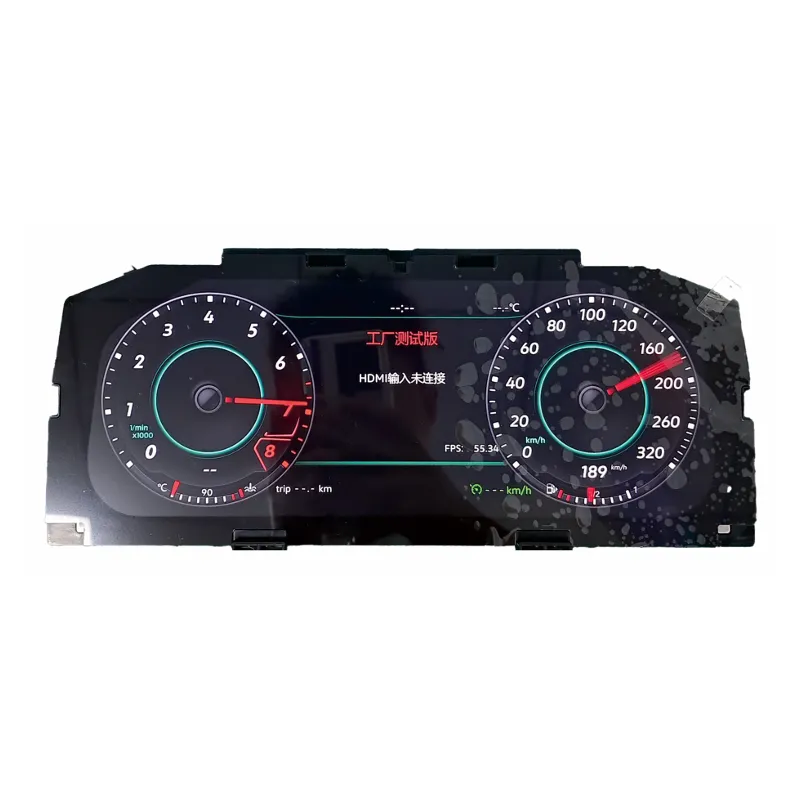
Combiné numérique pour Volkswagen Lavida 2013-2017
Il s'agit de la procédure produit du combiné numérique iKAGOO associée à la méthode d'installation indiquée ci-dessus. Elle est destinée aux applications Volkswagen compatibles utilisant l'architecture de combiné d'instruments d'origine prise en charge.
Ne commandez pas en vous basant uniquement sur l'année. Avant l'expédition, le tableau de bord et le combiné d'instruments d'origine doivent être vérifiés par rapport à la procédure prise en charge.
Calibration et réglages après installation
Étalonnage de la capacité du réservoir de carburant
Si la jauge de carburant n'affiche pas le plein après un ravitaillement : vérifiez la calibration avant de supposer un problème matériel.
- Remplissez complètement le réservoir de carburant.
- Conduisez quelques centaines de mètres.
- Ouvrir Données de conduite → Quantité réapprovisionnable.
- Lisez la quantité de remplissage affichée.
- Ouvrir Réglages → Configuration Calibration → Capacité du réservoir de carburant.
- Saisissez la valeur de remplissage affichée.
- Après une calibration correcte, la valeur de remplissage devrait revenir à 0.
Réglage de l'éclairage physique
Sur la procédure Volkswagen Lavida PQ concernée, l'éclairage physique doit rester désactivé. Un état activé incorrect peut affecter le comportement d'affichage des clignotants.
Sélection du modèle de véhicule
Si le graphique du véhicule affiché dans le combiné ne correspond pas au véhicule réel, utilisez le réglage de sélection du modèle de véhicule, choisissez le modèle correct, éteignez le véhicule et verrouillez-le pendant plusieurs minutes avant de vérifier à nouveau.
Dépannage du combiné numérique Volkswagen Lavida
La jauge de carburant n'indique pas le plein
Vérifiez d'abord : effectuez la calibration de la capacité du réservoir de carburant à l'aide de la valeur de quantité de remplissage.
L'affichage des clignotants est incorrect
Vérifiez d'abord : vérifiez que l'éclairage physique est désactivé sur la route PQ concernée.
L'avertissement de défaut de l'instrument apparaît
Vérifiez d'abord : vérifiez que le buzzer d'origine conservé et la carte auxiliaire sont présents lorsque le combiné d'origine en comportait un.
Un graphique de véhicule incorrect est affiché
Vérifiez d'abord : sélectionnez le bon modèle de véhicule, éteignez la voiture et verrouillez-la pendant plusieurs minutes.
Le câble USB n'est plus accessible par la suite
Vérifiez d'abord : les deux câbles USB doivent rester accessibles près de la zone de rangement inférieure gauche.
Le combiné numérique ne démarre pas
Vérifiez d'abord : inspectez le connecteur d'origine du véhicule et l'installation de la carte conservée.
L'écran LCD présente des lignes ou des marques de pression
Vérifiez d'abord : inspectez le boîtier et l'écran LCD. N'appuyez jamais directement sur l'écran lors du remontage.
Le combiné n'est pas correctement positionné
Vérifiez d'abord : inspectez la position du boîtier, le passage des câbles USB et les garnitures du tableau de bord environnantes.
Liste de contrôle finale de l'installation
Matériel
- Carte d'origine installée correctement
- Buzzer d'origine conservé
- Carte auxiliaire transférée si présente à l'origine
- Aucune nappe ou câble coincé
- Aucune pression appliquée sur l'écran LCD
Fonctionnement du véhicule
- Le combiné démarre normalement
- Témoins d'avertissement vérifiés
- Affichage du carburant vérifié
- Clignotants vérifiés
- Commandes du menu vérifiées
Configuration
- Calibration du carburant effectuée si nécessaire
- Réglage de l'éclairage physique vérifié
- Graphique du véhicule vérifié
Assistance future
- Both USB leads accessible
- Software/version screen photographed
- Final installed dashboard photographed
Recommended: save a clear photo of the software/version screen after installation. It helps identify the exact installed version if future update or technical support is required.
Ressources iKAGOO associées
Volkswagen Digital Cluster Product
Review the product associated with this installation route.
Voir le combiné numérique →Manuel d'utilisation du combiné numérique VW et Audi
Use the manual for operation, settings and supported post-install guidance.
Open User Manual →Bibliothèque de guides d'installation
Browse additional vehicle-specific iKAGOO installation tutorials.
Parcourir les guides d'installation →Need the Digital Cluster Used in This Lavida Installation?
Send your Volkswagen Lavida 2013-2017 year plus clear photos of the original dashboard and instrument cluster so the configuration can be checked before shipping.
Volkswagen Lavida 2013-2017 Digital Cluster Installation FAQ
Does the digital cluster fit every Volkswagen Lavida 2013-2017?
Non. The original mechanical instrument cluster and dashboard architecture must match the supported PQ-platform installation route.
Does Volkswagen Lavida 2013-2017 digital cluster installation require wire cutting?
No wire cutting or harness splicing is required on the supported installation route. Dashboard removal and original electronic-component transfer are still required.
What must be done before removing the original Lavida cluster?
Complete the warning-menu preparation while the original mechanical cluster is still installed, including the winter tire and speed-limit warning settings described above.
Does the original instrument board need to be transferred?
Oui. Required retained original electronics must be transferred and installed correctly inside the upgraded digital cluster.
Does every Volkswagen Lavida have the small auxiliary board?
Non. Some higher-spec original clusters contain it. Transfer the board only when it is present in the original cluster.
Why must the original instrument buzzer remain installed?
The retained buzzer is part of this supported installation route. Removing it may contribute to combination-instrument fault behavior.
Why are there two USB cables?
One provides wired software-update access. The other provides wired projection where that function is supported by the supplied digital-cluster version.
Why does the fuel gauge not show full after refueling?
Check Fuel Tank Capacity calibration first. Read the Refillable Amount value and use it in the calibration setting described above.
Should Physical Light be enabled?
No, not on the relevant PQ route documented in this guide. Incorrectly enabling it may affect turn-signal display behavior.
Que faut-il vérifier avant de refermer le tableau de bord ?
Verify normal startup, warning indicators, vehicle-data display, screen condition, retained-board installation and connector stability before reinstalling the final trim.
Which product is recommended for this installation?
Use the iKAGOO VW 12.3-inch Digital Cluster Upgrade route and confirm the original dashboard and instrument cluster before shipping.








Add comment
Vous devez vous connecter pour publier un commentaire.