


FAQ sur le tableau de bord numérique : 24 Questions essentielles que les acheteurs posent avant de commander
Le présent FAQ sur le combiné d'instruments numérique répond aux questions que les acheteurs posent régulièrement avant de remplacer un tableau de bord d'origine. Il est conçu pour les acheteurs qui recherchent des combinés numériques spécifiques à leur véhicule parmi les plateformes prises en charge Audi, Volkswagen, BMW, Mercedes-Benz, Toyota, Lexus, Ford, Land Rover, Porsche, Nissan, Volvo et autres.
Le but n'est pas de vous convaincre que chaque combiné numérique s'adapte à chaque véhicule. C'est l'inverse : iKAGOO veut que les différences importantes soient identifiées avant l'installation—version du véhicule, architecture d'instrument d'origine, fonctions conservées, données de kilométrage et de sécurité, tracé du PCB, codage, communication CANBUS, intégration CarPlay ou navigation et exigences d'installation.
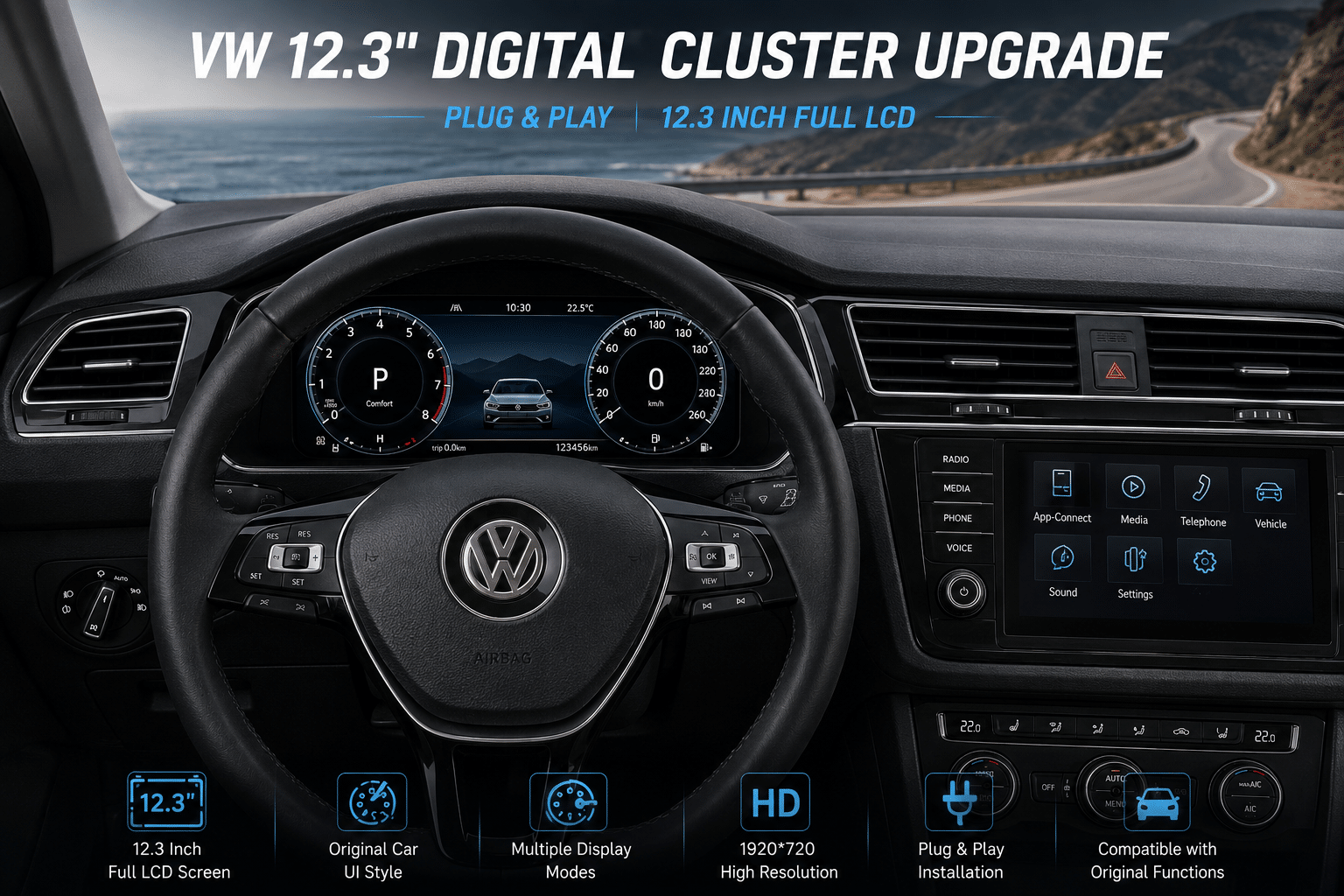
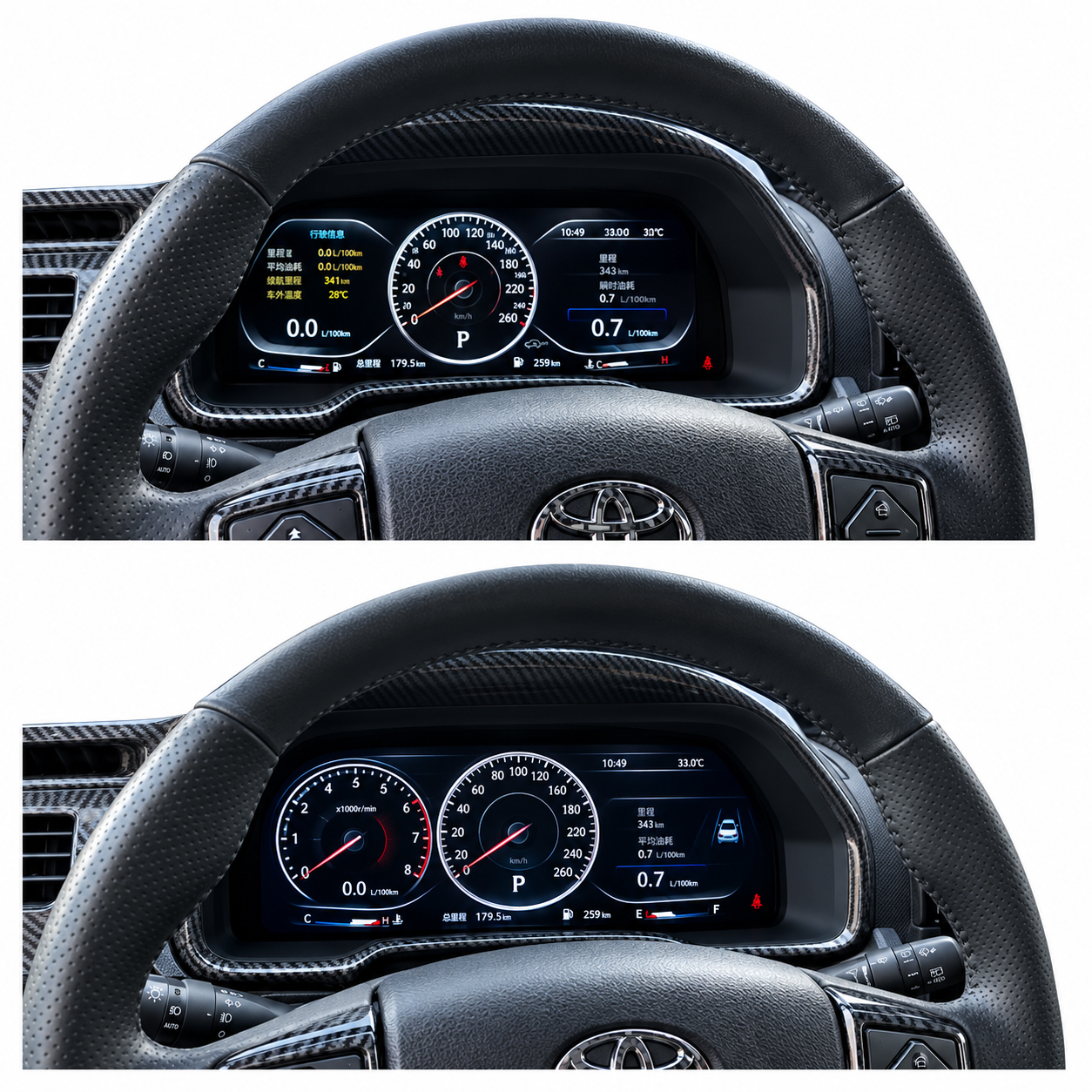
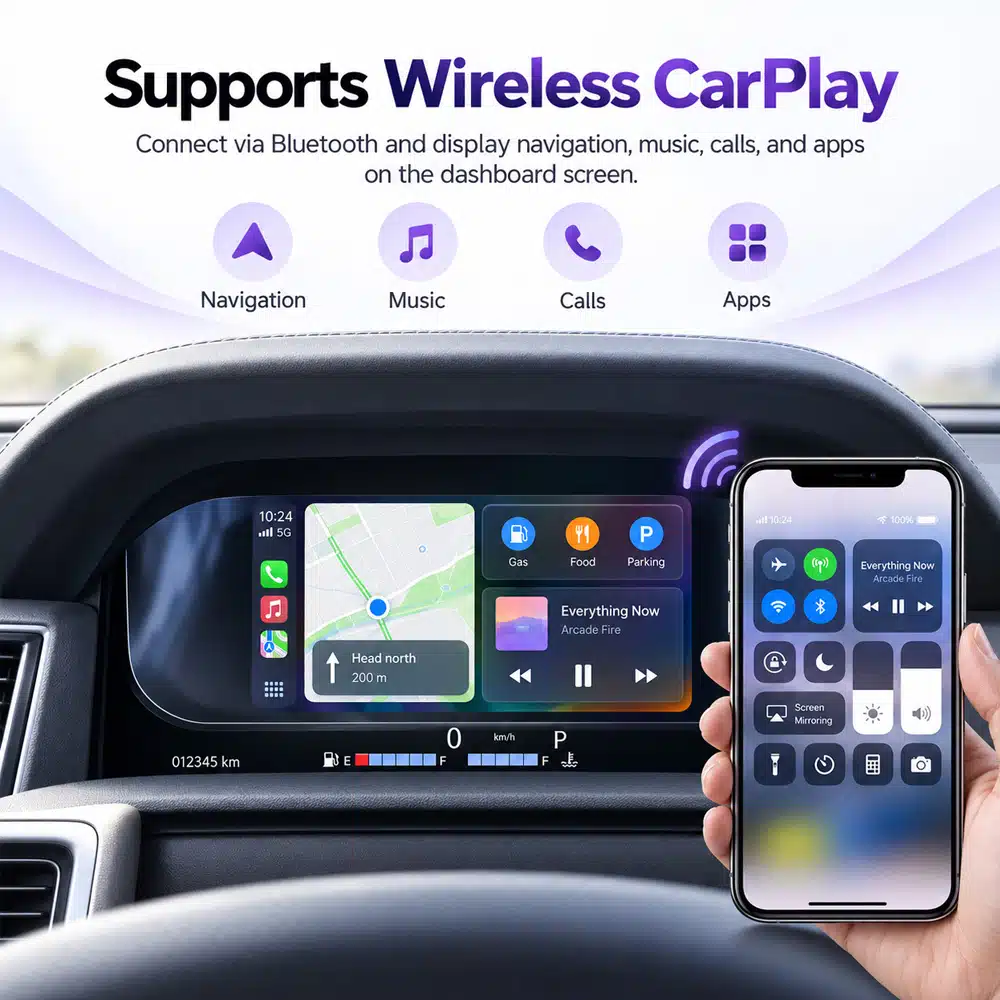
FAQ sur le combiné d'instruments numérique : comment iKAGOO aborde la décision d'achat
iKAGOO ne traite pas un combiné numérique comme un écran LCD générique. Le produit s'intègre dans un système électronique de véhicule existant, donc l'adaptation, les données, les commandes d'origine et l'installation doivent être considérées ensemble.
iKAGOO estime qu'une adaptation réussie n'est pas définie par la liste de spécifications la plus longue. Elle est définie par la sélection de la bonne version du produit, le maintien pratique des fonctions d'origine requises du véhicule, la compréhension du parcours d'installation et l'accès de l'acheteur à un support après la livraison.
FAQ sur le combiné d'instruments numérique par préoccupation d'acheteur
Utilisez cette page comme hub de décision d'achat. Chaque section répond d'abord à la question immédiate et renvoie à un guide iKAGOO plus approfondi lorsque plus de détails sont utiles.
FAQ sur le combiné d'instruments numérique : adaptation au véhicule et compatibilité
La compatibilité est le premier filtre dans le parcours d'achat. La bonne question n'est pas simplement “ Est-ce que cela s'adapte à une voiture 2015 ? ” mais “ Ce produit correspond-il à l'architecture d'instrumentation réellement installée dans ce véhicule ? ”
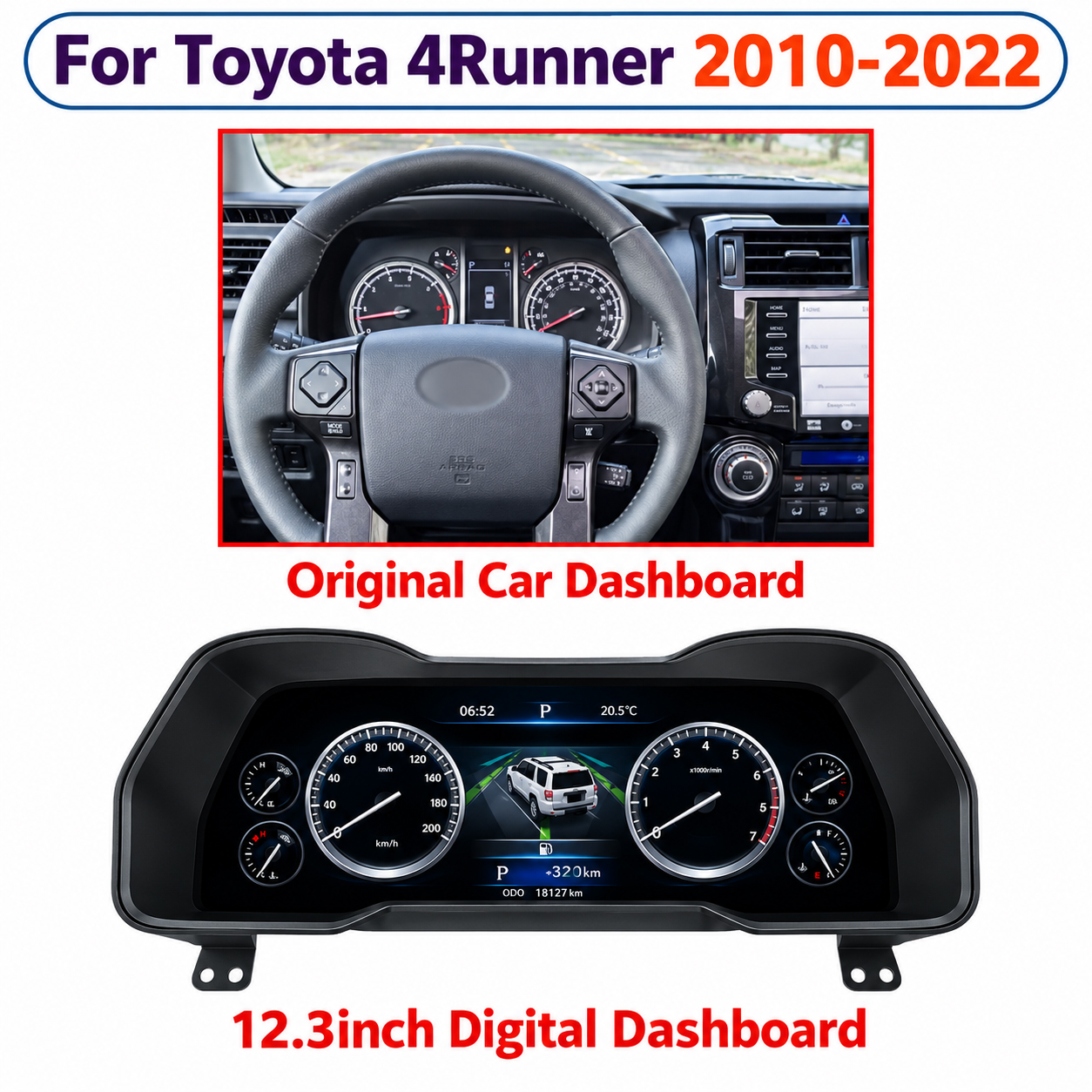
Pourquoi iKAGOO demande le combiné et le tableau de bord d'origine
Deux véhicules peuvent partager un nom de modèle et utiliser malgré tout des formes de combiné, des finitions, des connecteurs, des configurations de direction ou une électronique interne différents. Une photo claire du tableau de bord d'origine fournit souvent des informations qu'une simple liste par année ne peut pas donner.
iKAGOO utilise donc la configuration visible du véhicule ainsi que le modèle et l'année. Si nécessaire, des informations supplémentaires telles que le type de carburant, l'étiquette du combiné, le système d'origine ou les modifications antérieures du tableau de bord peuvent également être vérifiées.
Comment savoir si un combiné d'instruments numérique s'adaptera à ma voiture ?
Confirmez la marque, le modèle, l'année de production, la génération du véhicule lorsqu'elle est connue, le côté de conduite et l'apparence du combiné d'instruments d'origine.
Le produit sélectionné doit correspondre à la voie physique du tableau de bord et à la configuration électronique requise par ce véhicule. Si le produit nécessite un PCB d'origine, un support, un buzzer, un décodeur ou un autre composant conservé, cela fait également partie de la compatibilité.
Le modèle et l'année du véhicule suffisent-ils à confirmer la compatibilité ?
Non. Une même génération peut inclure des changements de restylage, différents types d'instruments, différents moteurs, des versions régionales ou des modifications d'équipement cachées.
Cela est particulièrement important à proximité d'une rupture d'année de production. iKAGOO ne recommande pas d'élargir les années prises en charge d'un produit simplement parce qu'un tableau de bord antérieur ou postérieur semble similaire.
Quelles photos et informations sur le véhicule dois-je envoyer ?
Commencez par le modèle exact et l'année de production, la configuration LHD ou RHD, une photo claire du combiné d'origine allumé et une photo plus large du tableau de bord montrant la finition environnante.
Si une intégration multimédia ou de navigation multi-écrans est concernée, le système central d'origine doit également être identifié. Les photos des étiquettes arrière ou des connecteurs ne doivent être demandées que lorsqu'elles sont réellement nécessaires.
La conduite à gauche ou à droite a-t-elle une importance ?
Cela peut en avoir. Certains produits partagent la même électronique entre véhicules LHD et RHD, tandis que d'autres peuvent utiliser des boîtiers, des finitions, des agencements de montage ou des configurations spécifiques au véhicule différents.
Le côté de conduite doit donc être traité comme faisant partie de la compatibilité, et non comme une note d'expédition ajoutée après que le produit a déjà été sélectionné.
FAQ sur le combiné d'instruments numérique : fonctions OEM et avertissements du véhicule
iKAGOO ne considère pas que “ l'écran s'allume ” soit suffisant. Une mise à niveau réussie de l'instrumentation doit conserver des informations et des commandes pratiques du véhicule pris en charge après l'installation.
“Retains Original Functions” Should Be a Testable Statement
Generic statements such as “100% OEM functions” or “99% retained” can hide important differences. iKAGOO separates the evaluation into original function continuity, original control continuity, vehicle data and warnings, physical integration, UI behavior and installation quality.
This makes it easier to identify a missing critical function instead of hiding it inside a broad marketing percentage.
Will my original vehicle functions still work?
A properly matched vehicle-specific cluster should continue providing the supported driving information required for normal use. Typical functions can include speed, RPM, fuel, coolant temperature, gear position, mileage handling, door information and warning data.
The exact list is vehicle- and product-specific. iKAGOO does not recommend using one generic retained-function statement across every cluster in the store.
Les voyants d'alerte d'origine fonctionneront-ils toujours ?
Supported warnings should remain clear and usable after the correct cluster is installed and configured. Their graphics or position can look different from the original analog cluster.
Special warnings such as AHC, VSC/TRAC, 4LO, differential lock, TPMS, diesel information, AdBlue or advanced assistance indicators must be checked individually where applicable.
Les commandes au volant fonctionneront-elles toujours ?
Many supported cluster routes retain original steering-wheel interaction. However, button assignments and menu paths can differ between the factory cluster and the upgraded digital interface.
“Steering-wheel control supported” should therefore mean more than a checkbox. The useful question is which buttons control which functions on the actual vehicle.
What if my vehicle has special factory functions?
Treat these as individual compatibility requirements. Examples include air suspension displays, off-road information, differential-lock status, TPMS, diesel warnings, AdBlue, advanced assistance functions and model-specific service data.
Some products support these functions; others do not. iKAGOO prefers a defined limitation over an exaggerated universal claim.
Digital Instrument Cluster FAQ: Mileage, VIN and Original Vehicle Data
These questions require caution because mileage, identity and security information are not stored or processed in exactly the same way across every vehicle platform.
The LCD Is Only the Visible Layer
What the driver sees is the new interface. Underneath it, the vehicle may still depend on original electronics, CANBUS communication, retained PCB data or additional configuration.
This is why iKAGOO separates “display upgrade” from “vehicle identity.” Replacing what the driver sees does not automatically mean every identity or security function is being replaced in the same way.
Will my original mileage remain after the upgrade?
It can, but there is no universal method. Some retrofit routes continue to use the original cluster electronics or original vehicle data, while other architectures may require configuration or programming.
Mileage retention should therefore be confirmed for the exact vehicle and cluster route rather than assumed from another model.
Will replacing the instrument cluster change my VIN?
Changing the visible display does not automatically mean the VIN changes. The answer depends on which original modules remain active and where the vehicle identity is handled.
On routes that retain the original instrument PCB, identity information handled by that board remains associated with the original electronics. Other architectures can use different methods.
Will the immobilizer still work after the cluster is changed?
It depends on how the vehicle's security system is designed. In some platforms, the original instrument electronics are closely connected to security or immobilizer logic.
This is one reason certain digital-cluster solutions retain the original PCB instead of replacing the entire electronic identity of the original instrument.
Will CANBUS vehicle data still display correctly?
A correct digital cluster must do more than switch on. It must receive and interpret the supported vehicle information required for normal driving.
Speed, RPM, fuel, temperature, gear, doors and warning states are examples of information that may depend on CANBUS communication or the retained original electronics.
Digital Instrument Cluster FAQ: PCB Transfer, Coding and Wiring
PCB transfer is one of the areas buyers often misunderstand. On the correct platform, retaining an original board can be part of the engineering solution rather than a compromise.
Why iKAGOO Looks Behind the Screen
The front display tells you how the product looks. The rear housing, PCB strategy, connectors, decoder and wiring tell you how the product actually becomes part of the vehicle.
Two 12.3-inch clusters can have completely different installation requirements. This is why iKAGOO does not use screen size as the primary compatibility rule.
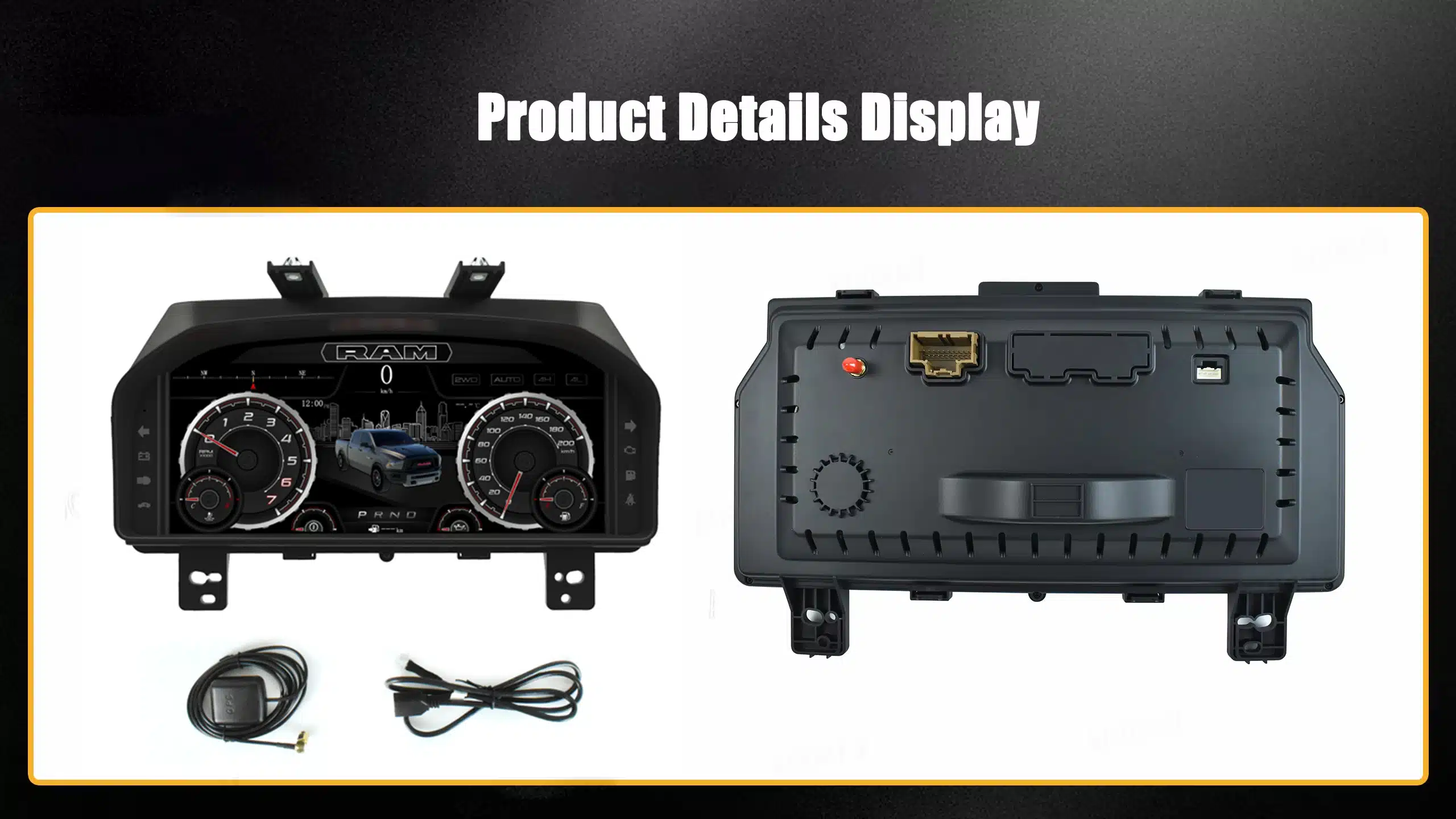
Why do some digital clusters require the original PCB?
Because the original board may continue handling vehicle identity, security logic, warnings, mileage or CANBUS data that the vehicle expects from the factory instrument.
The retrofit display can modernize the visual interface while the original electronics continue performing their vehicle-specific role.
Does a digital instrument cluster require coding or programming?
Some do; others do not. The answer depends on whether the route uses the original PCB, a vehicle-specific CAN interface, independent electronics or an OEM-style replacement method.
Configuration and coding are also different things. A product may require menu configuration without requiring dealer-style immobilizer coding.
Is a digital instrument cluster really plug and play?
“Plug and play” should mean the product uses a vehicle-matched connection route without intentionally cutting the original main harness.
It can still involve dashboard removal, bracket or trim transfer, PCB transfer, adapter installation, product configuration and final function testing.
Dois-je couper le câblage d'origine ?
Many iKAGOO vehicle-specific cluster routes are designed around matched connectors, harnesses and interfaces rather than intentionally cutting the original main wiring harness.
However, the exact product installation guide takes priority. iKAGOO does not recommend turning “no cutting” into a universal statement for every unrelated cluster design.
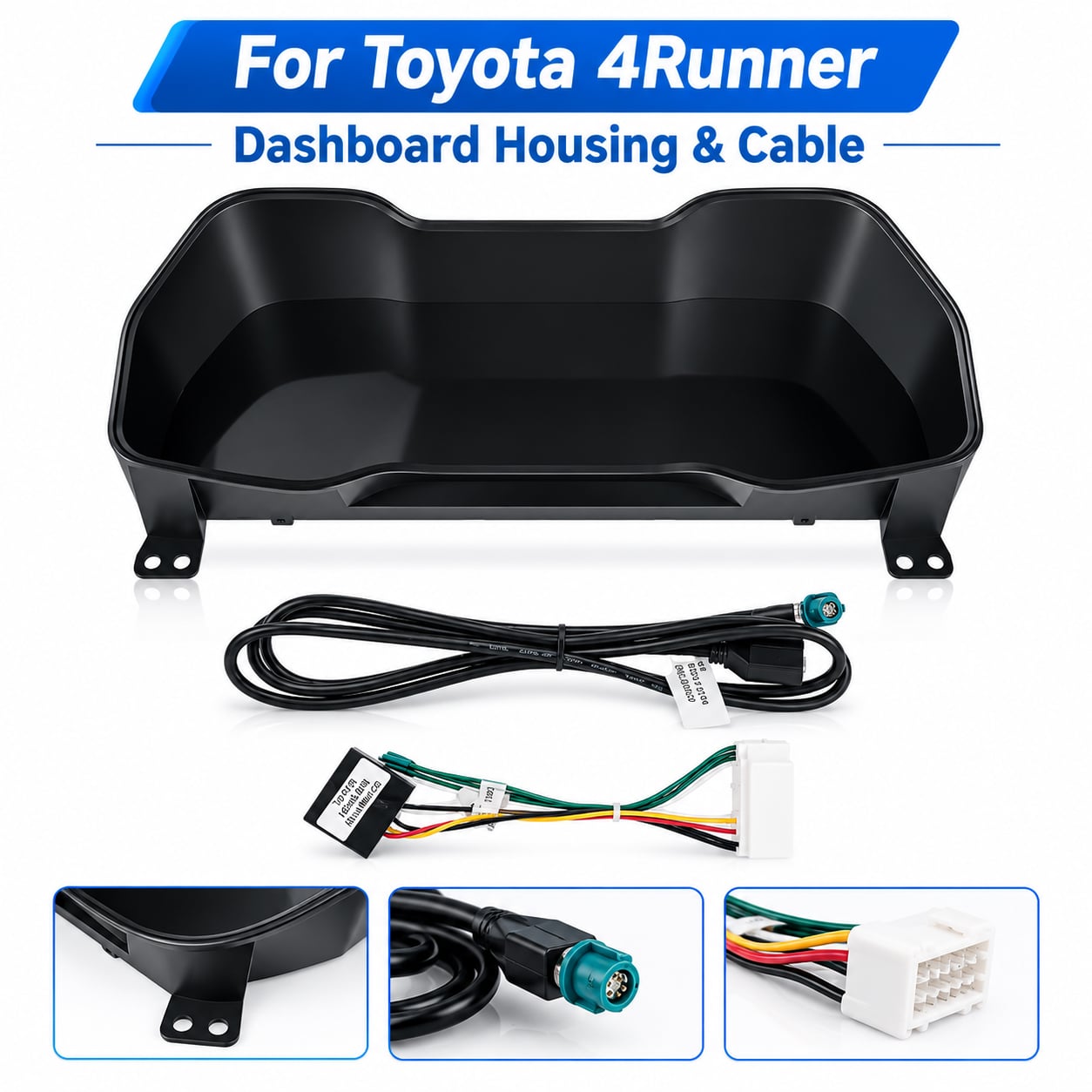
Compatibility Includes the Hardware Around the Screen
Housing dimensions, harnesses, connectors, brackets and interface hardware are part of the complete product route. A correct LCD size with the wrong connection architecture is still the wrong product.
Digital Instrument Cluster FAQ: CarPlay, Android Auto and Navigation Sync
This is one of the most common causes of misunderstanding because “CarPlay”, “navigation” and “map displayed in the cluster” are three different technical statements.
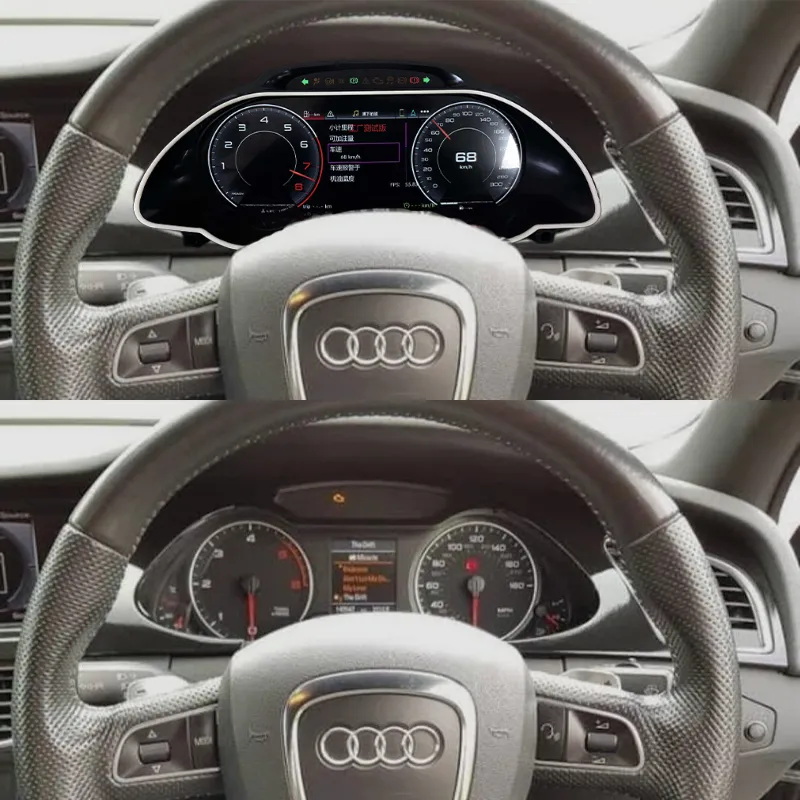
The Center Screen and Instrument Cluster Are Separate Systems
A vehicle can have CarPlay on the center Android screen while the digital instrument cluster has no CarPlay function at all. In another vehicle, a supported HDMI or synchronization route can send selected navigation content to the cluster.
iKAGOO therefore checks where CarPlay runs, what output the center system provides, what input the cluster accepts and whether the selected combination supports the expected cross-screen result.
Does every digital instrument cluster support Apple CarPlay?
No. Some clusters include a supported phone-projection function, some receive navigation information from an external source, and other clusters do not support CarPlay at all.
The feature must be confirmed on the actual product route. iKAGOO does not use “digital screen” and “CarPlay screen” as interchangeable terms.
Can Google Maps or Waze display on the digital cluster?
Only where the selected route supports a compatible navigation source and display method. Depending on the hardware, this can involve HDMI output, a converter or synchronization module, USB communication or another supported connection.
The exact route must be confirmed because different head units can offer different outputs even when both run Android or CarPlay.
Can the digital cluster work with an aftermarket Android head unit?
Sometimes. The Android unit must provide an output or data route that matches what the digital cluster can receive.
iKAGOO reviews a dual-screen upgrade as one vehicle system rather than assuming that two independently compatible screens will automatically communicate with each other.
Can I switch MPH / km/h, language or display themes?
Many digital clusters provide configurable units, languages or display styles, but these functions vary by product family and software version.
For example, the corresponding Toyota 4Runner 2010–2022 iKAGOO cluster route supports MPH ↔ km/h switching as a normal menu function. That does not imply every unrelated cluster uses the same interface.
Digital Instrument Cluster FAQ: Installation Difficulty and Final Verification
iKAGOO considers installation part of the product decision. A product can be compatible and still require a professional installer if PCB transfer, coding or complex dashboard work is involved.
Remote Compatibility Review + Real Installation Verification
Pre-order photos help identify the correct product route. The installer then verifies actual connectors, previous wiring changes, hidden equipment and final function behavior while the dashboard remains open.
iKAGOO recommends completing functional checks before reinstalling every piece of trim. This makes troubleshooting substantially easier if something needs adjustment.
Can I install a digital instrument cluster myself?
It depends on the vehicle and installation route. A confident DIY owner may be able to install a straightforward matched-harness cluster when a verified guide exists.
PCB transfer, coding, calibration, delicate dashboard disassembly or unfamiliar automotive electronics increase the risk. In those cases iKAGOO recommends an experienced automotive-electronics installer.
Que faut-il vérifier avant de fermer le tableau de bord ?
- Normal ignition startup and shutdown
- Vitesse et régime moteur
- Niveau de carburant et température du liquide de refroidissement
- Gear display
- Mileage behavior
- Door and seat-belt information
- Required warning indicators
- Commandes au volant
- MPH / km/h or language settings where supported
- Navigation / projection features where included
- Any special function specifically confirmed before purchase
What should I do if something does not work after installation?
Do not repeatedly change wiring or install unknown firmware. First document the actual symptom.
- Photograph all relevant connections.
- Record a short video showing the problem.
- Confirm the product and software version.
- Identify whether the problem concerns display, CAN data, controls, navigation or settings.
- Contact iKAGOO support with the evidence.
What does iKAGOO verify before shipping my cluster?
When the product requires confirmation, iKAGOO reviews the information relevant to that route before the order is released for shipment.
Depending on the product, this can include vehicle model and year, original cluster, dashboard structure, LHD/RHD configuration, product version, required harness or retained components and important factory functions.
The goal is not to claim that remote review can see every hidden vehicle modification. The goal is to identify preventable mismatches before installation begins.
Digital Instrument Cluster FAQ: What Real iKAGOO Buyer Questions Teach Us
These cases are not used to limit the article to a few vehicle brands. They show why the same 24 questions matter across different supported vehicle platforms.
2013 Jetta GLI MK6
The important buyer question was not screen resolution. The concerns were mileage, VIN, immobilizer behavior and original vehicle data.
In the confirmed YB-110 route, the original instrument PCB remains in use so the factory board continues handling the vehicle logic assigned to it.
iKAGOO lesson: explain what the retained PCB does instead of treating PCB transfer as automatically good or bad.
2013 Audi A5 B8.5 / MMI 3G+
The purchase decision involved the digital cluster, Android center display, original MMI environment and the required route for CarPlay / Waze-related synchronization.
The important distinction was whether CarPlay existed on the center screen versus whether supported map content could actually reach the cluster.
iKAGOO lesson: evaluate the whole cockpit route—not two screens independently.
Land Cruiser 100 / Lexus LX470
Similar-looking dashboards across a vehicle family do not justify automatically extending a product's supported production years.
The exact vehicle year and original dashboard remain necessary because different versions can require different cluster routes.
iKAGOO lesson: real fitment boundaries are more valuable than a wider SEO year range.
F-150 / SVT Raptor 2009–2014
A large digital display does not automatically mean CarPlay or navigation synchronization is part of the product.
If the cluster route does not support those functions, iKAGOO should describe its actual instrument and vehicle-data capabilities instead.
iKAGOO lesson: an accurate limitation creates more trust than an inflated feature list.
4Runner 2010–2022
The corresponding cluster supports MPH ↔ km/h switching as a basic menu function, but the cluster itself should not be described as a CarPlay product.
Units, UI themes, phone projection and map synchronization are separate specification items.
iKAGOO lesson: verify every important function separately.
Discovery 4 / Supported Applications
The supported cluster route focuses on vehicle information, steering-wheel control and supported warning data.
CarPlay should not be added to the product description when the cluster does not provide that function.
iKAGOO lesson: correct vehicle integration is more important than copying functions from another product family.
Digital Instrument Cluster FAQ: What iKAGOO Needs to Check Your Vehicle
Buyers do not need to understand automotive CANBUS engineering. The useful part is providing enough accurate evidence for the product route to be narrowed correctly.
Digital Instrument Cluster FAQ: Continue the iKAGOO Buying Journey
This page answers the high-level buyer questions. The following iKAGOO resources provide the deeper evidence instead of duplicating the same content on every article.
Digital Instrument Cluster FAQ: Why iKAGOO Focuses on Certainty Instead of the Lowest Price
The hardware price is only one part of a retrofit. The wrong version, missing vehicle functions, unclear firmware or unsupported installation can transfer the technical risk to the buyer.
iKAGOO is not trying to be the cheapest source for a generic LCD instrument panel. The value proposition is a more defined vehicle-specific route: identify the correct product, explain the important functional boundaries, provide installation guidance where available and maintain a support path connected to the original order.
Digital Instrument Cluster FAQ Answered — Now Match the Cluster to Your Actual Vehicle
Start from your vehicle, not from screen size. Prepare the exact model and production year, LHD/RHD configuration, original cluster photo, complete dashboard photo and the factory functions that matter most to you.
iKAGOO can then help narrow the correct vehicle-specific route before installation. If the configuration cannot be confirmed from the available evidence, the safer answer is to continue reviewing it rather than pretending compatibility is certain.
Vehicle-specific confirmation takes priority over general examples in this Digital Instrument Cluster FAQ. Images illustrate real iKAGOO product and installation principles but do not transfer compatibility from one vehicle platform to another.




Add comment
Vous devez vous connecter pour publier un commentaire.