


Guide de mise à niveau de l'écran de tableau de bord pour voitures
Soyons honnêtes : la première fois qu'on remplace sa vieille radio par un énorme écran du tableau de bord, ils regardent le tableau de bord comme s'ils venaient d'installer une petite tablette qui contrôle l'univers tout entier.
Et franchement ? C'est un peu le cas. Un écran du tableau de bord Ce n'est plus “ juste un écran ”. C'est à la fois un copilote, un système de divertissement et une vraie reine du drame — car dès qu'un problème survient, elle ne manquera pas de vous le faire savoir.
Si vous souhaitez obtenir un aperçu plus technique et approfondi des tableaux de bord numériques et des options de mise à niveau, vous pouvez également consulter notre Guide du tableau de bord numérique principal .
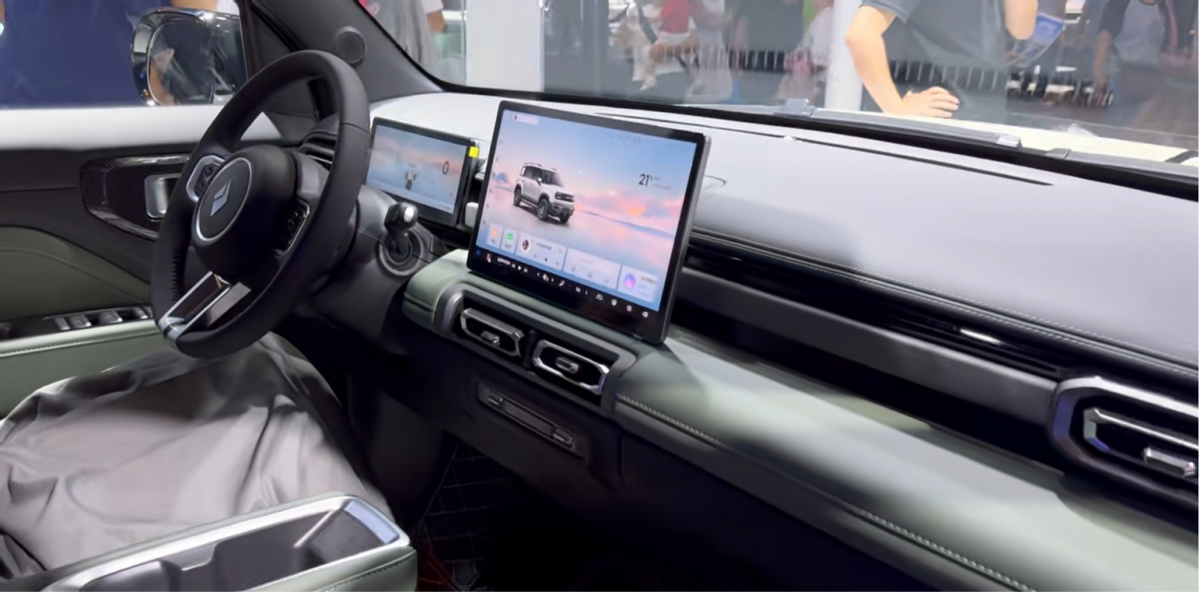
Avant de vous lancer dans la mise à niveau de votre voiture avec un tout nouveau écran du tableau de bord, voyons ce que sont réellement les écrans de tableau de bord, à quoi ils servent, comment un Écran de tableau de bord CAN bus communique avec le reste de votre voiture, et pourquoi ces écrans se comportent parfois comme des ados capricieux.
Qu'est-ce qu'un écran de tableau de bord, exactement ?
Dans ce guide, un écran du tableau de bord est :
Un écran intégré au tableau de bord ou fixé sur celui-ci qui affiche des informations sur la conduite, l'état du véhicule, la navigation, les contenus multimédias ou les paramètres du système, et qui communique avec les calculateurs du véhicule, souvent via le bus CAN.
Selon le modèle de voiture et le type d'installation, cet écran peut être :
- un système d'infodivertissement d'origine écran du tableau de bord,
- le marché des pièces de rechange écran de tableau de bord remplacer l'autoradio d'origine,
- ou un Écran de tableau de bord CAN bus affichant des données en temps réel telles que le régime moteur, la vitesse et les températures.
Plus ces systèmes s'appuient sur des logiciels, plus ils se comportent comme les interfaces Web et les applications que nous utilisons déjà au quotidien. Bon nombre des principes de conception que l'on retrouve sur MDN Web Docs Les principes d'une interface utilisateur réactive et accessible s'appliquent désormais discrètement aux écrans embarqués dans les voitures.
Pourquoi les écrans de tableau de bord sont-ils en train de s'imposer ?
Les conducteurs souhaitent retrouver dans leur voiture la même expérience que celle qu'ils ont sur leur téléphone : des couleurs vives, un défilement fluide, une navigation intuitive et un accès instantané à leur musique et à leurs messages. Les constructeurs automobiles, quant à eux, souhaitent disposer d'un système qu'ils peuvent mettre à jour par logiciel, plutôt que de devoir repenser la conception des boutons physiques tous les deux ou trois ans.
Des publications spécialisées dans les technologies telles que The Verge soulignent depuis des années que les voitures sont en train de devenir de véritables “ ordinateurs sur roues ”. C'est sur l'écran du tableau de bord que cette transformation se manifeste : c'est le visage du logiciel de la voiture.
Votre écran du tableau de bord Ce n'est plus seulement un écran. C'est la personnalité de votre voiture. Certains tableaux de bord donnent l'impression d'être des assistants sereins. D'autres semblent tout droit sortis de l'École des notifications passives-agressives.
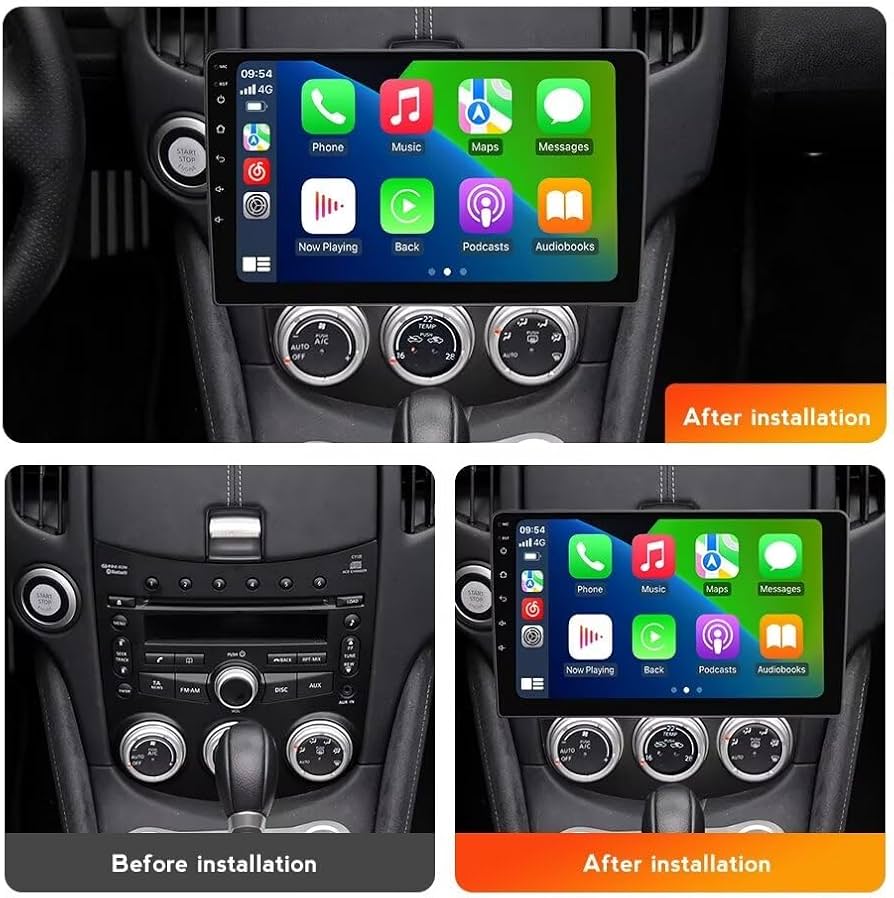
L'écran de tableau de bord CAN Bus — Le « chat de groupe » de votre voiture
Sous le tableau de bord, votre voiture fonctionne grâce à un réseau CAN (Controller Area Network), plus connu sous le nom de bus CAN. Imaginez une conversation de groupe entre votre moteur, l'ABS, la boîte de vitesses, le système d'airbags et votre toute nouvelle écran du tableau de bord.
A Écran de tableau de bord CAN bus écoute ces messages :
- “ Le moteur commence à chauffer. ”
- “ Passe la marche arrière, allume la caméra. ”
- “ La porte est ouverte, tu devrais peut-être le dire au chauffeur. ”
- “ Le pneu est dégonflé, gonflez-le, s'il vous plaît. ”
Des communautés comme XDA Developers et Hacker News regorgent de personnes qui analysent ces messages, créent des mises en page personnalisées et, parfois, provoquent des dysfonctionnements de manière très créative.
Pour être plus formel, TechRepublic et Gartner Ces deux éléments soulignent la tendance des interfaces homme-machine (IHM) automobiles modernes à s'orienter vers des unités de calcul centralisées : un seul « cerveau » puissant qui gère à la fois le cluster d'instruments, le système d'infodivertissement et les graphismes de l'écran du tableau de bord, au lieu de recourir à des boîtiers distincts.
Si l'on considère les choses sous l'angle des données, un réseau CAN n'est rien d'autre qu'un flux de messages structurés. La manière dont un Écran de tableau de bord CAN bus analyse et visualise, ce qui n'est pas très différent de la manière dont les systèmes d'entreprise traitent les données structurées, quelque chose Documentation d'Oracle décrit depuis des décennies dans un tout autre contexte.
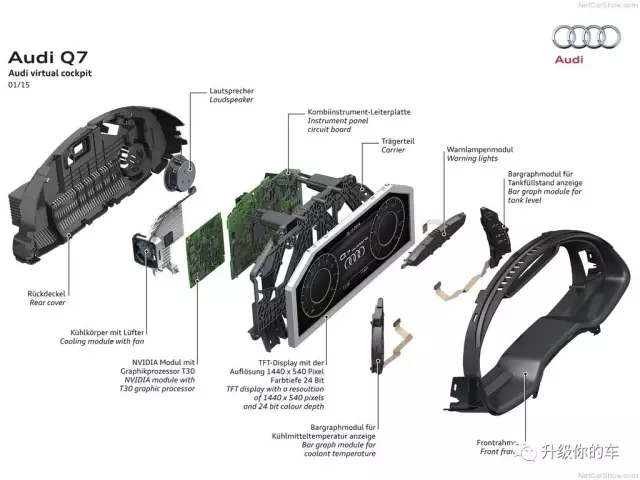
Différents types de tableaux de bord (version ludique)
Écran du tableau de bord OEM — L'enfant sage
Lisse, soigné, rarement passionnant. Il fait ce qu’on lui demande, sans plus. Votre usine écran du tableau de bord a été conçu pour privilégier la stabilité avant tout, et le plaisir ensuite.
Écran de tableau de bord pour voiture (pièce de rechange) — L'adolescent rebelle
Un écran plus grand, plus d'applications, plus d'animations et bien plus de façons de déconcerter vos passagers. Un accessoire écran de tableau de bord peut être formidable quand c'est bien fait… ou source de problèmes si le contrôle qualité est négligé.
Les passionnés d'écrans sur Forum AVS On compare souvent la luminosité, le contraste et les angles de vision des téléviseurs et des projecteurs. Ces mêmes critères s'appliquent tout aussi bien aux écrans embarqués dans les voitures : il faut en effet qu'ils restent lisibles en plein soleil et qu'ils offrent des niveaux de noir satisfaisants la nuit.
Écran de tableau de bord dédié au bus CAN — The Nerdy Engineer
Celui-là se fiche de TikTok ou de Spotify. Un véritable Écran de tableau de bord CAN bus Il se contente de vous afficher le régime moteur, la vitesse, les températures, les pressions, les temps au tour et les alertes. C'est l'ingénieur de la famille : pas tape-à-l'œil, mais d'une honnêteté sans concession.
Mais à quoi sert vraiment un écran de tableau de bord au quotidien ?
Un style moderne écran du tableau de bord c'est en quelque sorte le coordinateur des activités quotidiennes de votre voiture. Au cours d'un seul trajet, il peut :
- lancer la navigation et calculer un nouvel itinéraire pour contourner les embouteillages,
- synchroniser votre téléphone et gérer vos appels,
- écouter de la musique ou des podcasts en streaming,
- afficher l'image de la caméra de recul ou la vue à 360°,
- afficher les informations en temps réel sur le véhicule provenant du bus CAN,
- te rappeler gentiment à l'ordre quand un avertissement s'affiche.
Plus vous intégrez de fonctionnalités dans un seul écran du tableau de bord, plus la conception logicielle prend de l'importance. Les goulots d'étranglement au niveau des performances, les délais d'E/S et les limites de mémoire — autant de points abordés dans le Blog DigitalOcean—peut également apparaître sur un écran de tableau de bord lent et surchargé.
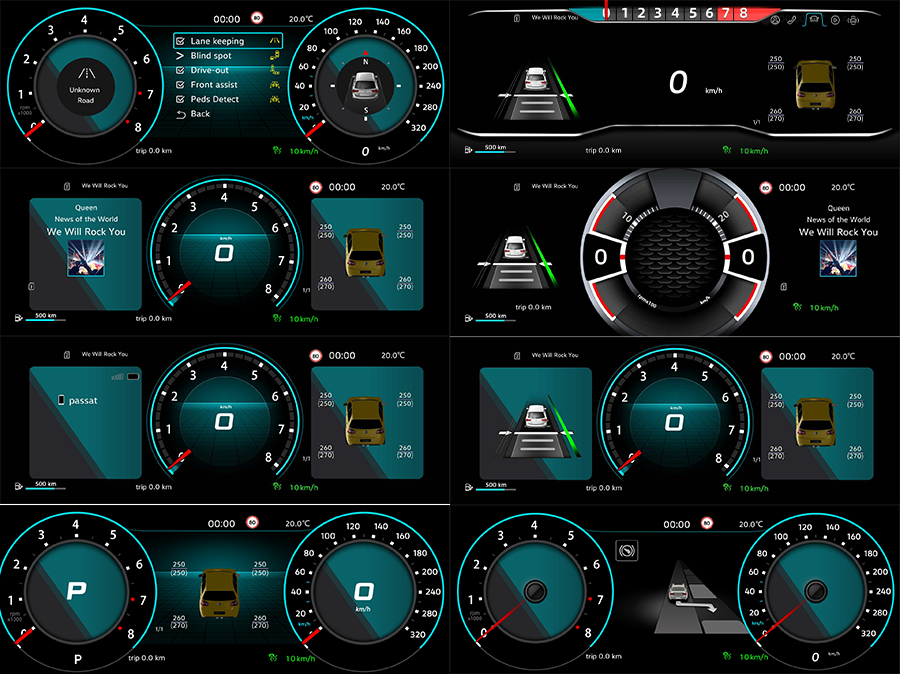
Pourquoi les gens optent-ils pour un écran de tableau de bord ?
Pour de nombreux propriétaires, passer à un nouveau écran de tableau de bord C'est le moyen le plus rapide de rajeunir d'une dizaine d'années un intérieur un peu vieillot. Cela change ce que vous voyez, la façon dont vous interagissez avec la voiture et la réaction de vos passagers lorsqu'ils montent à bord.
Raisons courantes :
- l'écran d'origine est minuscule, peu lumineux ou en train de rendre l'âme,
- tu préfères une navigation correcte plutôt que de devoir maintenir ton téléphone en équilibre dans la bouche d'aération,
- vous voulez CarPlay ou Android Auto,
- vous souhaitez simplement que l'intérieur ait un look moderne.
Le cockpit fait peau neuve, et il est très difficile de ne plus y prêter attention une fois qu’on a conduit une voiture dotée d’un habitacle épuré et lumineux écran du tableau de bord.
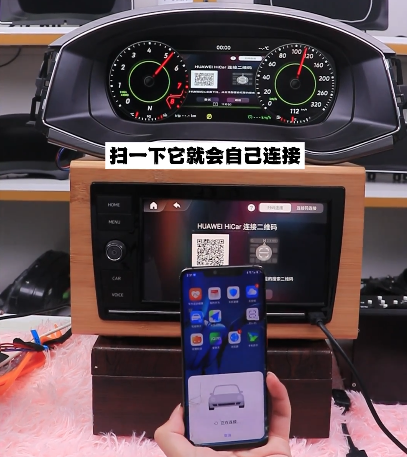
Problèmes courants liés à l'écran du tableau de bord (et leurs caractéristiques)
Tous les écrans de tableau de bord ne sont pas des saints. Certains ont un caractère bien trempé.
Écran qui ralentit – “ J'ouvrirai l'appli quand j'en aurai envie. ”
Des processeurs peu puissants et des effets d'interface utilisateur trop gourmands en ressources peuvent entraîner un écran du tableau de bord a l'impression d'être au ralenti. Quiconque a déjà dû dépanner des interfaces utilisateur peu réactives — comme les développeurs qui lisent MDN ceux qui s'y intéressent au quotidien reconnaîtront les mêmes schémas : trop de travail sur le thread principal, pas assez d'optimisation.
Le bus CAN ne fonctionne pas – “ J'ai lu les données de votre voiture… avec un peu d'imagination. ”
Quand votre soi-disant Écran de tableau de bord CAN bus Si le système indique que les mauvaises portes s'ouvrent ou que le mauvais rapport est engagé, cela est généralement dû à une incompatibilité au niveau du protocole ou du câblage. Il arrive parfois que l'adaptateur utilise un profil “ assez proche ” de celui de votre modèle au lieu d'un profil parfaitement adapté.
Weird Icons – “ Je ne te dirai pas ce que ça veut dire. Bonne chance. ”
Un logiciel mal traduit peut entraîner écran du tableau de bord avec des icônes énigmatiques et des messages d'avertissement. Ça peut faire rire la première fois. Mais ça cesse très vite d'être drôle.
Redémarrages aléatoires – “ J'ai besoin d'une sieste. ”
La chaleur, une alimentation électrique défaillante ou des bogues du micrologiciel peuvent entraîner écran de tableau de bord de redémarrer dès qu'il semble saturé. C'est le signe qu'il vous faut un meilleur matériel, un meilleur système de refroidissement ou de meilleurs logiciels — voire les trois.
Quelle est la prochaine étape pour les écrans Dash ?
Les écrans de tableau de bord ne sont pas près de disparaître. Ils deviennent plus grands, plus intégrés et sont de plus en plus étroitement liés aux systèmes centraux du véhicule. Une étude sectorielle menée par Gartner laisse entendre que les futurs véhicules s'appuieront sur des plateformes informatiques centralisées qui piloteront à la fois le tableau de bord et l'écran central à l'aide d'un même processeur puissant.
À mesure que de plus en plus de logiciels font leur apparition dans le cockpit, les bonnes pratiques issues de l'ingénierie backend et cloud — telles que celles abordées sur DigitalOcean—commencent à jouer un rôle : les performances, la fiabilité et les stratégies de mise à jour ont toutes une incidence sur ce que vous voyez sur votre tableau de bord.
Pendant ce temps, les passionnés d'écrans sur Forum AVS continuera à œuvrer pour une meilleure luminosité, un contraste de type HDR et une gradation plus intelligente. L'humble écran du tableau de bord se transforme peu à peu en un téléviseur spécialisé, de qualité automobile, destiné au conducteur.
Pour les bricoleurs et les amateurs d'expérimentation
Si vous êtes du genre à vous intéresser à une action écran du tableau de bord et se dit aussitôt “ Je peux créer quelque chose d’encore plus bizarre ”, les pistes ne manquent pas. Les hackers et les makers partagent leurs prototypes, leur code et leurs idées de matériel sur des plateformes telles que Devpost, où sont menées des expériences sur les interfaces utilisateur automobiles et où sont développées des solutions sur mesure écran du tableau de bord des projets sont régulièrement lancés.
Conclusion : devriez-vous rejoindre la révolution des écrans Dash ?
Un bien choisi écran de tableau de bord ou écran du tableau de bord peut discrètement transformer la conduite au quotidien. Elle modernise l'habitacle, centralise vos commandes et donne plus de vie à la voiture. Un modèle mal choisi entraîne des retards, du bruit et de la frustration.
Si vous recherchez une technologie plus performante, un design plus épuré et un habitacle qui semble tout droit sorti de cette décennie, optez pour un modèle haut de gamme écran du tableau de bord Cela mérite réflexion. N'oubliez pas : derrière chaque glissement fluide et chaque animation astucieuse, il y a un petit ordinateur qui accomplit un véritable travail — et comme tout ordinateur, il fonctionne mieux lorsque l'ingénierie qui le sous-tend est solide.
Pour une présentation détaillée, par composant, des tableaux de bord numériques, des panneaux de bord numériques et des aspects liés à la mise à niveau, consultez notre Guide des tableaux de bord et des combinés d'instruments numériques de rechange .






Add comment