Thème XStore

No products in the cart.

Jusqu'à 22%
  • Audi Q7 Android Head Unit 2006-2015
  • 03 6
  • 10 1
  • 09 1
  • 02 5
  • 06 3

Autoradio Android pour Audi Q7 (2006-2015), 10,25 pouces, CarPlay

Marque :

De : $325.00

Hors taxes UE et USA uniquement
Détails
Sécurisé par PayPal
Service de prépaiement de l'impôt DDP

Nous nous occupons de la TVA et des droits de douane. Économies estimées : $120-$280.

États-Unis (48 États)AutricheBelgiqueBulgarieCroatieChypreTchécoslovaquieDanemarkEstonieFinlandeFranceAllemagneGrèceHongrieIrlandeItalieLettonieLituanieLuxembourgMaltePays-BasPolognePortugalRoumanieSlovaquieSlovénieEspagneSuède
ou

Vous avez des questions ?

N'hésitez pas à Prendre contact

Payer en toute sécurité avec Paypal Payer en toute sécurité avec Visa Payer en toute sécurité avec Master Card Payer en toute sécurité avec JCB Payer en toute sécurité avec American Express Payer en toute sécurité avec Alipay Payer en toute sécurité avec Google pay Payer en toute sécurité avec Klarna Payer en toute sécurité avec DISCOVER Payer en toute sécurité avec Apple Pay
Garantie d'un paiement sûr et sécurisé Checkout
Protection de l'acheteur iKAGOO

Protection des achats pour ce produit

Vérification de la compatibilité, paiement sécurisé, suivi de la livraison et service après-vente efficace.

Les conditions d'éligibilité, les délais de signalement et les mesures correctives dépendent de la politique iKAGOO applicable et de l'examen au cas par cas.

Consulter les politiques de protection

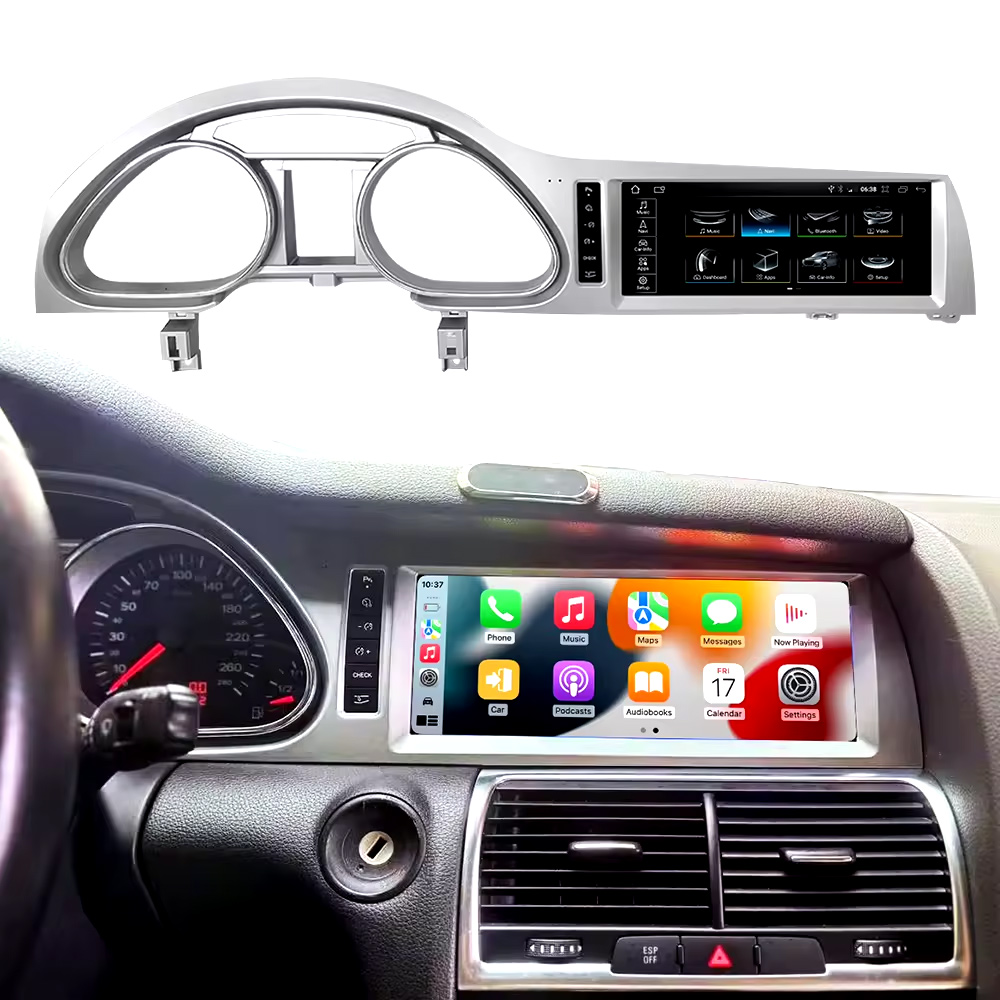
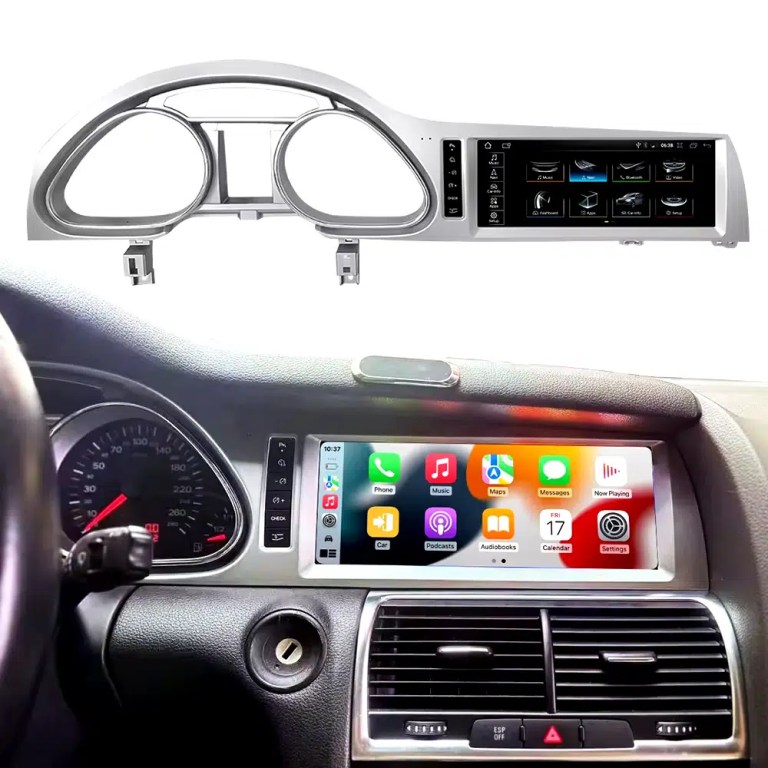
Installed Result First: Audi Q7 Android Head Unit That Still Looks Built Into the Dashboard

This is the first image buyers should see. It shows the actual Q7 cockpit result: the 10.25-inch Android screen, Audi dashboard trim, original gauge area and CarPlay-style interface working together instead of looking like a loose aftermarket tablet.

Audi Q7 Android head unit 2006 2015 installed dashboard CarPlay view

Check Dashboard, CD Panel, MMI and MOST Audio Before Ordering

The Audi Q7 Android head unit must be matched to the actual Q7 4L dashboard, not only the model year. Q7 vehicles can use different CD panels, MMI systems, Bose amplifiers, MOST fiber-optic audio routes and LHD/RHD frames.

Four Checks That Prevent the Wrong Order

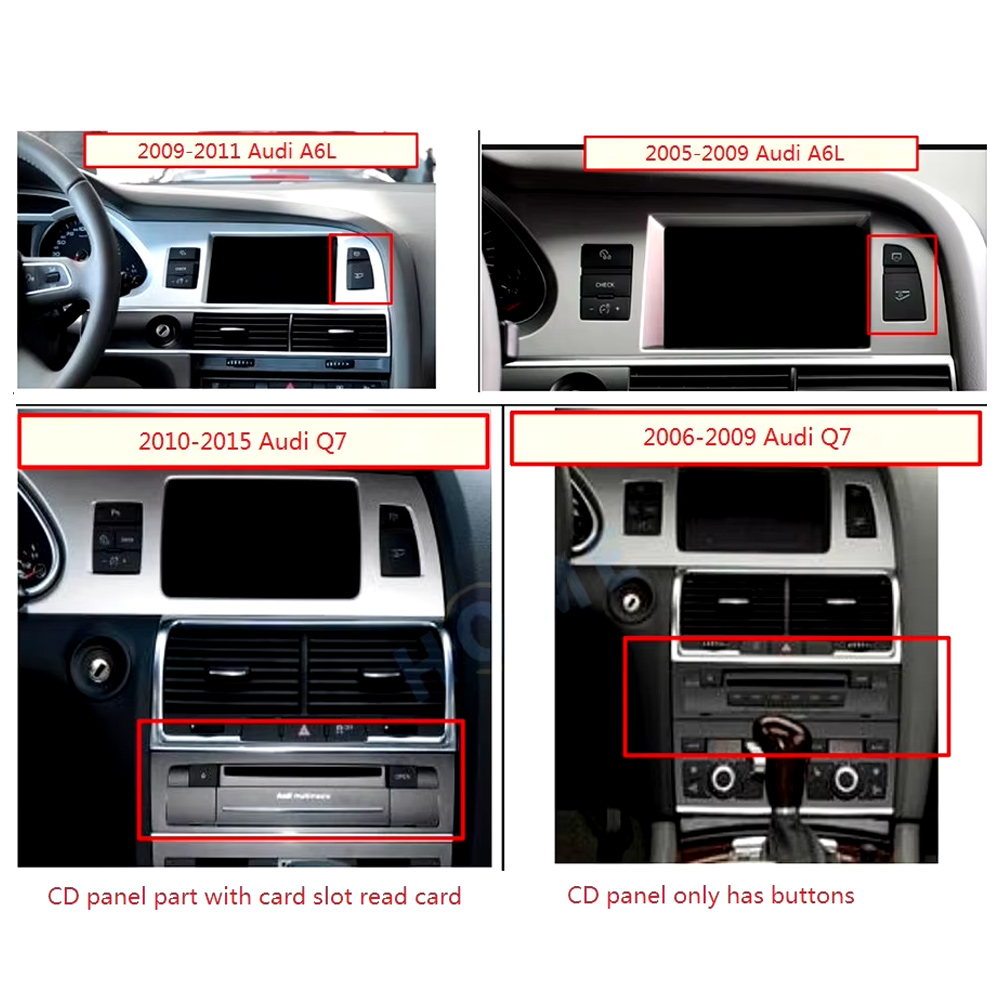
  • Dashboard route: 2005–2009 and 2010–2015 Q7 layouts can differ.
  • CD / MMI panel: check card-slot layout, button layout and original control panel.
  • Audio system: Bose, external amplifier or MOST fiber optic may require a decoder.
  • Steering side: LHD and RHD frames must be confirmed before shipment.

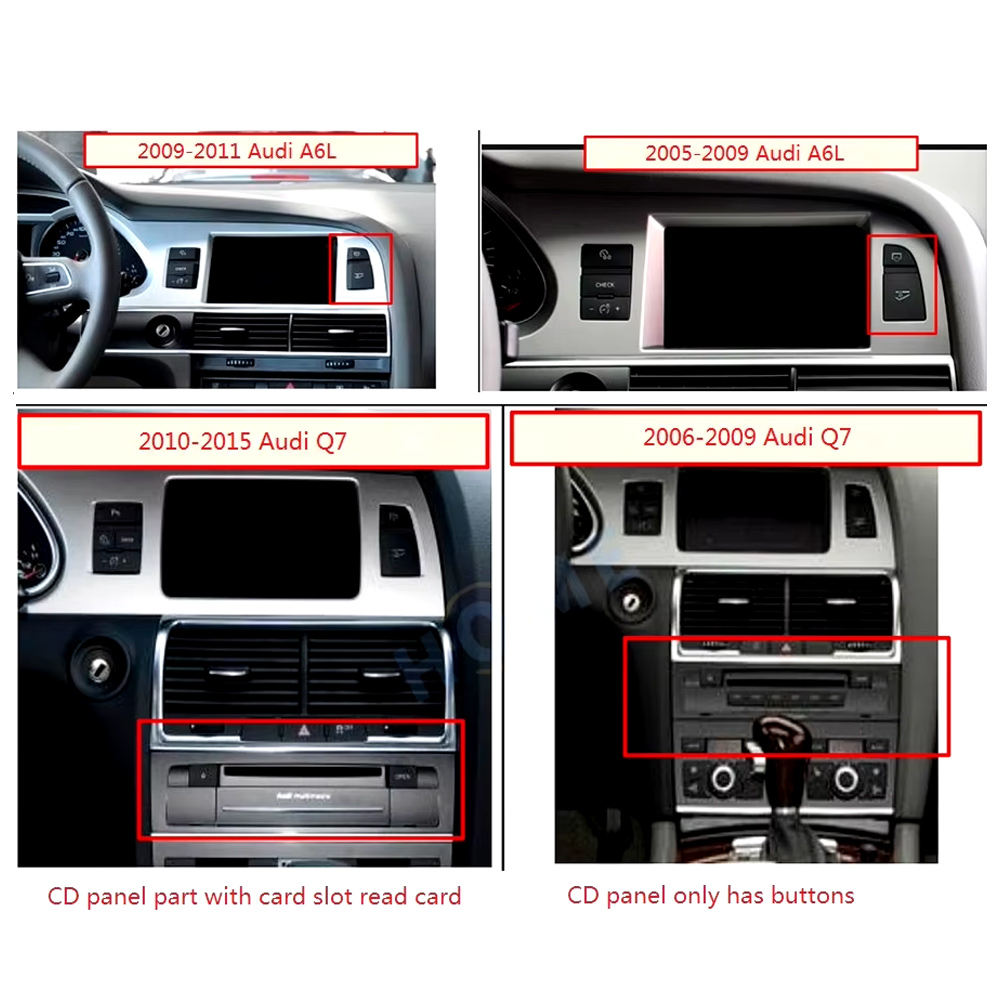
Use This Dashboard Reference Before You Buy

This image belongs near the top because it reduces wrong orders. The original dashboard and CD-panel layout decide the correct screen, frame and integration route.

Audi Q7 2005 2009 2010 2015 dashboard CD panel compatibility comparison
Audi Q7 4L · 2006–2015 · 10.25-inch Android upgrade
Audi Q7 Android Head Unit for CarPlay, Android Auto, MMI and DSP Upgrade

This iKAGOO Audi Q7 Android head unit upgrades selected Audi Q7 4L vehicles with a vehicle-specific 10.25-inch Android screen, wireless CarPlay, Android Auto, GPS navigation, WiFi / 4G, Bluetooth, DSP audio and supported original Audi system switching.

10.25-inch display CarPlay sans fil Android Auto DSP audio WiFi / 4G MMI check

Choose this upgrade if your original Audi Q7 screen feels outdated but you still want the interior to look factory-style. iKAGOO checks your model year, dashboard frame, MMI system, LHD/RHD position, amplifier, MOST fiber optic requirement and connector photos before shipment.

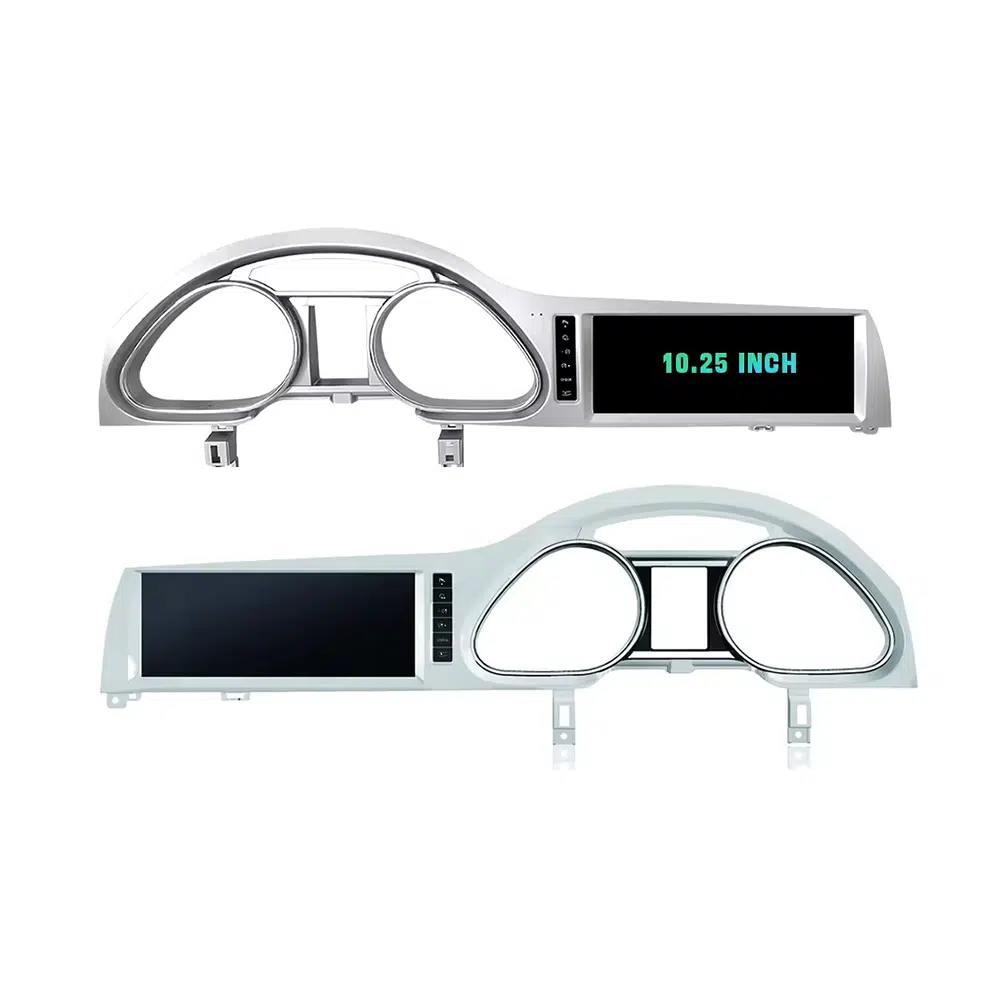
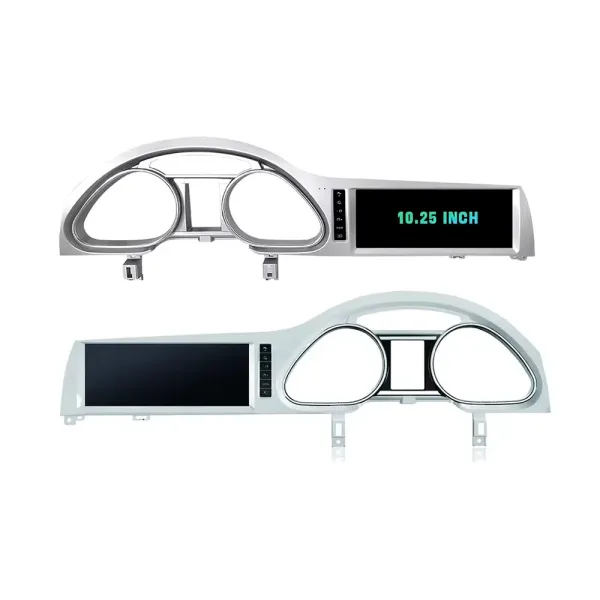
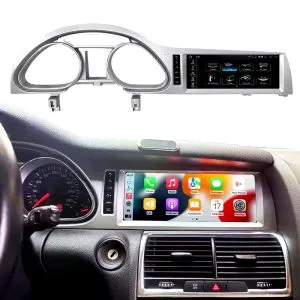
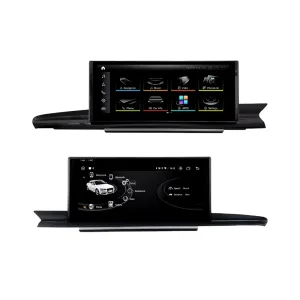
Confirm the 10.25-Inch Q7 Frame Shape

The product frame view helps you compare the left-hand and right-hand display routes before your installer removes the original dashboard parts.

Audi Q7 Android head unit 10.25 inch LHD RHD frame product view

Réponse rapide

This iKAGOO upgrade is a vehicle-specific Audi Q7 Android head unit for selected Audi Q7 4L vehicles in the 2006–2015 range. It upgrades the original screen area with a 10.25-inch Android display route and adds wireless CarPlay, Android Auto, GPS navigation, Bluetooth, WiFi / 4G, DSP audio and app support where the selected hardware version supports these functions. It is not a universal Audi screen. The correct version depends on the dashboard frame, CD / MMI panel, LHD/RHD layout, original amplifier, MOST fiber-optic route, camera system and connector layout. Some 2010–2015 vehicles may need a fiber-optic decoder, especially when Bose or an external amplifier is used.

Why This Audi Q7 Android Head Unit Makes Sense

Modern Screen Without Ruining the Q7 Interior

The 10.25-inch display gives the first-generation Q7 a newer cockpit feel while staying inside the original dashboard structure.

CarPlay sans fil et Android Auto

Use phone maps, calls, music, messages and voice assistant functions through a larger in-dash screen instead of relying only on the old MMI display.

MMI, Audio and Camera Matching

Q7 upgrades fail when audio, MMI or camera routes are guessed. This page puts Bose, MOST, MMI and decoder checks at the front.

Original Audi Functions Supported

Original System Retention

  • Supported original Audi menu access can be retained through the matched integration route.
  • Original steering-wheel controls can work through the matched CAN decoder where the vehicle configuration supports them.
  • Original parking information and original rear camera may be retained when the correct video interface or decoder is prepared.
  • Original speaker and amplifier output depends on the verified audio system and adapter requirement.

Android Daily-Use Functions

  • Wireless Apple CarPlay and Android Auto support phone maps, calls, music and supported app interfaces.
  • WiFi and optional 4G support online maps, app downloads and network-based functions where local service allows it.
  • Bluetooth, music, video, maps, messaging and phone-call functions are available on supported configurations.
  • DSP and equalizer functions are available where the selected motherboard and hardware version support them.

Confirm Your Audi Q7 4L Version Before We Prepare the Head Unit

Audi Q7 4L vehicles can use different dashboard frames, MMI panels, CD layouts, Bose amplifiers, MOST fiber-optic audio routes, camera systems and LHD/RHD interiors. iKAGOO checks your photos before shipment so the correct Audi Q7 Android head unit, frame, harness and decoder route can be prepared.

Adaptation

Audi Q7 4L 2006–2015

Made for selected Audi Q7 4L vehicles. Some 2005–2009 and 2010–2015 dashboard routes must be checked by photo before shipment.

MMI Panel

MMI / CD Panel Must Match

The original CD panel, card-slot layout and MMI control area decide the correct screen frame and system-switching route.

Audio Risk

Bose / MOST Fiber Optic Check

This is the key Q7 risk. Bose, external amplifier or MOST fiber optic may require a decoder to keep original speaker output working.

Layout

LHD / RHD + Camera Route

Left-hand-drive, right-hand-drive, original rear camera and 360 camera routes must be confirmed before the order is prepared.

Before shipment, send us: dashboard photo · original screen photo · CD/MMI panel photo · amplifier/Bose information · LHD/RHD · camera details

Aidez iKAGOO à préparer la bonne version avant l'expédition

Informations requises sur le véhicule

  • Exact vehicle year and market region.
  • Conduite à gauche ou conduite à droite.
  • Original dashboard and screen photo.
  • Original CD / MMI control-panel photo.
  • Factory amplifier information: Bose, external amplifier or standard audio.
  • Photo of original connectors if requested.
  • Whether the vehicle has MOST fiber optic, original rear camera or 360 camera.
  • Preferred hardware version: 2+32GB, 4+64GB or 8+256GB.

Pourquoi ces détails sont-ils importants ?

These details help iKAGOO prepare the correct screen frame, Android unit, wiring harness, CAN decoder, audio adapter, fiber-optic decoder and camera route. They also reduce the risk of no sound, no original menu, wrong frame, wrong LHD/RHD layout or unsupported camera input after installation.

Bose, MOST Fiber Optic and Audio Decoder Warning

This is the most important technical risk on many Audi Q7 4L Android upgrades. If the car uses an external amplifier and MOST fiber-optic audio network, the screen may power on but the speakers may have no sound unless the correct decoder route is prepared.

When a Decoder May Be Needed

  • The vehicle uses Bose or an external factory amplifier.
  • An orange fiber-optic cable is present in the original audio system.
  • The original amplifier communicates through the MOST network.
  • The Android screen operates but the original speakers have no sound.
  • The compatibility review confirms a fiber-optic audio route.

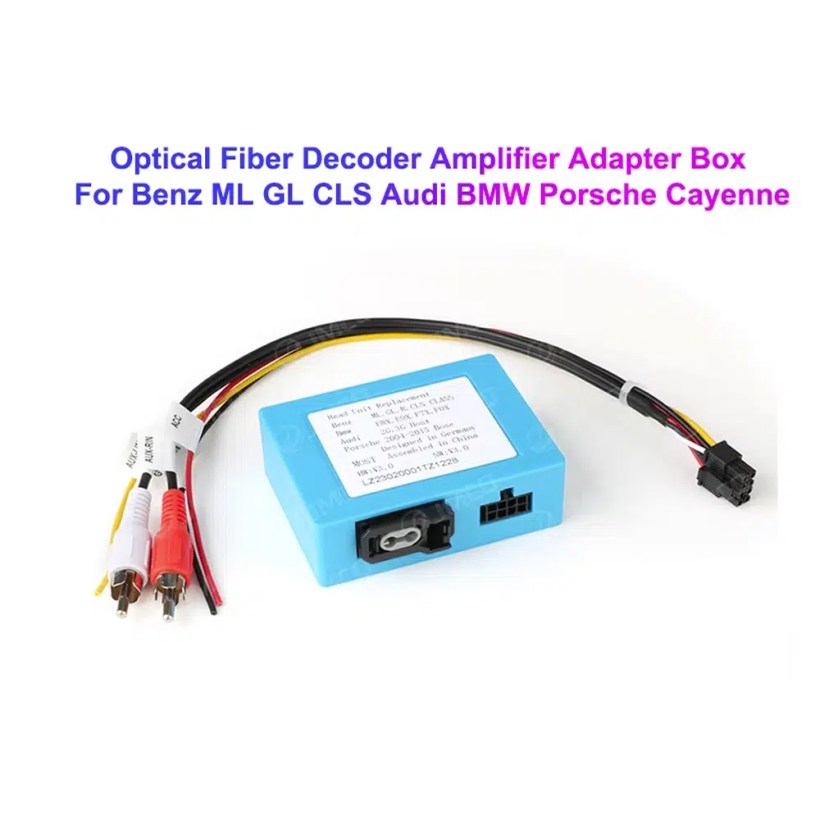
Decoder Example

This image shows the type of fiber-optic decoder commonly used in luxury vehicle audio integration. The required decoder must match the original Audi audio system and connector route.

Audi Q7 MOST optical fiber decoder amplifier adapter box

Caractéristiques techniques principales du produit

Type de produitAudi Q7 Android head unit / Android stereo / Android screen upgrade.
Montage principalAudi Q7 4L 2006–2015, subject to dashboard and system verification.
Taille de l'écran10.25 inch vehicle-specific display.
SystèmeAndroid platform. Current page contains Android 13 attribute data and Android 16 description text, so final OS should follow the confirmed selected version.
MotherboardTSK / TSK8259 / TSK8667 according to selected hardware version.
Options de mémoire2GB+32GB / 4GB+64GB / 8GB+256GB routes shown in current variation.
UNITÉ CENTRALE8-core CPU route according to selected motherboard.
Smartphone integrationWireless Apple CarPlay and Android Auto on supported firmware and compatible phones.
NavigationGPS / Glonass navigation support with compatible online or offline map apps.
BluetoothBT 4.0 / BT 5.0 according to selected hardware route.
RéseauWiFi / optional 4G support where selected hardware and local network conditions allow it.
AudioDSP and equalizer functions where selected hardware supports them.
Appareil photoRear camera AHD / CVBS and 360 camera routes require version and vehicle confirmation.
Données relatives au colisListed weight 3.5 kg; listed dimensions 85 × 35 × 25 cm.

Hardware Platform and Configuration Difference

G5 / TSK8259 Direction

Usually used for the basic hardware route. Current page information lists Android platform data, 8-core CPU route, Bluetooth 4.x direction and supported CarPlay / Android Auto depending on firmware and selected version.

  • 2GB + 32GB route on current variation.
  • Wireless CarPlay / Android Auto on supported firmware.
  • WiFi and optional compatible 4G where hardware supports it.
  • Camera and CAN integration must still match the vehicle.

G6 / TSK8667 Direction

Used for stronger hardware routes such as 4GB + 64GB and 8GB + 256GB options. Suitable for buyers who want smoother Android operation, better storage and stronger daily-use performance.

  • 4GB + 64GB or 8GB + 256GB route.
  • Bluetooth 5.0 direction where selected hardware supports it.
  • DSP support depends on selected hardware.
  • Recommended for long-term ownership and heavier app use.

The product title, variation name, checkout option and delivered hardware should use the same memory and motherboard specification. Do not combine specifications from different hardware versions.

Choose the Right Hardware Version

Basic

2GB + 32GB

Suitable for basic CarPlay, Android Auto, Bluetooth and navigation use. Choose this only if your expectations are simple and you do not plan heavy app use.

  • Basic app use
  • Lower cost route
  • Best for light daily use
Balanced

4GB + 64GB

A more balanced route for buyers who want better app switching, navigation and daily media use without jumping to the top version.

  • Better memory balance
  • Good daily usability
  • Recommended over basic version
Recommandé

8GB + 256GB

Recommended for buyers who want the strongest current option shown on the page, larger storage and better long-term Android usability.

  • Highest listed storage route
  • Better for multitasking
  • Best long-term choice
  • Confirm motherboard before shipment

iKAGOO Compatibility and Installation Process

STEP 01

Essai automobile

Submit the year, dashboard photos, steering position and original audio-system details.

STEP 02

Correspondance de configuration

iKAGOO checks the frame, harness, CAN decoder, amplifier and fiber-optic requirements.

STEP 03

Pre-Shipment Setup

The Android unit and matching accessories are prepared for the confirmed vehicle configuration.

STEP 04

Installation Support

Guidance is available for wiring, configuration and supported-function testing.

Pourquoi les propriétaires choisissent iKAGOO

Préparation spécifique au véhicule

iKAGOO checks your Audi Q7 year, dashboard photos, MMI system, steering side and audio system before shipment so the correct version can be prepared.

MMI and Audio Matching

The correct CAN decoder, amplifier route and fiber-optic requirement matter more than buying a screen by size alone.

Intégration de la fonction d'origine

The upgrade is prepared to retain supported original menus, steering-wheel controls, original camera and vehicle information where the matched route allows it.

Protection du câblage d'usine

The matched harness route is designed to avoid unnecessary cutting of the original wiring when the vehicle and harness match.

Assistance à l'installation et à la configuration

If your installer needs help identifying the MMI type, fiber-optic route or function test result, iKAGOO can provide order-based support.

12-Month Garantie matérielle

Les problèmes matériels couverts sont pris en charge dans le cadre de la garantie limitée de 12 mois d'iKAGOO, qui comprend un service après-vente assurant le diagnostic et la proposition de solutions adaptées.

iKAGOO Purchase Assessment for This Audi Q7 Android Head Unit

Valeur de la mise à niveau

Nécessité de la mise à jour d'iKAGOO

89/100

Strong Upgrade Case. The first-generation Audi Q7 interior benefits clearly from a modern 10.25-inch Android screen, wireless smartphone integration, navigation and improved media usability.

  • Visible dashboard modernization
  • CarPlay sans fil et Android Auto
  • Navigation, apps and DSP value
Conformément à la norme iKAGOO relative à la nécessité d'une mise à niveau
Factory Retention

Compatibilité avec le véhicule d'origine

84/100

Good compatibility route when the correct dashboard frame, MMI route, CAN decoder, amplifier adapter and fiber-optic requirement are verified before shipment.

A score of 84/100 does not mean that 16% of factory functions are lost. It means this product requires stricter checking because Audi Q7 4L audio and MMI configurations vary.

Conformément à la norme relative à la conservation des fonctions d'usine
Install Level

Niveau de difficulté de l'installation

Niveau 3

Advanced DIY. Suitable for experienced DIY installers or an automotive electronics technician. Audi Q7 MMI, MOST fiber optic, amplifier and camera routes must be checked carefully before final reassembly.

D'après le guide de difficulté d'installation des équipements électroniques automobiles

Keep the Old MMI, Add a Box or Upgrade with iKAGOO?

Conserver l'original

Factory MMI Only

Best only if you are satisfied with the old screen size, old interface and limited smartphone integration.

  • Pas de frais de mise à niveau
  • Old interface remains
  • Limited app experience
Basic Add-On

CarPlay-Only Module

Useful if you only need phone projection, but it does not give the Q7 a new Android display or modern interface layout.

  • Limited visual change
  • No full Android system
  • Depends on original screen condition
Generic Screen

Universal Android Screen

May be cheaper, but Audi Q7 dashboard frame, MMI, Bose, MOST fiber and camera integration can become the real risk.

  • Fitment uncertainty
  • May look aftermarket
  • Higher audio risk
Recommandé

iKAGOO Audi Q7 Android Head Unit

Best for owners who want a vehicle-specific 10.25-inch screen, CarPlay, Android Auto, navigation, DSP and configuration review before shipment.

  • 10.25-inch Q7-specific frame
  • Wireless CP & AA
  • MMI system switching
  • Fiber-optic decoder check
  • Vehicle-specific preparation

Conclusion de l'achat

If you want your Audi Q7 4L to feel modern without making the dashboard look cheap or creating MMI/audio problems, this iKAGOO Android head unit is the stronger route than a generic screen or a small add-on box.

Les photos de produits et leur rôle dans votre prise de décision

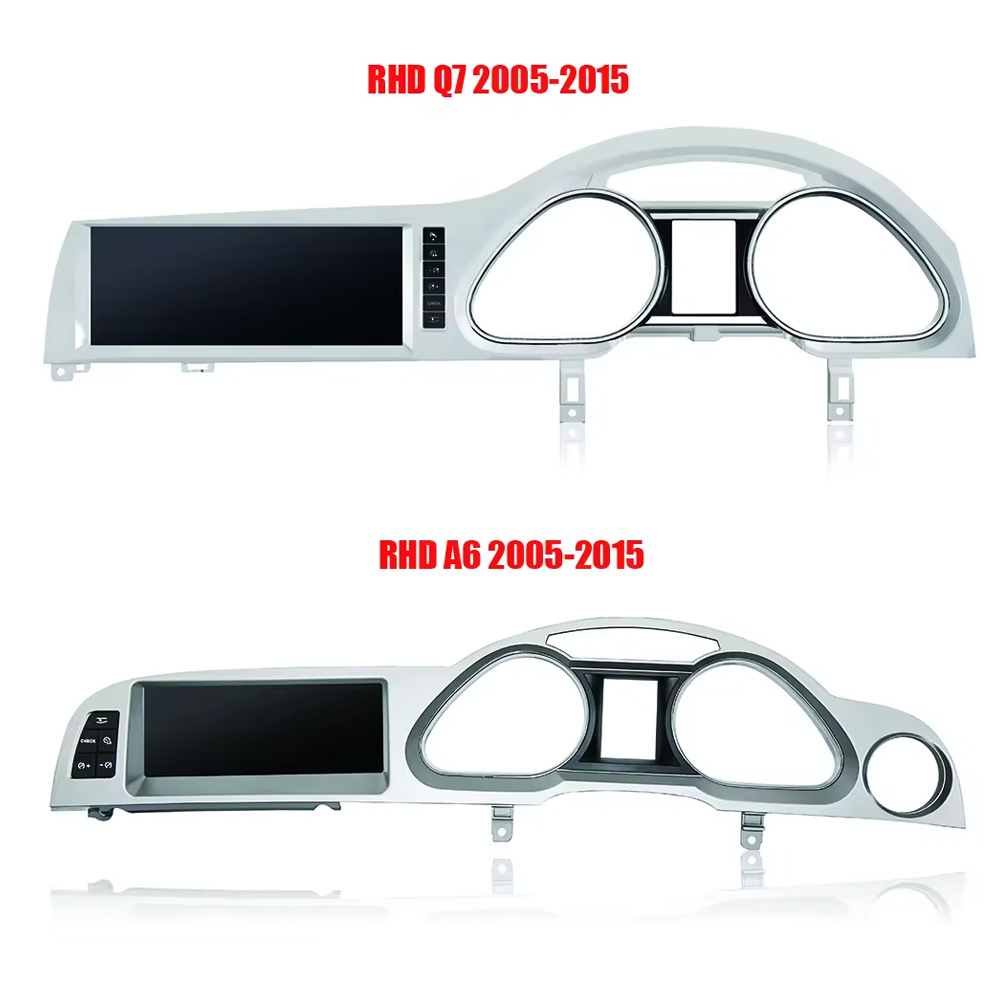
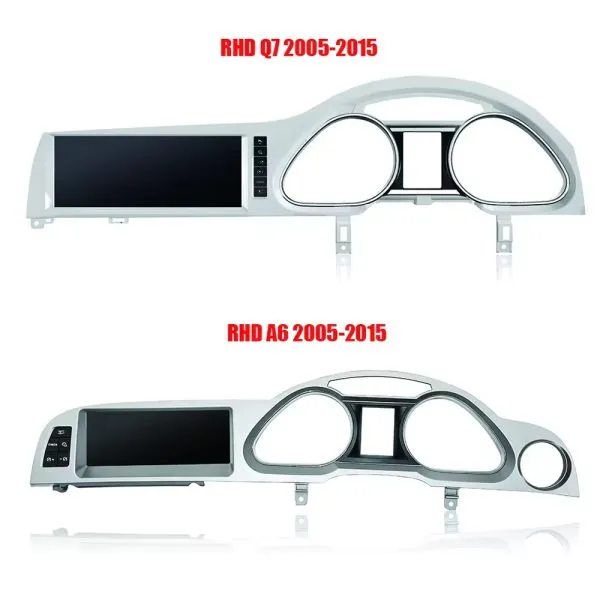
Confirm LHD and RHD Product Frame Routes

This image helps you understand that Q7 frame orientation matters. Do not order without confirming steering side and dashboard layout.

Audi Q7 Android head unit RHD and LHD frame route product comparison

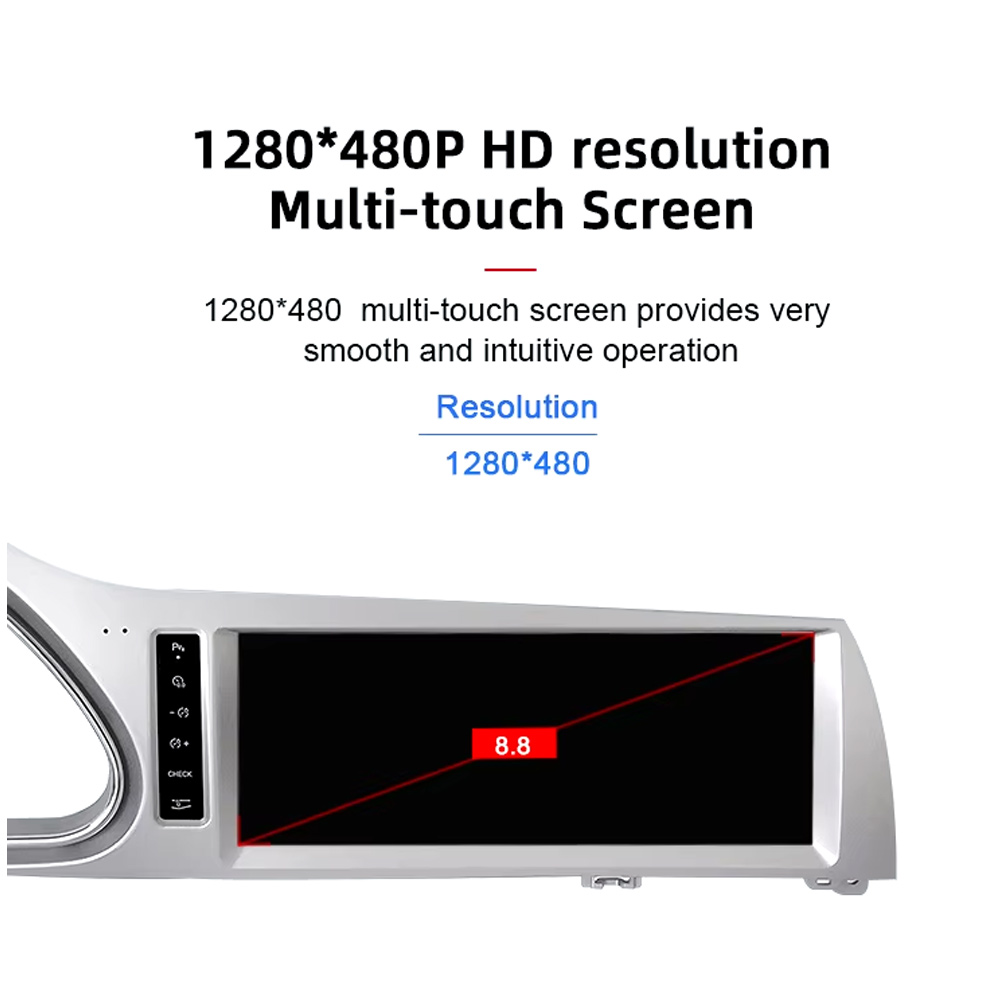
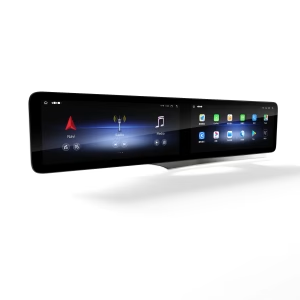
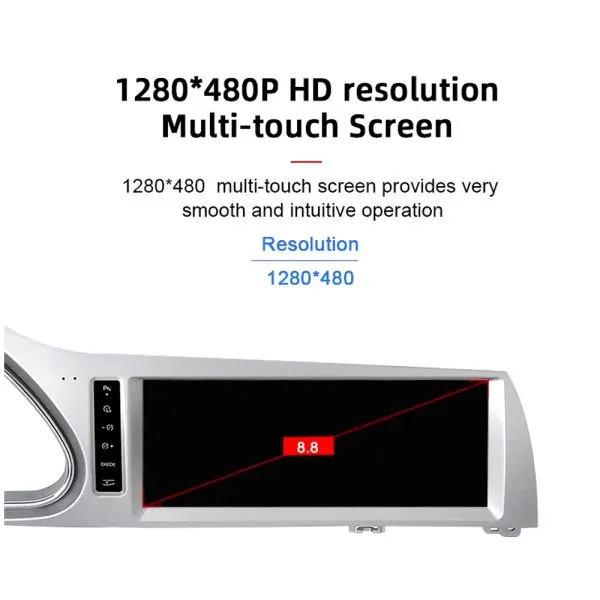
Understand the Screen Display Area

The screen reference explains the display route and reminds buyers that the confirmed order specification takes priority over general promotional images.

Audi Q7 Android head unit screen display area reference

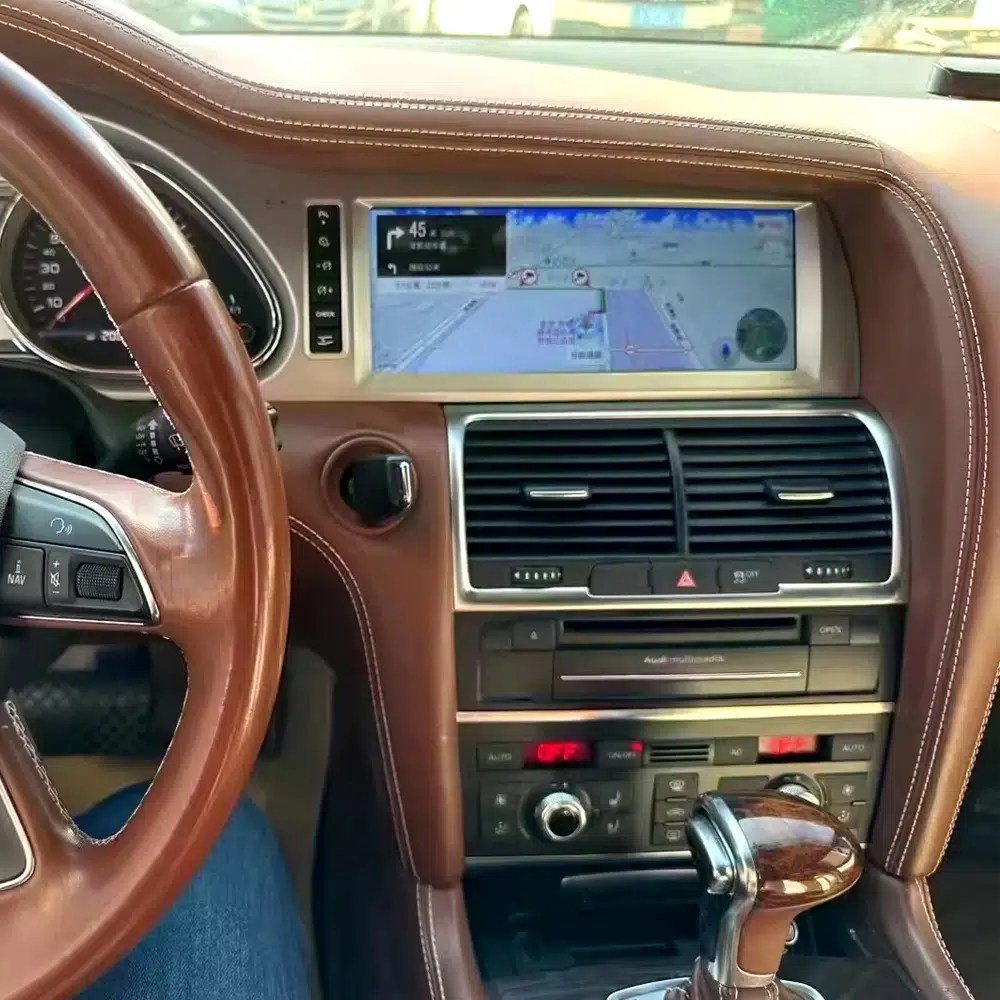
See Navigation Working in a Real Audi Q7 Interior

This installed navigation view helps you judge the screen position, driver visibility and how the display looks inside a used Q7 cabin.

Audi Q7 Android navigation screen installed in vehicle dashboard

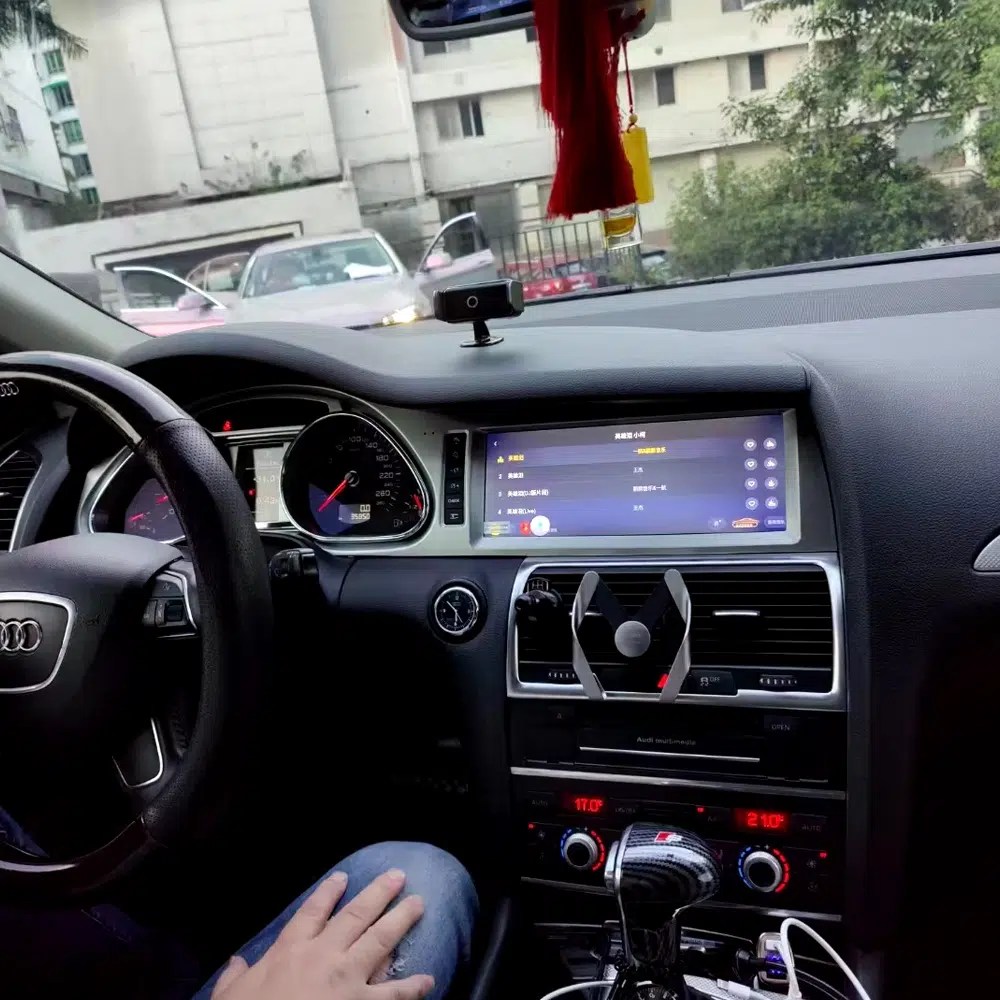
Review Another Real Installation Interface

This cabin photo gives another practical reference for screen angle, dashboard integration and menu readability after installation.

Audi Q7 Android head unit installed original dashboard interface view

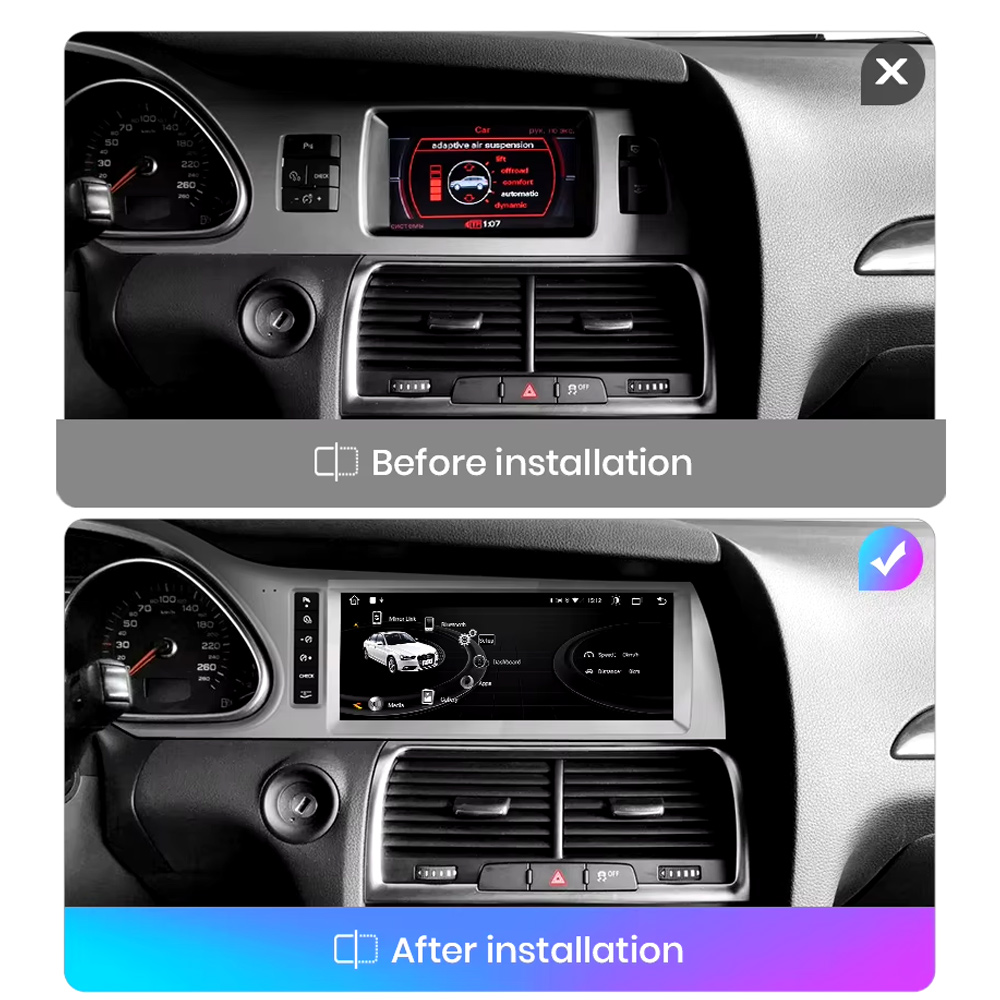
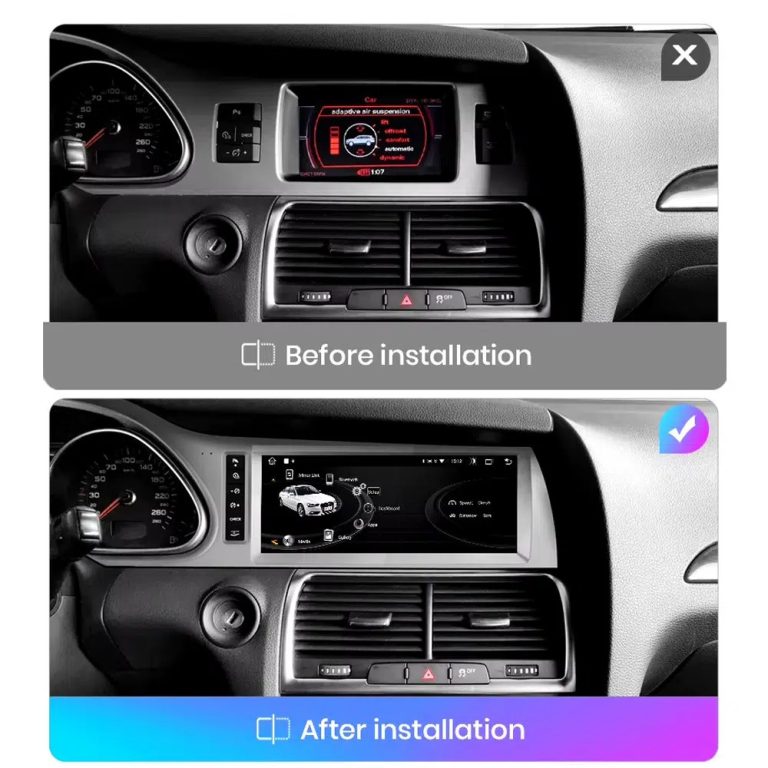
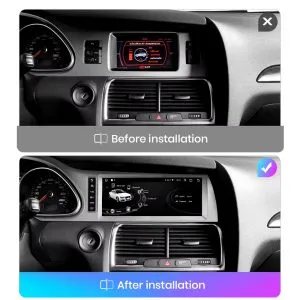
Compare the Old Screen Before and After the Upgrade

The before-and-after image shows the main visual upgrade: the old small screen area becomes a wider Android interface with a cleaner modern layout.

Audi Q7 original screen before and Android screen after installation comparison

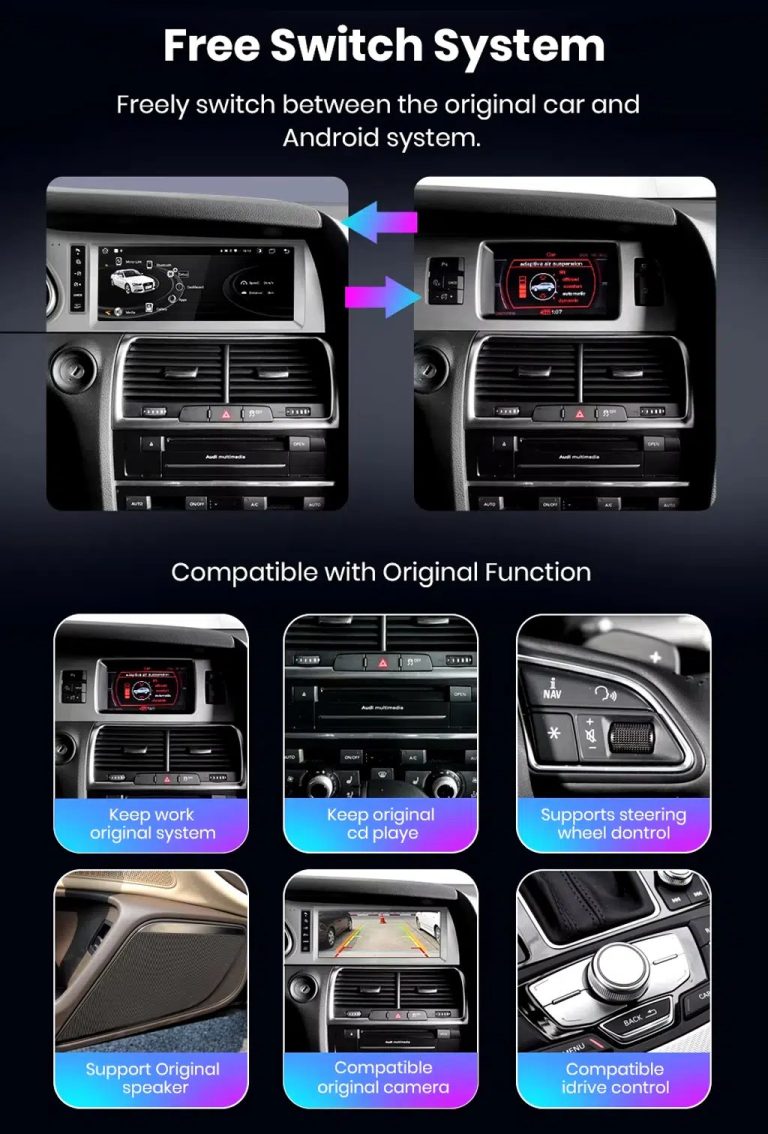
Switch Between Android and Original Audi System

Original-system switching is important for Q7 owners because it helps retain access to supported Audi menus while adding modern Android functions.

Audi Q7 Android system and original vehicle system switching functions

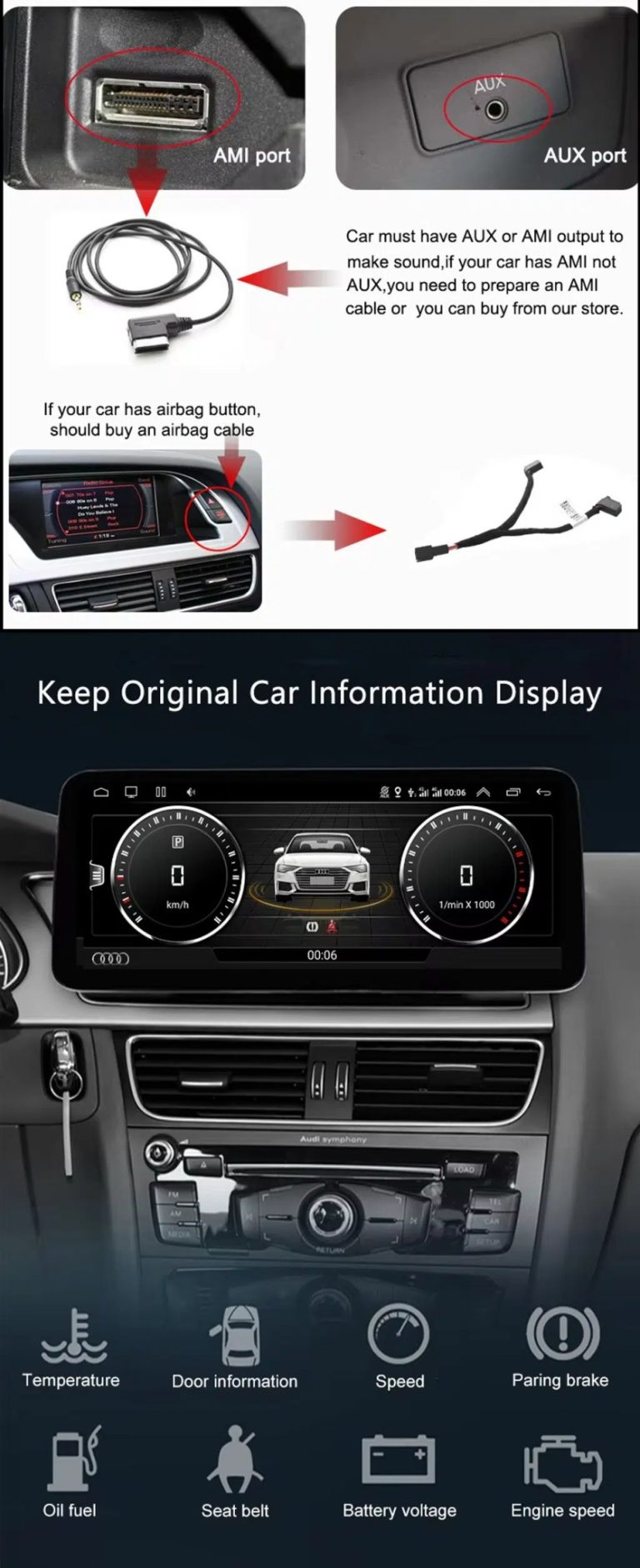
Check AUX, AMI and Original Vehicle Information

Some Audi Q7 configurations need the correct AUX, AMI or adapter route for sound and original data display. This should be checked before installation.

Audi Q7 Android head unit AUX AMI cable and original vehicle information display

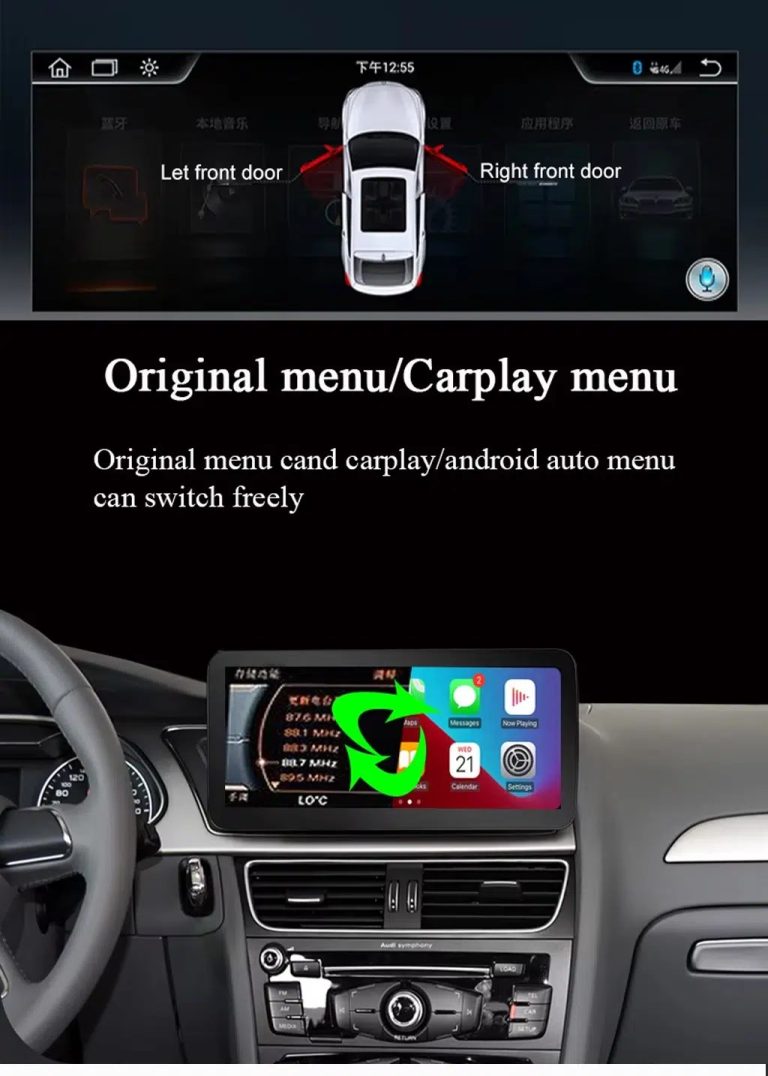
Use Original Menu and CarPlay Menu Switching

This visual explains how the owner can move between the supported original Audi interface and modern CarPlay / Android Auto style display.

Audi Q7 Android head unit original menu CarPlay menu switching

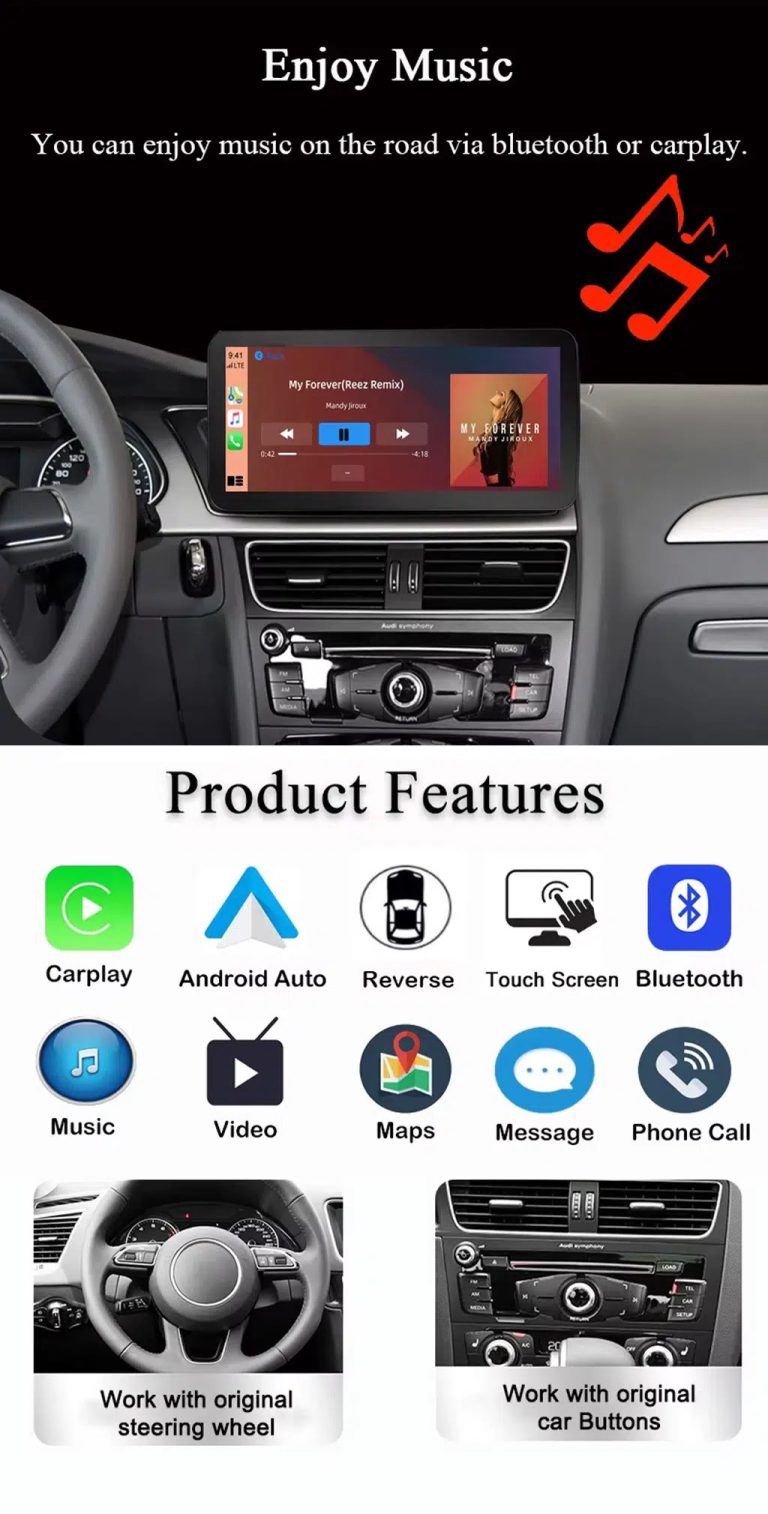
Use Music, Bluetooth, Maps and Steering-Wheel Controls

The function overview shows why the upgrade is useful every day: calls, music, maps, Bluetooth, touch operation and supported steering-wheel controls.

Audi Q7 Android head unit music Bluetooth maps CarPlay steering wheel features

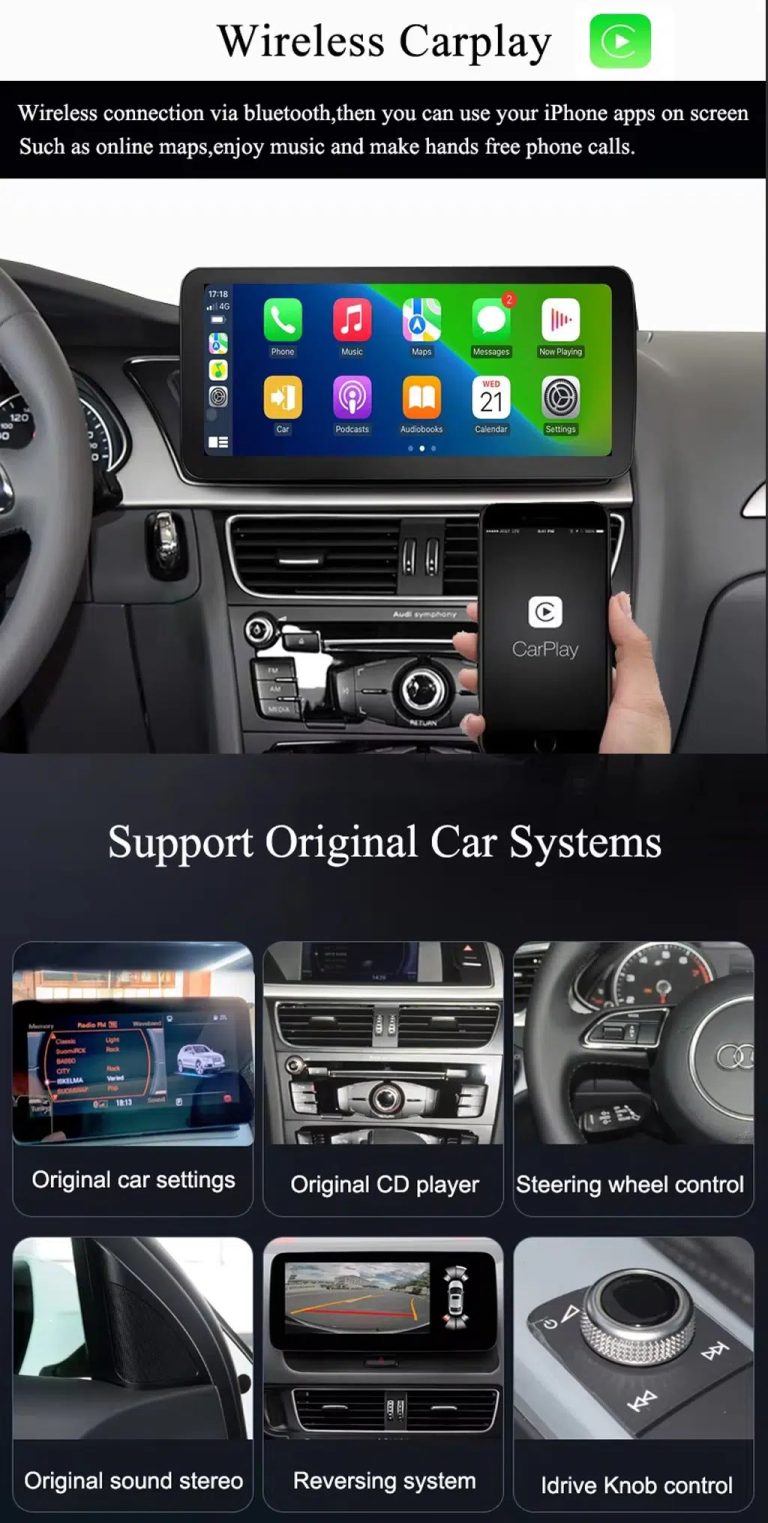
Show Wireless CarPlay and Original System Value Together

This image is useful because it combines wireless CarPlay with original car system retention, helping buyers understand that this upgrade is more than a simple screen swap.

Audi Q7 Android head unit wireless CarPlay and original system support

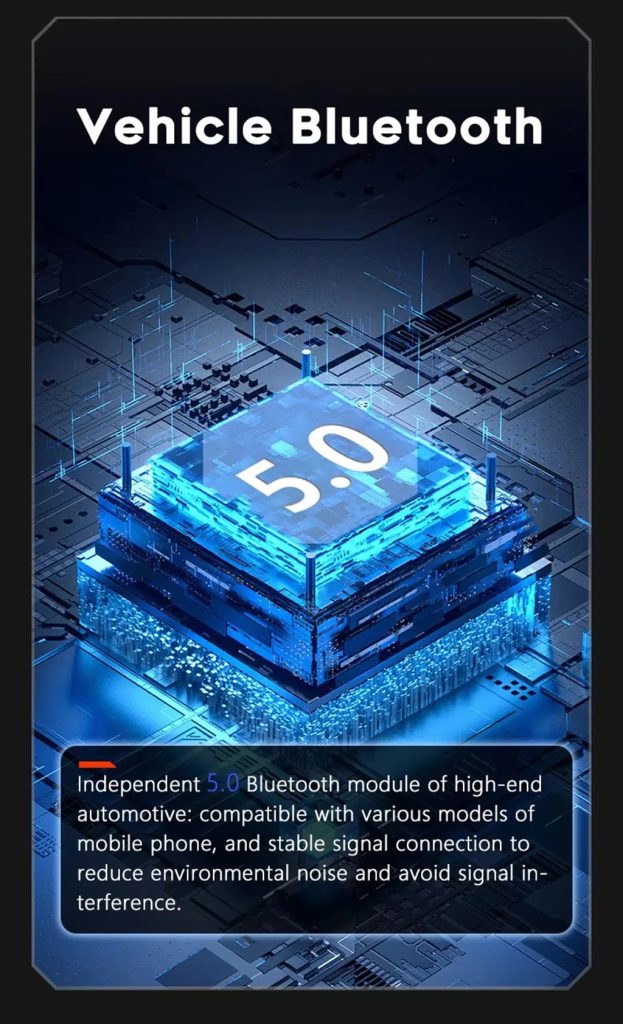
Improve Bluetooth Stability Where Supported

Bluetooth version depends on selected hardware, but the upgrade direction supports clearer phone and media connection than relying only on older factory behavior.

Audi Q7 Android head unit Bluetooth 5 feature reference

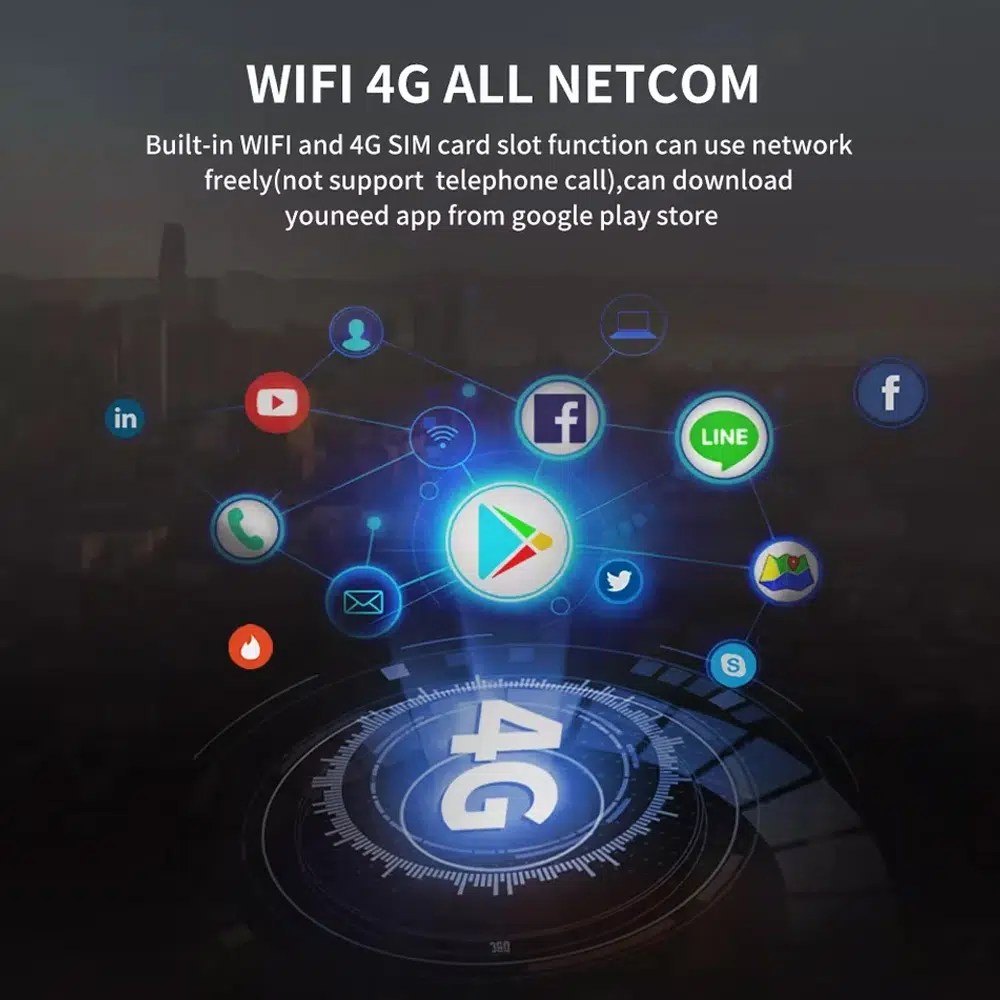
Use WiFi and 4G for Apps and Online Navigation

WiFi and compatible 4G support online maps, app downloads and connected Android functions where local network and selected hardware allow it.

Audi Q7 Android head unit WiFi 4G Google Play app connection

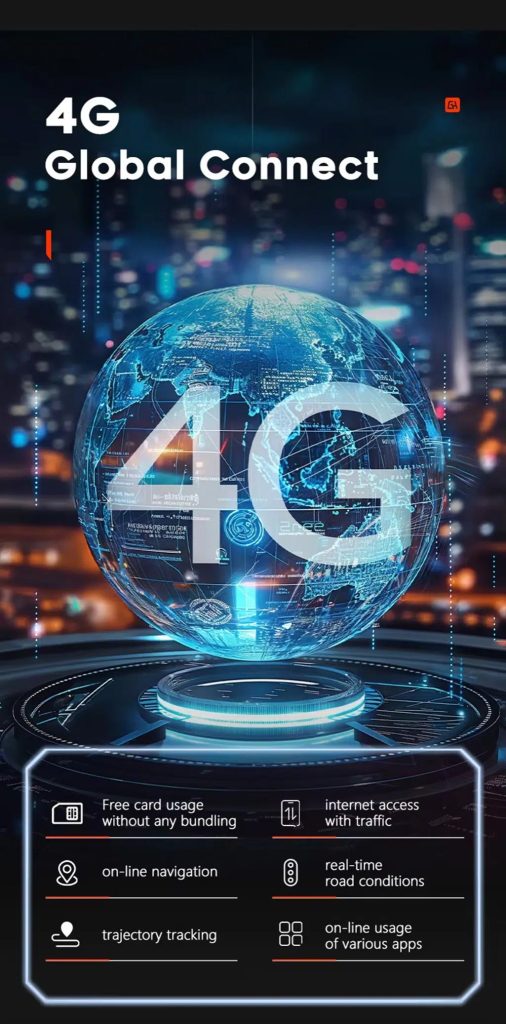
Use 4G Global Connect Where Available

This image supports the network-use value of the Android head unit: online navigation, traffic information and app access depend on active network service.

Audi Q7 Android head unit 4G global connect online navigation traffic apps

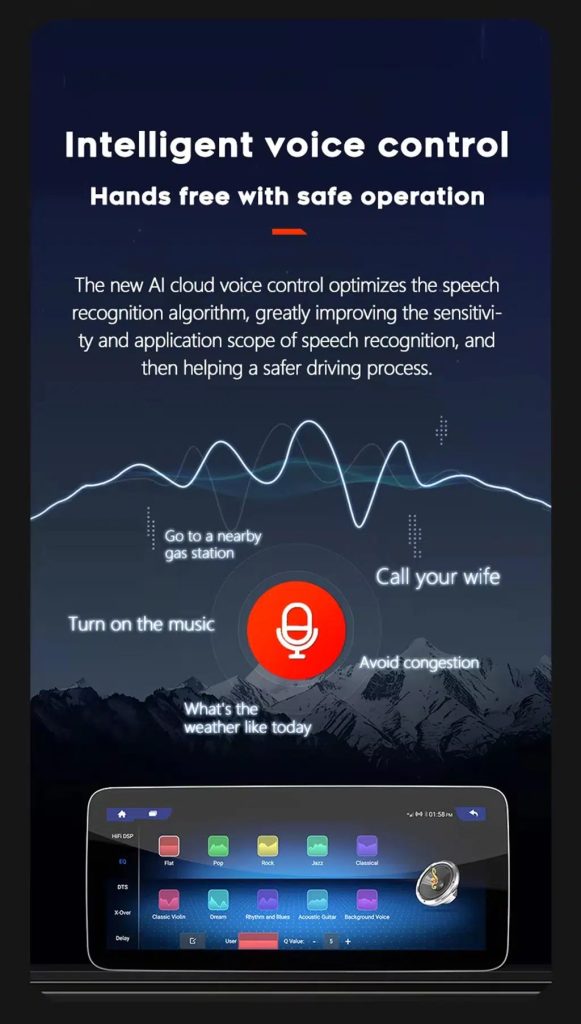
Use Voice Control With Compatible Apps

Voice control can make navigation, music and calls easier, but actual recognition depends on app, microphone, language, internet connection and phone compatibility.

Audi Q7 Android head unit intelligent voice control function

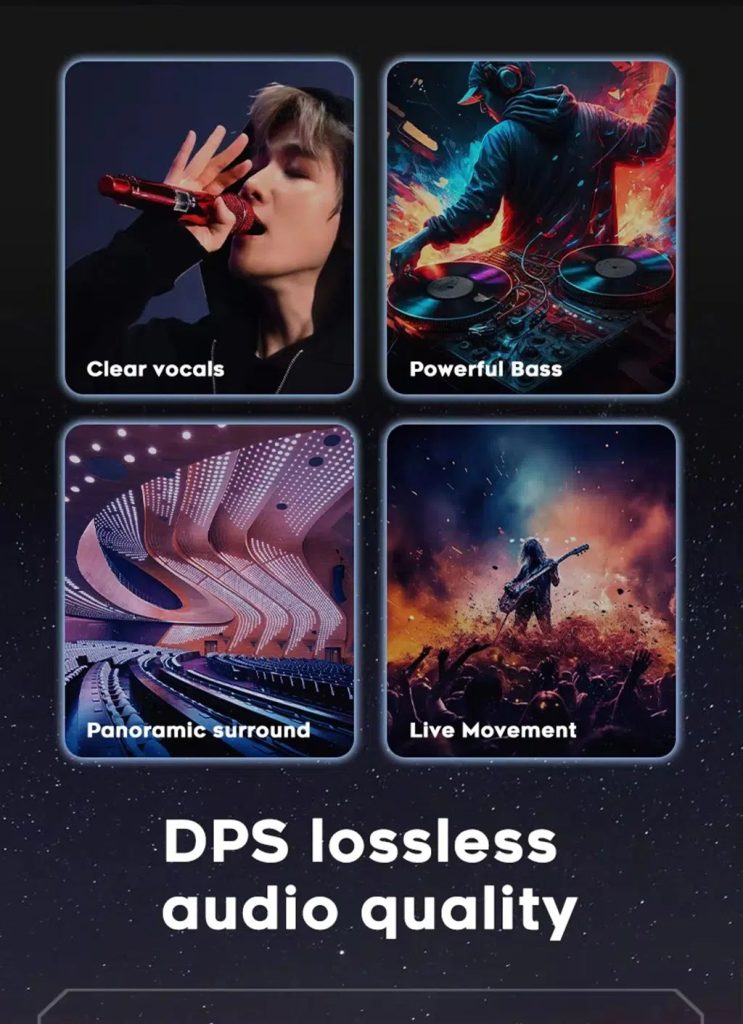
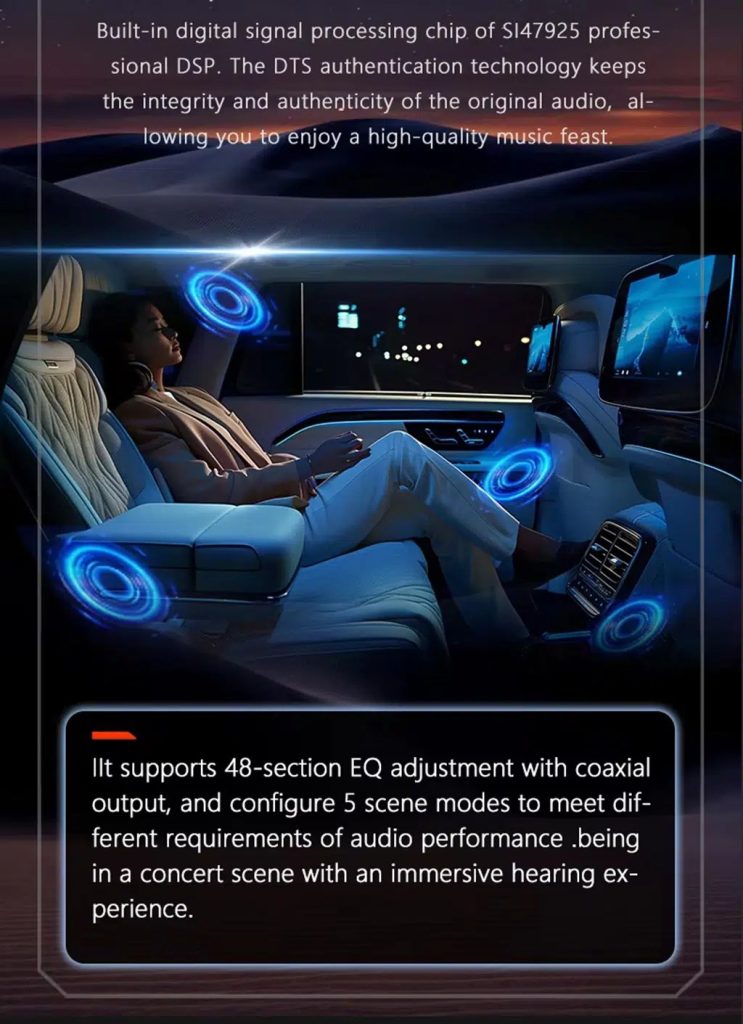
Improve Audio With DSP Where Supported

DSP helps tune vocals, bass, surround feeling and live-movement sound effects when the selected hardware version includes the supported DSP route.

Audi Q7 Android head unit DSP lossless audio quality feature

Review Multimedia and DSP Function Reference

This additional media image supports the buyer’s understanding of the audio and entertainment function direction before choosing the hardware version.

Audi Q7 Android head unit DSP and multimedia function illustration

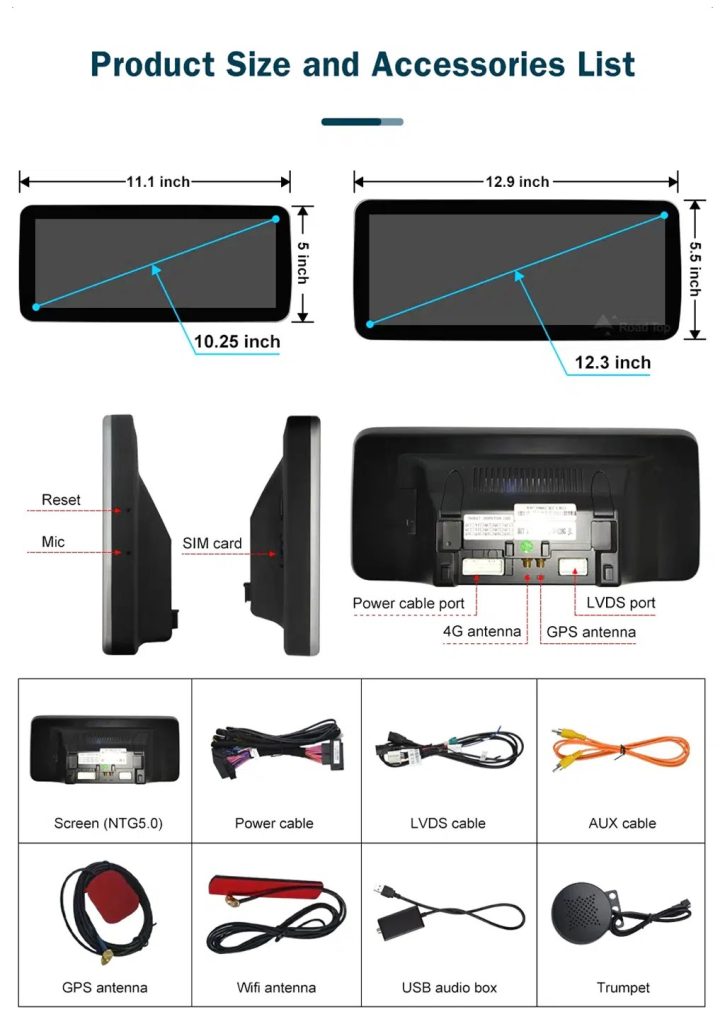
Check Product Size, Rear Ports and Accessories

This accessory image helps the installer understand screen size, rear connection area, LVDS, power cable, AUX cable, GPS antenna, WiFi antenna, USB audio box and other included parts.

Audi Q7 Android head unit product size ports and accessories list

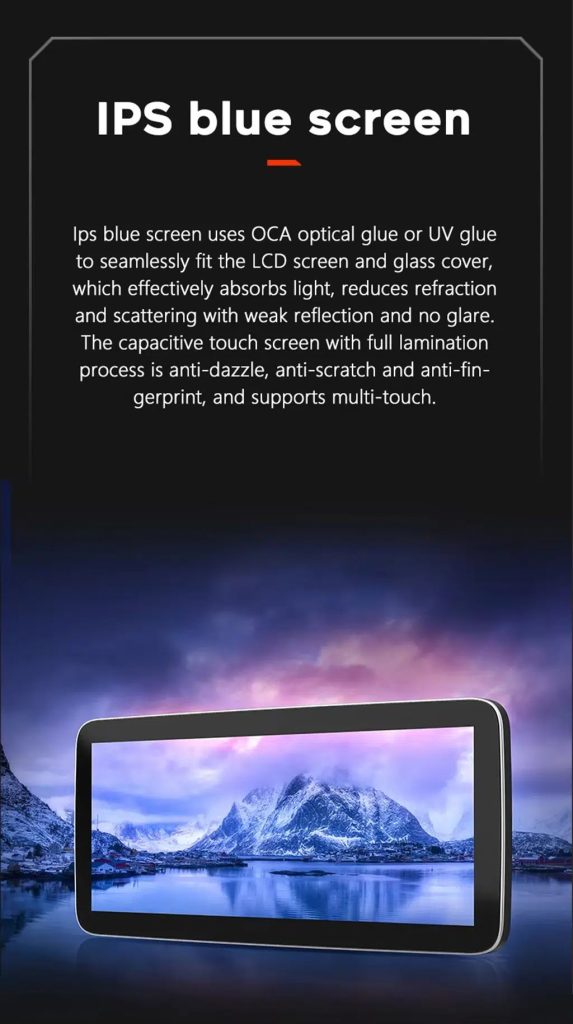
Understand the IPS Blue Screen Advantage

The IPS blue screen and capacitive touch direction helps the display feel clearer, smoother and more comfortable for daily dashboard use.

Audi Q7 Android head unit IPS blue screen capacitive touch display

Review the Product Gallery Before-and-After Reference

This gallery image gives another quick reference for the original Q7 display before installation and the wider Android interface after installation.

Audi Q7 Android head unit product gallery before after reference

Confirm Another Installed Dashboard Angle

This gallery view shows the unit installed in the Q7 dashboard with a modern interface, helping buyers compare the final visual balance.

Audi Q7 Android head unit installed dashboard gallery reference

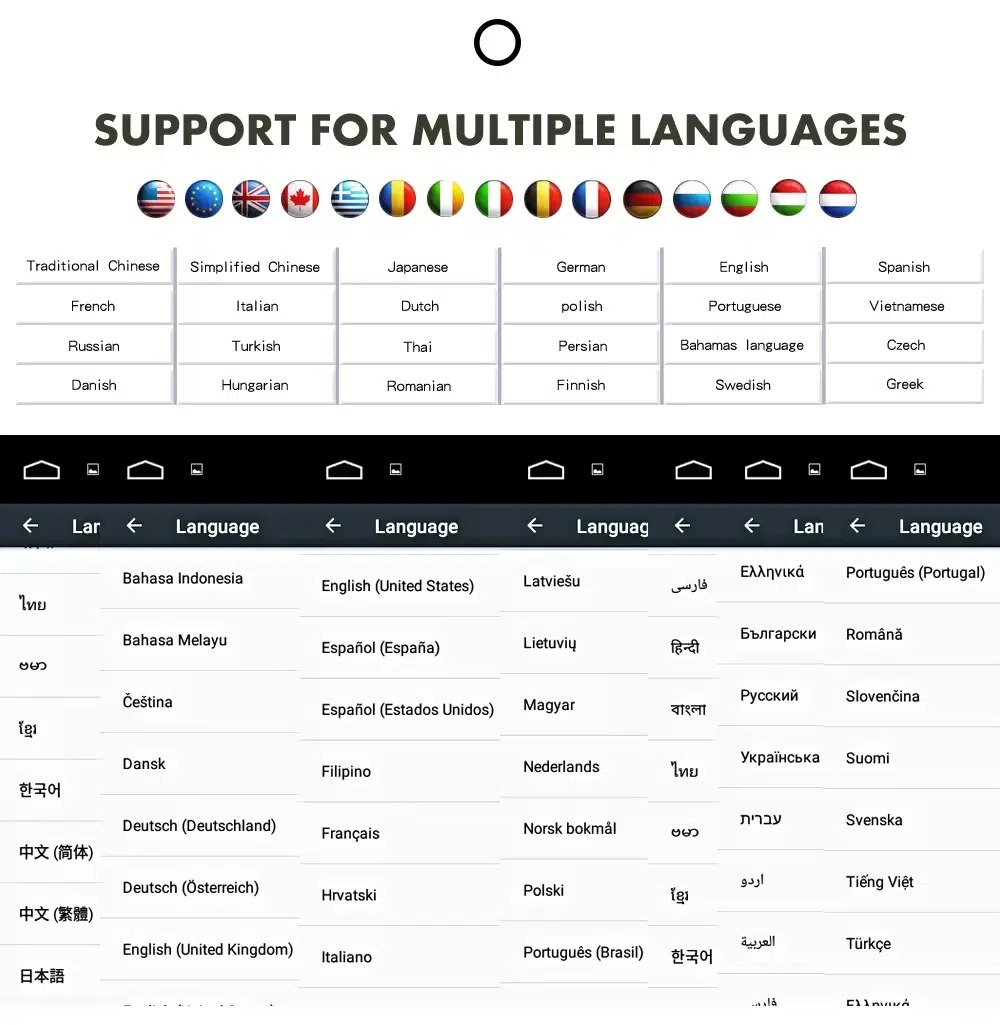
Confirm Multilingual Interface Support

Multiple language support helps international owners and installers use the Android interface in a familiar language. Final availability depends on firmware and app settings.

Audi Q7 Android head unit multiple language interface support
AnglaisDeutschFrançaisEspagnolItalianoPortuguêsPays-BasРусскийالعربية日本語中文

Installation Route for the Audi Q7 Android Head Unit

Principaux travaux à réaliser

  • Confirm dashboard year route, CD panel, MMI system and steering side before shipment.
  • Check whether the car has Bose, external amplifier or MOST fiber optic.
  • Remove the original screen area and required dashboard trim carefully.
  • Connect the matched power harness, CAN decoder, LVDS/video route and audio adapter.
  • Install fiber-optic decoder when confirmed necessary.
  • Connect GPS, USB, camera, microphone and 4G/WiFi accessories according to selected configuration.
  • Power on before final reassembly.
  • Test original menu switching, CarPlay, Android Auto, audio, steering-wheel controls, cameras, Bluetooth, GPS and sleep/wake behavior.

Programme d'installation recommandé

This is Level 3 — Advanced DIY. It is suitable for experienced DIY installers or an automotive electronics technician familiar with Audi MMI, dashboard trim, CANBUS, factory amplifiers and MOST fiber-optic systems.

Do not treat “plug-and-play” as “no configuration.” A plug-and-play harness only works correctly when the vehicle system and required adapters are matched first.

What Is Normally Included

Android Display

Vehicle-specific display assembly with the selected Android hardware configuration.

Wiring Harness

Power, signal and integration wiring selected according to the confirmed vehicle.

CAN Decoder

Compatible decoder for supported steering controls and vehicle-information integration.

GPS Antenna

External GPS antenna for supported Android navigation functions.

USB Connections

USB extension inputs for compatible media, accessories and software updates.

Optional Adapters

Fiber-optic decoder, camera interface, AMI cable or other adapters when confirmed as necessary.

Package contents vary by selected version and confirmed vehicle configuration. The final order details should be checked before dispatch.

Si cela se produit, interrompez l'installation et contactez iKAGOO

  • The screen frame does not match the dashboard opening.
  • La forme du connecteur ou la disposition des broches ne correspond manifestement pas à celle du faisceau fourni.
  • The car has Bose / MOST fiber optic but no confirmed decoder route.
  • No sound comes from the speakers after power-on testing.
  • The original MMI menu cannot be accessed after connection.
  • A fiber-optic cable is bent sharply, crushed or left disconnected.
  • Une broche du connecteur est tordue, mal fixée ou endommagée.
  • Un fusible saute sans cesse.
  • Vous sentez une odeur inhabituelle de chaleur, de brûlé ou de fumée.
  • Cette installation nécessiterait de couper le faisceau de câbles d'origine de l'usine.

Livraison, garantie et service après-vente

Préparation des commandes

Le délai de préparation standard d'une commande est généralement de 1 à 3 jours ouvrés après la validation de la configuration de votre véhicule.

Suivi international des envois

Les livraisons à l'international font l'objet d'un suivi. Le délai de livraison estimé dépend de la destination, des formalités douanières et du mode d'expédition choisi lors du paiement.

12-Month Garantie matérielle

Les problèmes matériels éligibles sont pris en charge dans le cadre de la garantie limitée iKAGOO. Les dommages résultant d'un câblage incorrect, d'une mauvaise utilisation, d'une infiltration d'eau ou d'une modification non autorisée ne sont généralement pas couverts.

Les produits spécifiques à un véhicule nécessitent des informations exactes avant leur expédition. Si iKAGOO a confirmé la compatibilité avant l'achat, que vos informations étaient exactes et qu'aucune solution d'installation raisonnable n'est disponible après avoir suivi les étapes de dépannage recommandées, la politique de retour et de remboursement actuellement en vigueur s'applique.

Audi Q7 Android Head Unit FAQ

Is this Audi Q7 Android head unit for every Q7 from 2006 to 2015?

No, not automatically. Compatibility depends on dashboard structure, CD/MMI panel, steering side, amplifier, MOST fiber optic, camera system and connector layout. Vehicle photos must be checked before shipment.

Does this product support 2005 Audi Q7?

Yes, some product routes show 2005–2009 compatibility, but the main product title uses 2006–2015. Send dashboard and CD panel photos before ordering if your vehicle is 2005 or market-year unclear.

Prend-il en charge CarPlay et Android Auto sans fil ?

Yes, supported configurations provide wireless Apple CarPlay and Android Auto for compatible smartphones. Connection behavior depends on the phone, firmware and selected hardware version.

Will the original Audi MMI menu still work?

Yes, supported original Audi menu access can be retained through the matched system-switching route, but the original MMI system and connector route must be confirmed first.

Will Bose or the factory amplifier still work?

Yes, it can work when the correct audio route is prepared. Some Bose, external amplifier or MOST fiber-optic systems may require a compatible decoder.

Does every Audi Q7 need a fiber optic box?

No, not every vehicle needs one. The requirement depends on the original amplifier and MOST fiber-optic audio configuration, not only the model year.

Can the original rear camera be retained?

Yes, retention may be possible with the correct video interface or decoder. The original camera format must be checked before ordering.

Does it work with LHD and RHD vehicles?

Yes, compatible routes may be available for both steering positions, but the frame and button orientation must be confirmed from dashboard photographs.

L'installation est-elle Plug-and-Play ?

Yes, the matched harness is designed for clean connection, but installation is still Level 3 — Advanced DIY because Audi MMI, amplifier, MOST fiber optic, camera and CANBUS functions must be checked and tested carefully.

What should I send before ordering?

Yes, send your vehicle year, LHD/RHD position, original dashboard photo, original screen photo, CD/MMI panel photo, amplifier details, connector photos if requested, and whether you need Bose/MOST, rear camera or 360 camera support.

Make Your Audi Q7 4L Feel Modern Again

Choose the Audi Q7 Android head unit if you want a 10.25-inch factory-style screen, wireless CarPlay, Android Auto, navigation, DSP audio and a configuration review for your Q7 dashboard, MMI and audio system.

Avis

Il n'y a pas encore d'avis.

Soyez le premier à donner votre avis sur “ Audi Q7 Android Head Unit 2006–2015 10.25″ CarPlay ”

Your email address will not be published. Required fields are marked

Vous devez être connecté pour pouvoir ajouter des photos à votre avis.

Expédition, garantie, retours et service client iKAGOO
Service client iKAGOO

Livraison, garantie et retours

Des informations claires sur le traitement des commandes, la livraison à l'international, les produits spécifiques à chaque véhicule, l'assistance en matière de garantie, les retours et les colis endommagés.

Traitement de la commande En règle générale, 1 à 3 jours ouvrables avant l'expédition.
Livraison à l'international En général, entre 5 et 20 jours ouvrés après l'expédition, selon la destination.
Garantie du matériel Garantie limitée de 12 mois couvrant les défauts de fabrication éligibles.
Assistance spécifique au véhicule Une assistance en matière de compatibilité, de câblage et de configuration est disponible.

Questions fréquemment posées

Ces réponses constituent un résumé pratique. Les pages complètes consacrées aux conditions générales, accessibles via les liens ci-dessous, s'appliquent à toutes les commandes.

01

D'où les commandes sont-elles expédiées, et quel est le délai de livraison ?

La plupart des commandes iKAGOO sont expédiées depuis notre centre de distribution en Chine une fois que la configuration du produit et les informations relatives au véhicule ont été vérifiées. Le traitement normal d'une commande prend environ 1 à 3 jours ouvrables.

Les délais de livraison estimés après expédition sont les suivants :

  • États-Unis et Canada : environ 5 à 9 jours ouvrables
  • Union européenne : environ 7 à 15 jours ouvrables
  • Royaume-Uni et Australie : environ 7 à 10 jours ouvrables
  • Autres régions prises en charge : environ 7 à 20 jours ouvrables

Les délais de livraison estimés peuvent être affectés par les formalités douanières, les jours fériés locaux, les livraisons dans des zones isolées, les conditions météorologiques ou les retards des transporteurs.

02

Devrai-je payer des droits d'importation, de la TVA ou des frais de douane ?

Les frais d'expédition internationaux standard n'incluent généralement pas la TVA du pays de destination, les droits d'importation, les frais d'intermédiation ni les frais de dédouanement.

Pour les destinations éligibles au sein de l'Union européenne, une option Service d'expédition DDP peuvent s'appliquer. Les frais liés à l'importation ne sont inclus que si l'option DDP est sélectionnée lors du paiement ou confirmée par iKAGOO par écrit avant l'expédition.

Lorsque l'option DDP n'est pas sélectionnée, le destinataire est responsable de tous les frais perçus par les services douaniers locaux ou par le transporteur.

03

Puis-je demander une livraison express ?

Une livraison express ou accélérée peut être proposée pour certains produits et certaines destinations. La disponibilité, le transporteur et les frais supplémentaires sont confirmés avant l'expédition.

En fonction de la destination et du type de produit, iKAGOO peut faire appel à des transporteurs tels que DHL, FedEx, UPS, EMS, 4PX ou tout autre prestataire logistique proposant un service de suivi.

04

Comment puis-je suivre mon colis ?

Une fois la commande expédiée, le numéro de suivi ou le lien de suivi sera généralement envoyé à l'adresse e-mail utilisée lors de la commande.

Les mises à jour du suivi peuvent mettre plusieurs jours ouvrés à s'afficher lorsque un colis est transféré entre des transporteurs internationaux et locaux.

05

Quelle est la politique de retour et de remboursement d'iKAGOO ?

L'éligibilité au retour dépend du motif du retour, de l'état du produit, de son état d'installation, des justificatifs fournis et du fait que le retour ait été approuvé par iKAGOO.

Pour un retour de produit non défectueux, celui-ci doit normalement être inutilisé, non installé, complet et apte à la revente. Les frais de retour approuvés sont généralement à la charge du client.

Les frais de livraison initiaux, les frais DDP, la TVA, les droits de douane et les autres frais logistiques ne sont généralement pas remboursables, sauf si la législation en vigueur l'exige ou si iKAGOO en décide autrement.

Ne renvoyez pas un produit sans avoir reçu une adresse de retour validée et les instructions de retour de la part d'iKAGOO.

06

Que se passe-t-il si iKAGOO a confirmé la compatibilité mais que le produit ne peut pas être installé ?

Une protection supplémentaire peut s'appliquer si iKAGOO a confirmé la compatibilité avant l'achat, si le client a fourni des informations exactes sur son véhicule et s'il a coopéré en suivant les étapes raisonnables d'installation et de diagnostic.

Si iKAGOO confirme qu'aucune solution technique raisonnable n'est disponible et que le problème est signalé dans un délai de 7 jours calendaires après la livraison, le client peut bénéficier d'un remboursement du prix du produit sans être tenu de le retourner.

Les frais de livraison initiaux, les frais DDP, la TVA, les droits de douane et les autres frais facturés par des tiers ne sont pas inclus dans ce remboursement du prix du produit.

07

Quelle garantie offre iKAGOO ?

Les produits iKAGOO éligibles comprennent notamment un Garantie matérielle limitée de 12 mois couvrant les défauts de fabrication avérés et les pannes matérielles éligibles survenant dans des conditions normales d'utilisation.

Selon le problème, la solution peut inclure un diagnostic à distance, une aide à la configuration, des pièces de rechange, une réparation, le remplacement du produit, un remboursement partiel ou un remboursement intégral.

La garantie ne couvre généralement pas les dommages causés par un câblage incorrect, une modification non autorisée, un accident, une infiltration d'eau, un choc, une mauvaise utilisation, une tension inadaptée, une erreur d'installation ou l'utilisation d'équipements tiers incompatibles.

08

Le fait d'ouvrir le produit entraîne-t-il automatiquement l'annulation de la garantie ?

Une inspection ou un contrôle effectué par un tiers n'entraîne pas automatiquement l'annulation de l'intégralité de la garantie. Toutefois, les dommages résultant d'une réparation non autorisée, du remplacement de composants, d'une modification incorrecte, d'un court-circuit ou d'un remontage incorrect ne sont pas couverts.

Veuillez contacter iKAGOO avant de démonter ou de réparer le produit afin que la procédure de diagnostic appropriée puisse vous être fournie.

09

Que faire si ma commande arrive endommagée ou s'il manque des pièces ?

Contactez iKAGOO dans un délai de 7 jours calendaires après la livraison et conservez l'emballage d'origine, l'étiquette d'expédition, les accessoires et le produit.

Veuillez fournir des photos ou une vidéo nettes montrant :

  • Le carton d'expédition extérieur et l'étiquette d'expédition
  • Tout dommage visible sur l'emballage
  • Le produit et la zone concernée
  • Tous les accessoires et câbles reçus

Après vérification, iKAGOO pourra organiser l'envoi des pièces manquantes, le remplacement, la réparation, le remboursement ou toute autre solution raisonnable en fonction du cas particulier.

10

Que dois-je faire si j'ai commandé le mauvais produit ?

Veuillez contacter iKAGOO avant d'installer ou d'utiliser le produit. Un échange ou un retour pourra être accepté à condition que le produit n'ait pas été utilisé, qu'il n'ait pas été installé, qu'il soit complet et en état de être revendu.

Les frais d'expédition et toute différence de prix sont généralement à la charge des clients lorsqu'un produit, un modèle de véhicule, une année de fabrication ou une configuration d'usine erronés ont été sélectionnés.

Une étiquette de retour prépayée gratuite n'est pas fournie automatiquement.

11

Puis-je modifier ou annuler ma commande après le paiement ?

Contactez iKAGOO dès que possible, de préférence dans un délai de 12 heures après avoir passé la commande, lorsque vous demandez une adresse, une configuration de véhicule ou une modification de produit.

Une modification ou une annulation ne prend effet qu'après confirmation par iKAGOO. Les produits spécifiques à un véhicule peuvent faire l'objet d'un processus d'approvisionnement, de programmation, de test, de configuration ou de préparation sur mesure peu après le paiement.

Une fois que la préparation ou l'expédition a commencé, l'annulation pourrait ne plus être possible, ou les frais raisonnables déjà engagés pourraient être déduits.

12

Qu'est-ce qui est inclus dans le paquet ?

Le contenu de l'emballage varie en fonction du produit, du modèle de véhicule, du système d'origine et de la configuration choisie.

Selon le produit, le coffret peut contenir l'appareil principal, des faisceaux de câbles spécifiques au véhicule, une interface CANBUS, des adaptateurs, des câbles USB, des antennes, des microphones, du matériel de fixation et d'autres accessoires d'installation.

Veuillez consulter la page du produit concerné, les photos de l'emballage et la confirmation de commande pour connaître la liste exacte des éléments fournis.

13

Comment puis-je contacter le service d'assistance d'iKAGOO ?

Vous pouvez contacter iKAGOO via le formulaire de contact, par e-mail, sur WhatsApp ou via les canaux d'assistance disponibles sur le site web. Le délai de réponse habituel est de 24 heures ouvrables.

Pour bénéficier d'une assistance technique plus rapide, veuillez indiquer votre numéro de commande, le modèle et l'année de votre véhicule, fournir des photos du système d'origine, des photos du produit ainsi qu'une vidéo claire illustrant le problème.

Rendez-vous sur : Contact et assistance iKAGOO

14

Le paiement est-il sécurisé ? Existe-t-il des options de paiement échelonné ?

Les paiements sont traités via les moyens de paiement sécurisés affichés lors du processus de paiement. Les cartes, portefeuilles électroniques et options de paiement échelonné disponibles peuvent varier en fonction du pays, de la devise, du prestataire de paiement et de l'éligibilité du client.

Tout service de paiement échelonné, y compris les options proposées par PayPal ou un autre prestataire, est soumis aux règles de disponibilité régionale et d'approbation de ce prestataire.

Consultez l'intégralité des conditions générales d'iKAGOO

Veuillez consulter l'intégralité des conditions générales avant de passer commande, notamment en ce qui concerne les produits spécifiques à certains véhicules, les dispositions fiscales internationales et les retours liés à l'installation.
Cette FAQ est un guide simplifié destiné aux clients. En cas de divergence de formulation, les pages complètes des conditions générales publiées, la confirmation de commande et la législation applicable en matière de consommation prévalent.

Audi Q7 Android Head Unit 2006-2015 Audi Q7 Android Head Unit 2006...

De : $325.00

Choix des options