VW T6 Digital Cluster for a Cleaner 12.3-Inch Driver Display
This VW T6 Digital Cluster upgrades the 2015-2019 Volkswagen Transporter T6, Multivan T6 and Caravelle T6 with a wider LCD dashboard that makes speed, vehicle data, warning information and supported navigation content easier to read.
It is not a generic decorative screen. iKAGOO prepares the correct cluster direction according to your model year, dashboard layout, original cluster photo, steering position, connector route and CANBUS setup before shipment.
Modern Dashboard View Without Losing the VW T6 Driving Logic
The larger display gives the cockpit a newer, cleaner appearance while keeping the driver focused on essential data. For daily family trips, camper use and long van journeys, a clearer cluster reduces the need to look down at small old dials.
iKAGOO Standards for This VW T6 Digital Cluster
This VW T6 Digital Cluster is evaluated by upgrade value, original vehicle compatibility and installation ease. The result is based on the confirmed 2015-2019 Volkswagen Transporter T6 / Multivan T6 / Caravelle T6 fitment direction, not on the model name alone.
Strong reason to upgrade when the buyer wants a clearer LCD dash and map-focused driver display.
High match after original cluster, dashboard shape, connector and CANBUS confirmation.
Advanced DIY level; an experienced installer is safer when wiring history is unknown.
Nécessité de la mise à jour d'iKAGOO
The VW T6 cockpit benefits from a 12.3-inch LCD digital dashboard, clearer driving data, navigation display support and a more modern driver-focused interface than the older analog-style cluster.
Compatibilité des véhicules avec iKAGOO Original
The score assumes a confirmed 2015-2019 VW T6 vehicle with matching original cluster shape, compatible dashboard opening, correct connector route and supported CANBUS communication.
Niveau de facilité d'installation d'iKAGOO
Level 3 means experienced DIY users or professional installers are preferred. Dashboard trim removal, connector matching, cluster fitting and full function testing are required before final reassembly.
What This VW T6 Digital Cluster Is
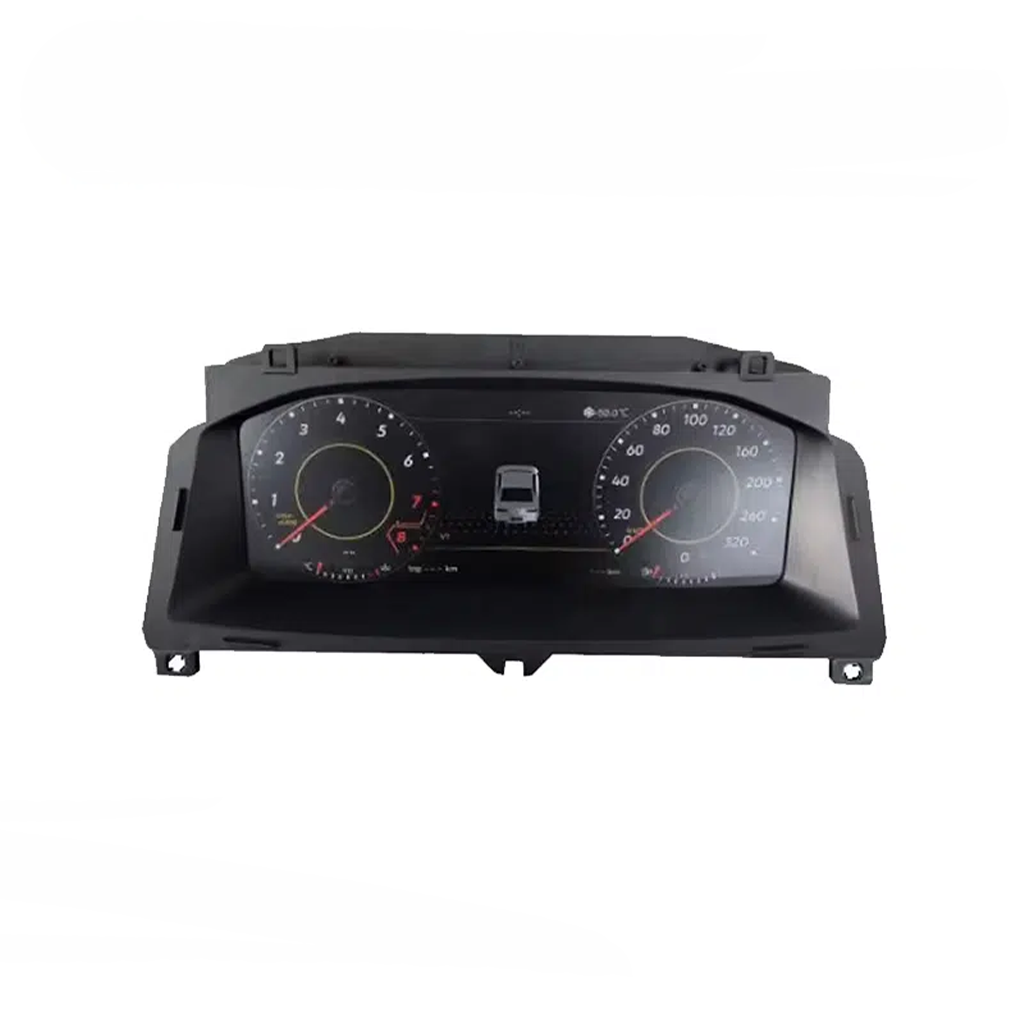
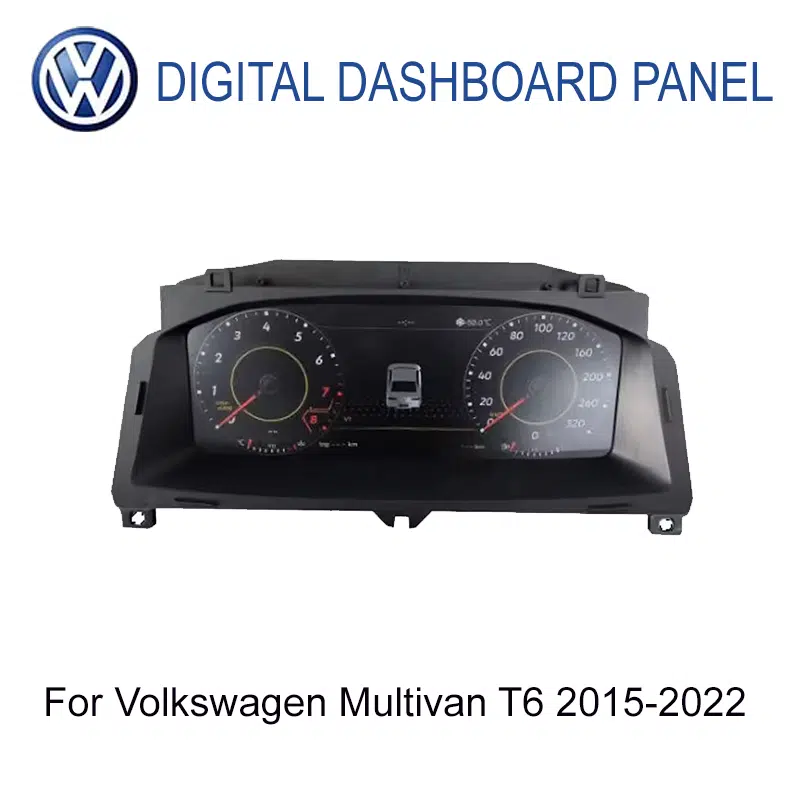
This VW T6 Digital Cluster is a 12.3-inch LCD instrument cluster upgrade for selected 2015-2019 Volkswagen Transporter T6, Multivan T6 and Caravelle T6 vehicles.
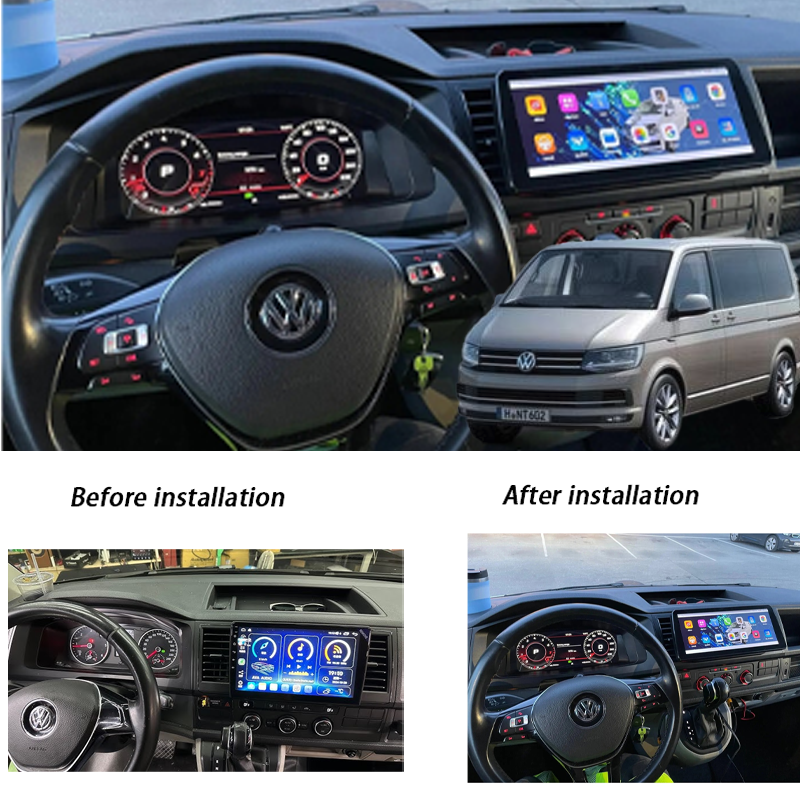
It upgrades the driver display from an older analog-style cluster to a clearer digital dashboard with vehicle data, warning information, multiple display themes and supported navigation or media display.
Original steering-wheel control behavior, vehicle information and warning data depend on the correct CANBUS communication, original cluster type and installation setup.
Before shipment, iKAGOO checks your vehicle year, dashboard layout, LHD/RHD position, original cluster photo and connector information to reduce wrong-version risk.
Five Questions Solved Before You Install
- Exact year and versionConfirm 2015-2019 T6, not T6.1 or T7.
- Original dashboard shapeSend a clear front photo of your current instrument cluster and dashboard opening.
- Itinéraire de raccordementSend connector photos when available so iKAGOO can check the wiring direction.
- Position du volantChoose LHD or RHD correctly before shipment preparation.
- Connected multimedia systemMap, CarPlay or media display behavior depends on the compatible connected system and software version.
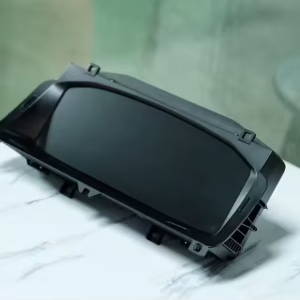
Real Product Housing Built for the T6 Dashboard Area
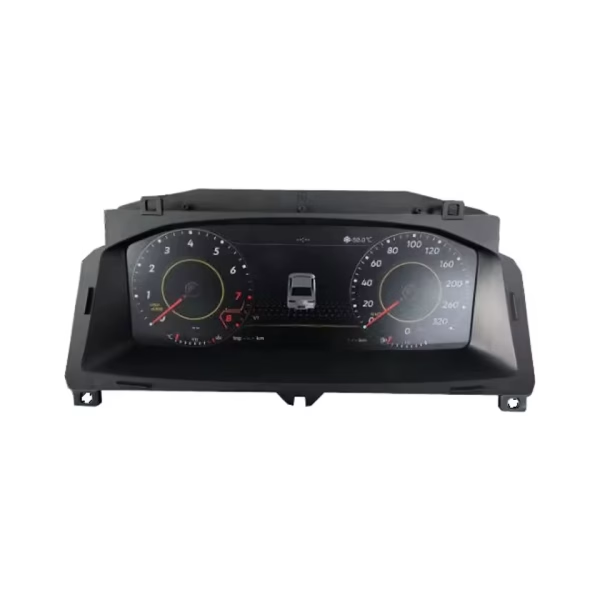
A digital cluster upgrade must fit the dashboard opening cleanly, not just power on. The housing shape, mounting direction and display face need to match your original T6 instrument area. iKAGOO checks your vehicle photos before shipment so the order is prepared around the vehicle instead of a generic part number.
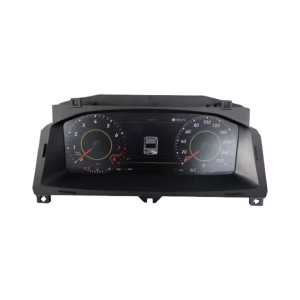
Front Cluster Layout With a Wide Driver-Focused Screen
The front display gives the T6 cabin a cleaner and newer driving position. Speed, RPM, warning icons and selected vehicle information are shown in a wider digital layout. This is valuable for long van use because the driver gets more information in one visual area.
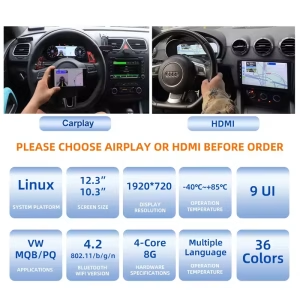
12.3-Inch LCD Display for Clearer Driving Information
The 12.3-inch screen gives the driver a wider information zone than the original analog-style cluster. The 1920 × 720 display direction helps speed, map prompts and vehicle status appear with better separation. For daily family travel, camper trips or work van use, the benefit is clearer reading without making the cockpit look like a universal tablet.
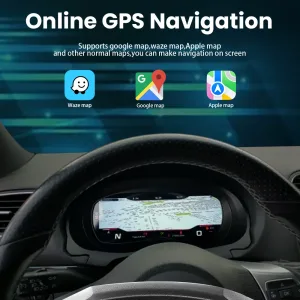
Navigation in the Driver Display
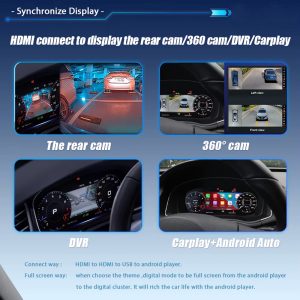
When the connected multimedia system and software version support it, navigation information can appear in the cluster area. That gives the driver a more natural line of sight than checking only the center screen. It is especially useful in a van because the dashboard is wide and the driver benefits from fewer visual distractions.
Map-Focused CarPlay Display Support
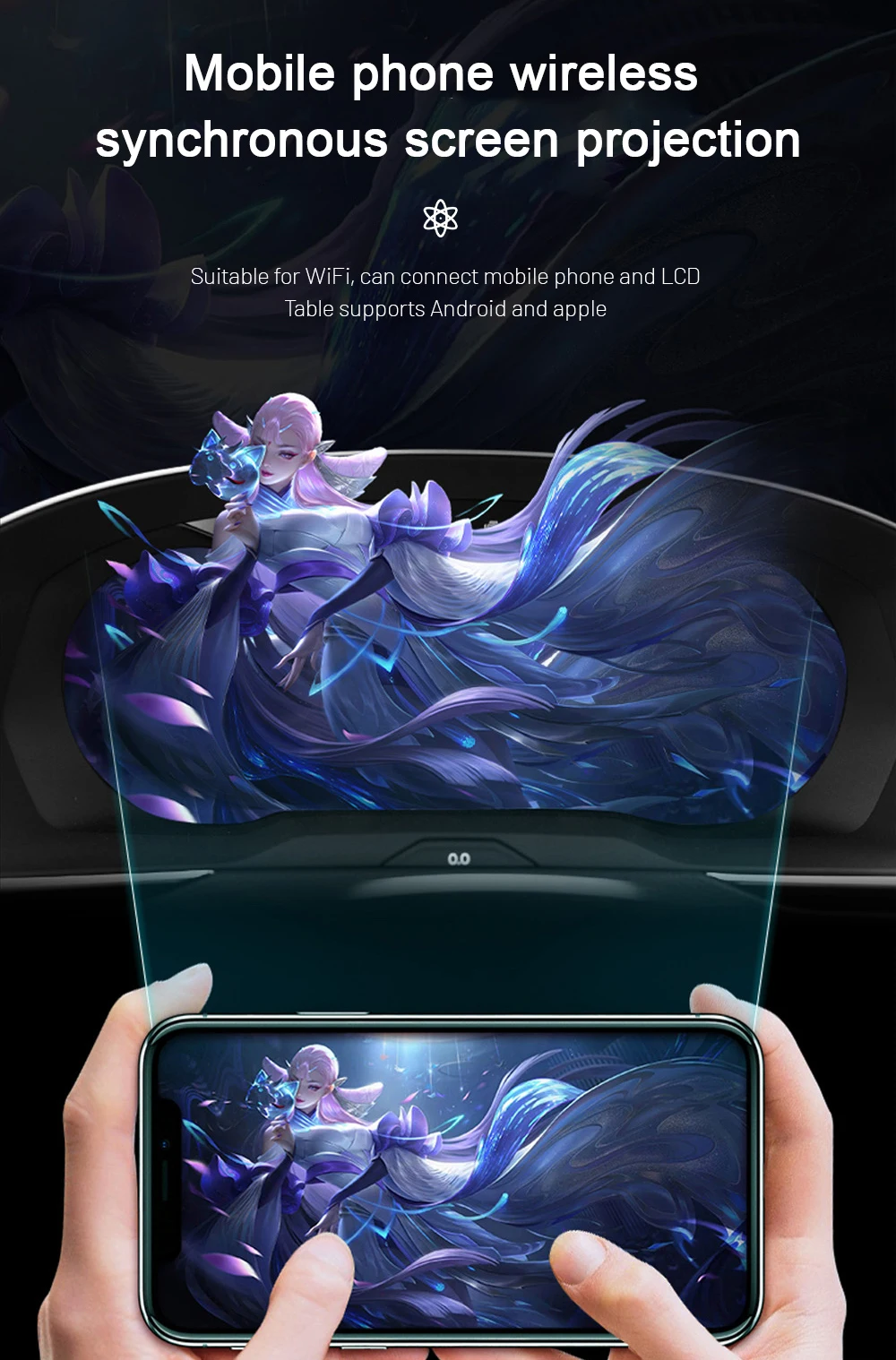
Supported Wireless CarPlay display functions can bring compatible phone navigation, music and call information closer to the driver. This does not turn the cluster into a full Android head unit by itself. The final behavior depends on the selected cluster version, connected head unit and vehicle communication.
Modern Look Without a Random Screen
The purpose is not to add a flashy screen that looks detached from the dashboard. The better upgrade is a cleaner digital driver display that still respects the T6 cockpit shape and the original driving logic. That is why iKAGOO checks the vehicle before preparing shipment.
Prise en charge des fonctions d'origine du véhicule après une mise en correspondance correcte
The VW T6 Digital Cluster is designed around vehicle-specific fitment, supported CANBUS communication and the original dashboard structure. Function behavior must be matched to the vehicle, not guessed from the badge name.
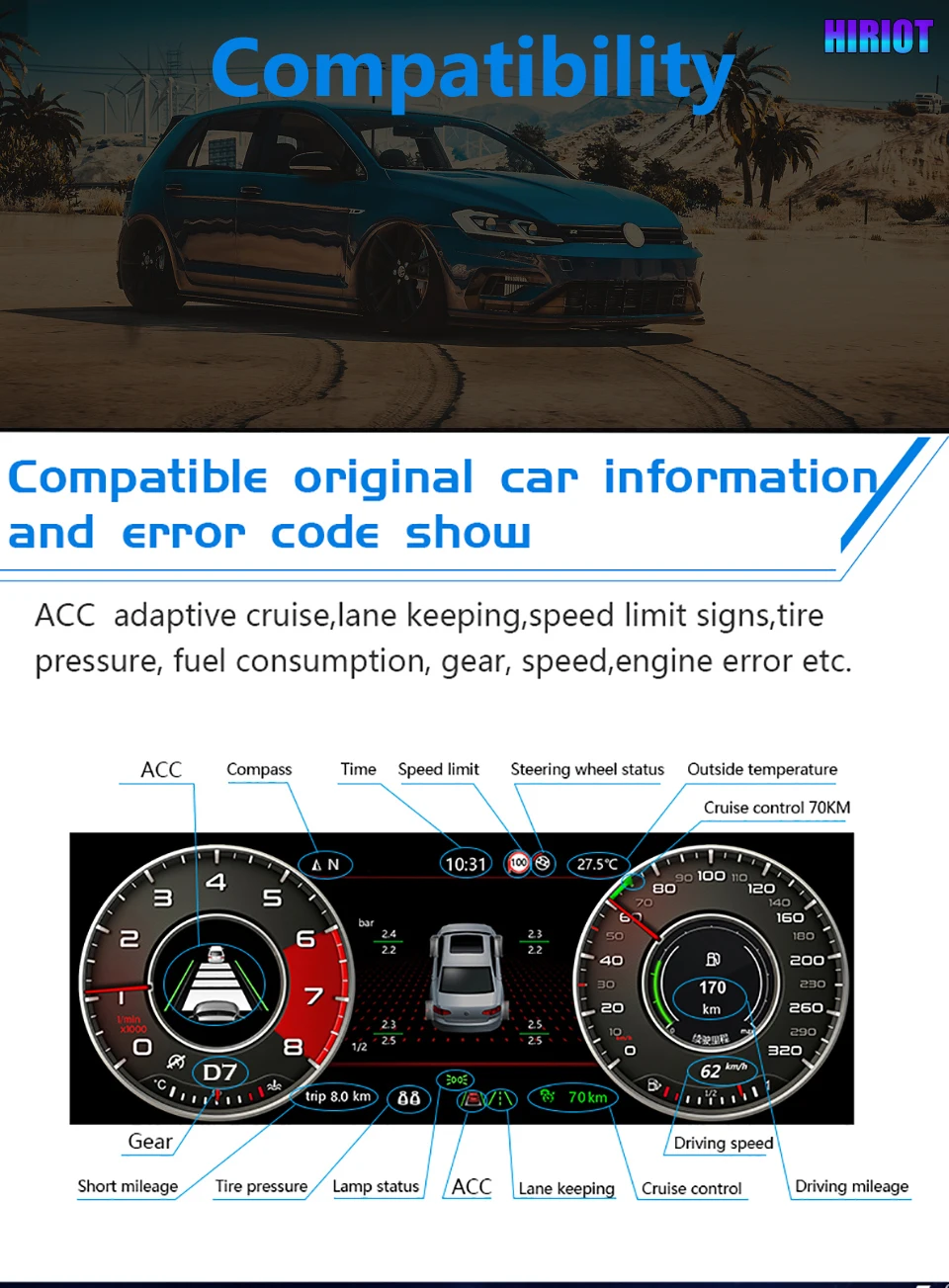
- Driving data retainedSpeed, RPM, fuel level, coolant temperature and trip information continue through supported vehicle communication.
- Warning indicators retainedSupported door status, warning lights and vehicle alerts continue to appear after correct installation.
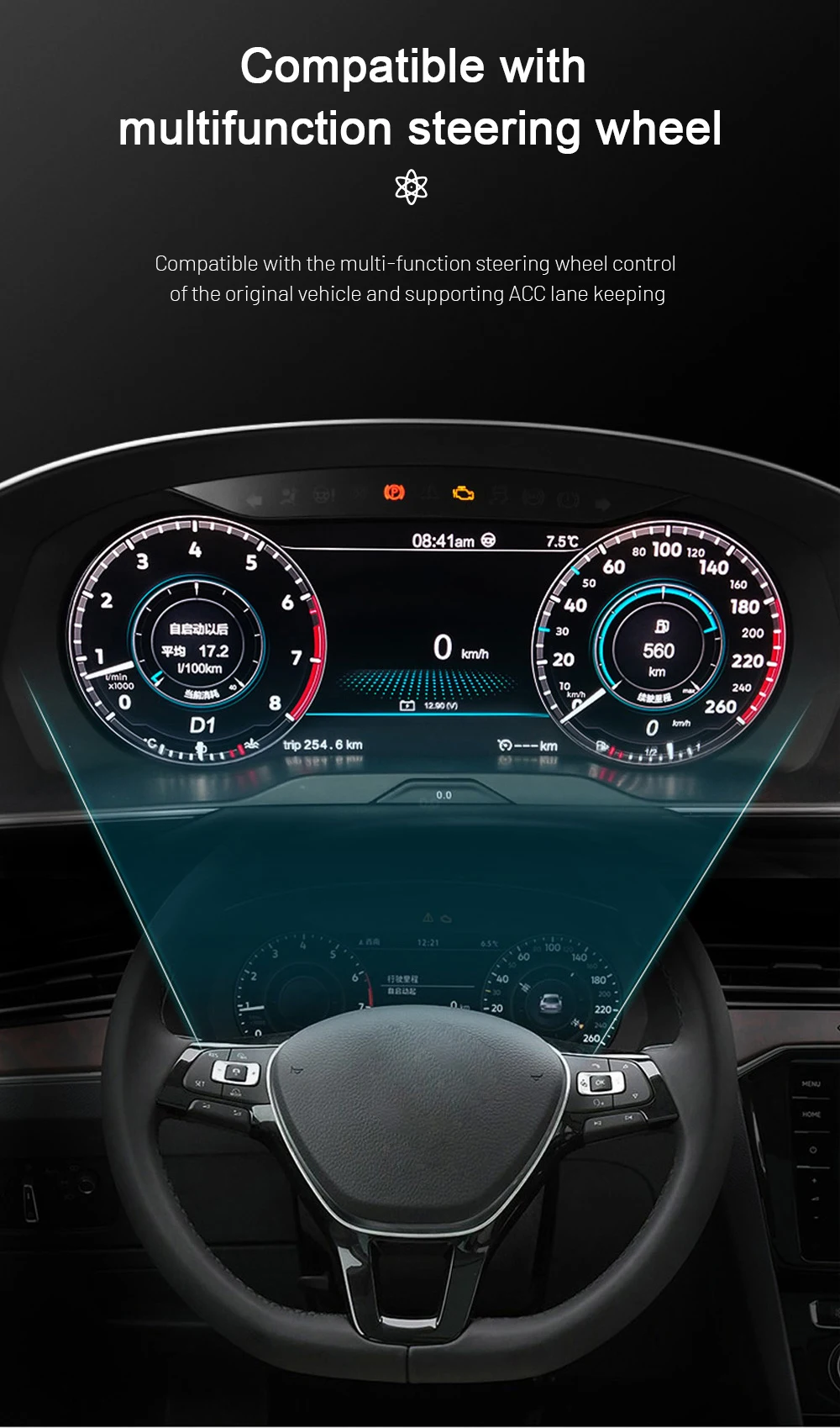
- Steering-wheel control logic supportedMultifunction steering-wheel behavior depends on the correct CANBUS and vehicle setup.
- Map and media display supportNavigation and media display are possible when the connected system and software support the output.
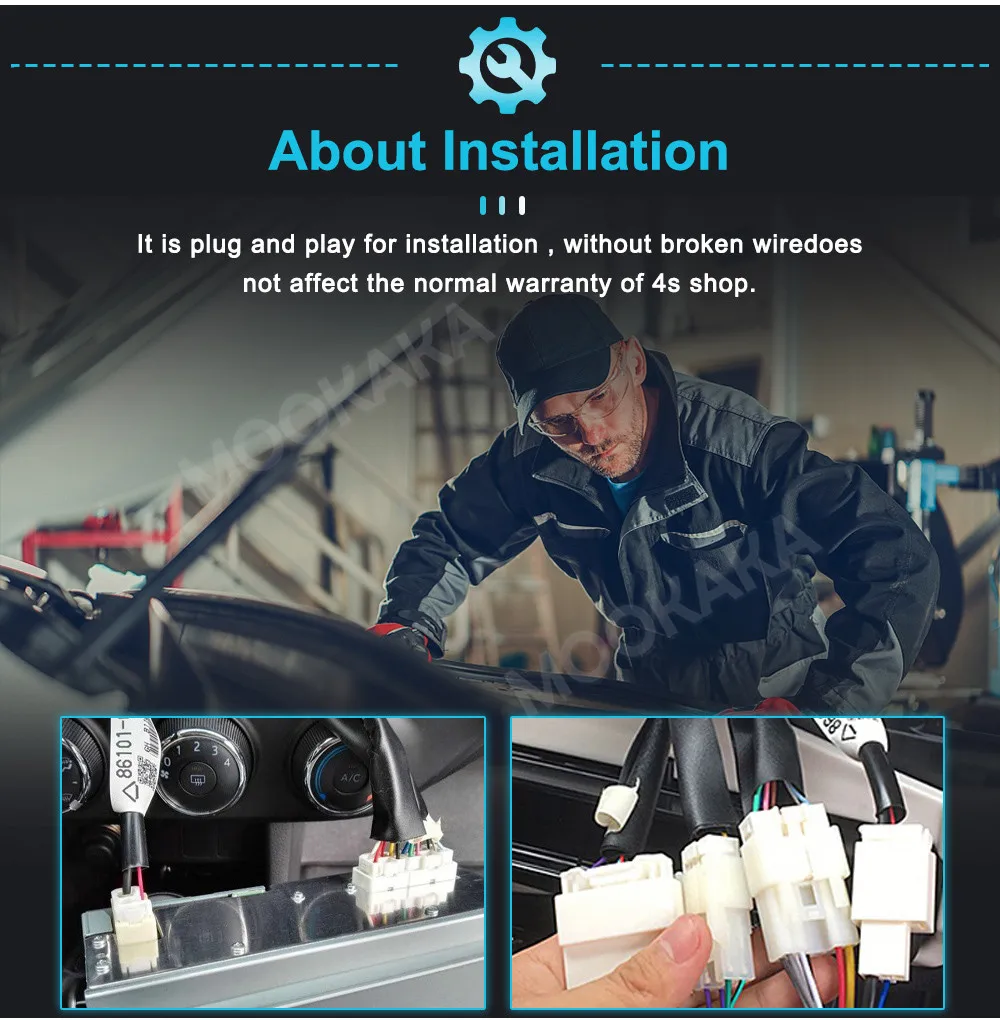
- Aucune coupure intentionnelle de câbleThe matched wiring approach is designed to avoid cutting supported factory wiring.
- Préparation spécifique au véhiculeiKAGOO checks year, dashboard, connector and steering position before shipment preparation.
Interface Themes for Different Driving Situations
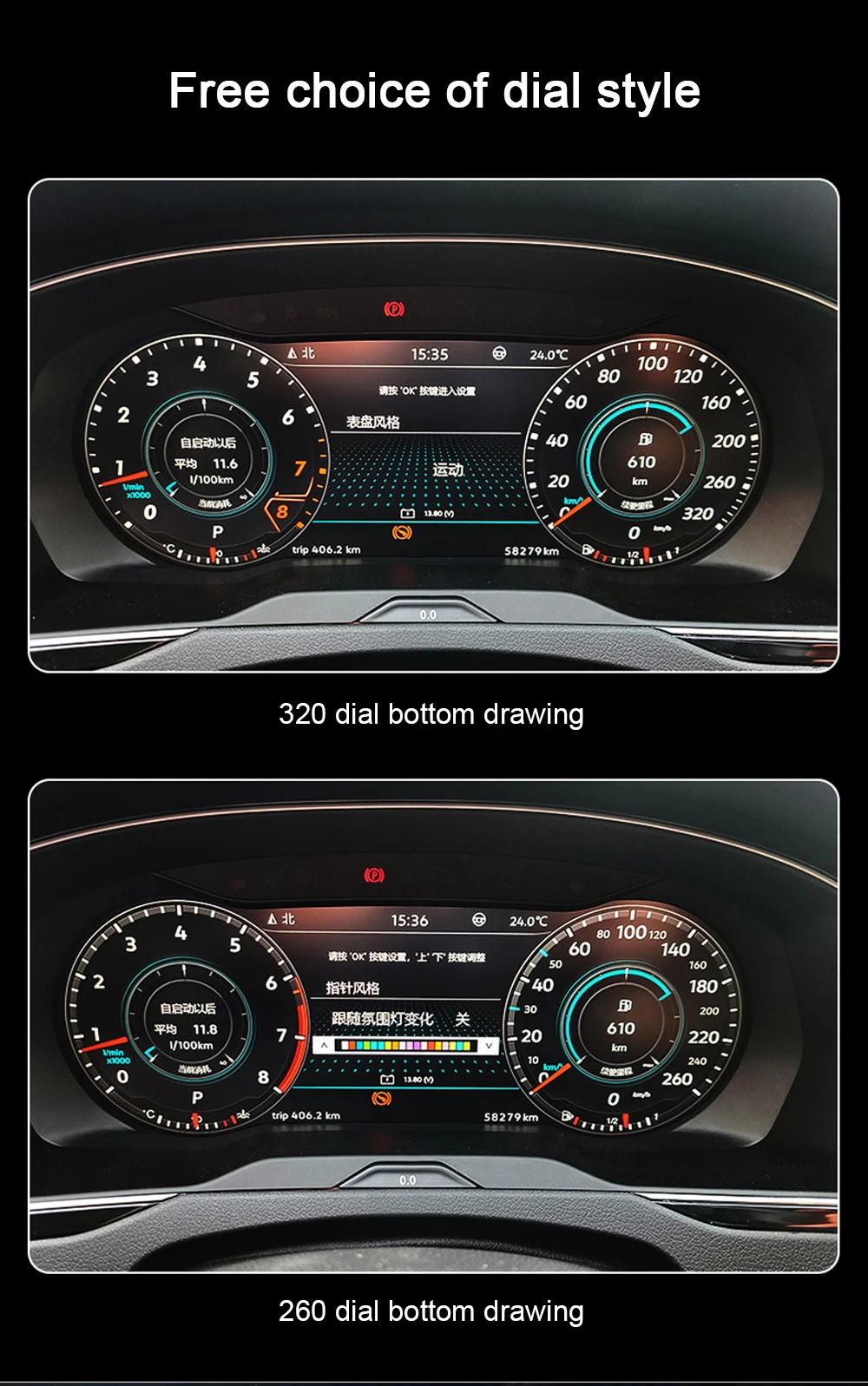
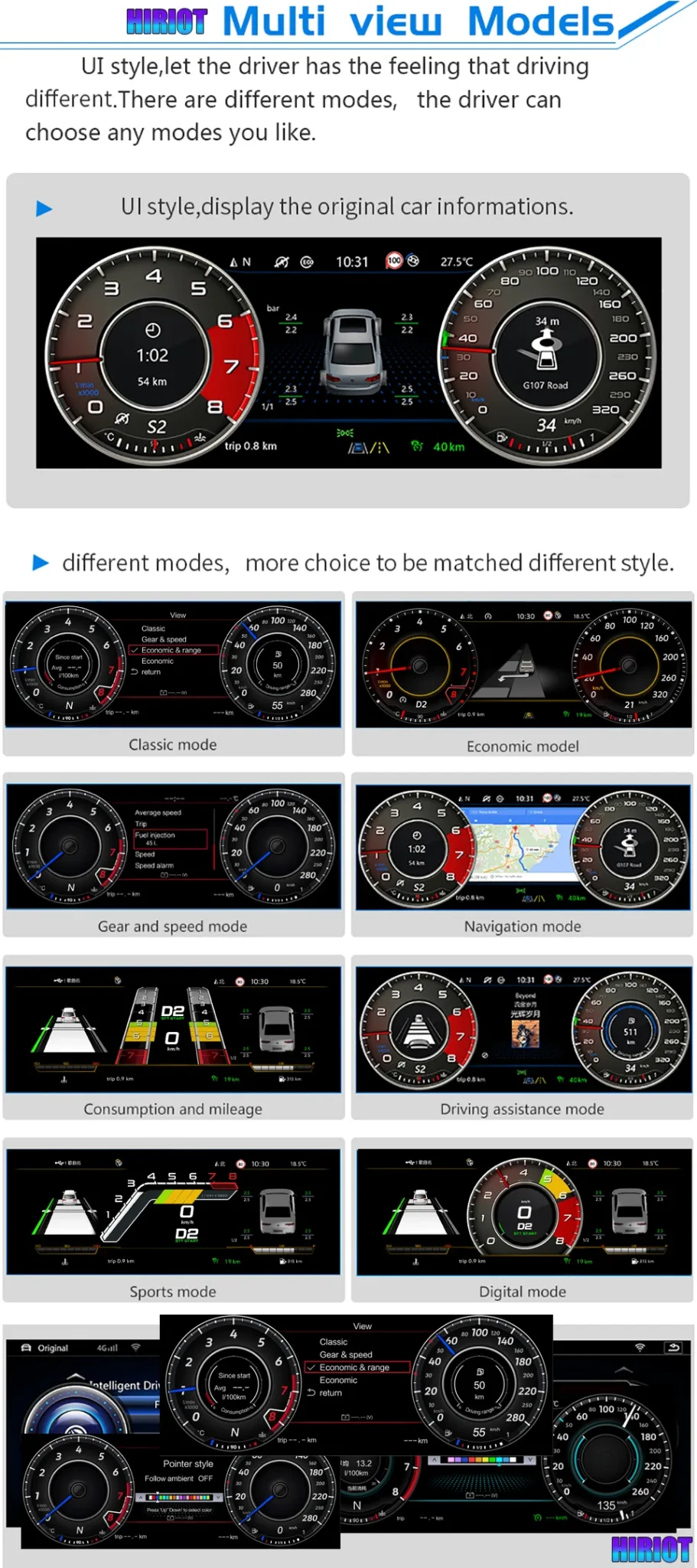
Multiple interface layouts help the driver choose a display style that fits daily driving, travel and navigation use. The benefit is not only visual style; it is easier separation of speed, gear, range and driver information. Available layouts can vary by software version and vehicle configuration.
Vehicle Data and Warning Information in One Display
A useful digital dashboard must show the information the driver actually needs. Supported vehicle data such as speed, gear, fuel use, temperature and warning information can be displayed through the matched vehicle communication. This helps the upgrade feel integrated instead of isolated from the original van.
Dial Style Options for a More Personal Driver View
Some drivers prefer a classic dial look while others want a more modern digital theme. Style options help the display suit different cabin tastes without changing the vehicle itself. iKAGOO still treats function matching as the priority before visual preference.
Multifunction Steering-Wheel Support for Familiar Operation
Steering-wheel control support matters because the driver should not lose familiar daily operation after the upgrade. When the vehicle version and CANBUS setup are matched correctly, supported controls continue through the vehicle interface. This is one reason photos and version details are checked before shipment.
Key Product Details
- Type de produitVehicle-specific 12.3-inch LCD digital instrument cluster retrofit.
- Gamme de véhicules pris en chargeSelected 2015-2019 Volkswagen Transporter T6, Multivan T6 and Caravelle T6.
- Affichage12.3-inch IPS LCD with 1920 × 720 resolution.
- System directionLinux-style cluster platform designed for fast and stable driver display use.
- Données relatives au véhiculeSpeed, RPM, fuel level, coolant temperature, warning indicators and selected trip information where supported.
- Connectivity behaviorWireless CarPlay display functions and Android head unit interaction depend on compatible connected systems.
- Puissance12V DC, 3A max, 36W max.
- Installation directionVehicle-specific fitment with no intentional harness cutting for supported models.
What iKAGOO Needs Before Shipment
- Modèle et année du véhiculeConfirm Transporter T6, Multivan T6 or Caravelle T6 from 2015-2019.
- Dashboard photoSend a full photo of the original instrument cluster and surrounding dashboard area.
- Connector photoSend the connector or rear cluster area photo when available.
- Position du volantConfirm LHD or RHD because steering position affects fitment preparation.
- Factory optionsTell iKAGOO about special audio, previous retrofit work or unusual warning display behavior.
Repair or Keep the Old Cluster
Keeping the old analog-style cluster costs less in the short term, but it does not modernize the driver display. It also keeps the same limited visual space for navigation prompts and vehicle information.
Tableau de bord d'origine d'occasion
A used OEM cluster may look familiar, but coding, mileage handling, region differences and unknown history can create extra work. It is not the same buying logic as a vehicle-specific LCD upgrade prepared for your order.
iKAGOO VW T6 Digital Cluster
This route gives you a modern 12.3-inch LCD dashboard, version matching before shipment and installation support after purchase. It is the better choice when you want a visible cockpit improvement with practical vehicle-data retention.
Que se passe-t-il après avoir passé une commande ?
iKAGOO does not treat this as a one-click universal accessory. After payment, the order should go through a vehicle-specific confirmation flow before the final version is packed.
- 1. Vehicle reviewWe check your model year, dashboard layout, steering position and original cluster photos.
- 2. Version preparationThe correct cluster direction, wiring route and vehicle-interface setup are prepared according to your supplied details.
- 3. Packing confirmationYou can ask for actual product photos before packing when you need extra confidence.
- 4. Tracked shipmentAfter dispatch, tracking details are provided. Updates may take time when parcels move between carriers.
- 5. Installation supportIf your installer finds a cable, display or setting issue, provide photos or video so iKAGOO can guide the next step.
- 6. Software handlingIf a compatible software or firmware action is needed, iKAGOO checks the hardware version before giving instructions.
- 7. Hardware issue handlingEligible manufacturing defects are covered under the 12-month limited hardware warranty.
- 8. Wrong-version boundaryIf a confirmed hardware incompatibility cannot be solved, iKAGOO handles the case under the applicable refund and support policy.
- 9. Continued supportAfter installation, support remains available for setup, diagnosis and compatible upgrade guidance.
Clean Wiring Direction Without Intentional Harness Cutting
A clean installation matters because the cluster communicates with the vehicle rather than working as a separate display. The matched harness direction helps reduce wrong-connection risk and keeps the retrofit more reversible. Stop installation if the connector, pin route or dashboard frame does not match your vehicle.
Original Board and Vehicle Information Logic
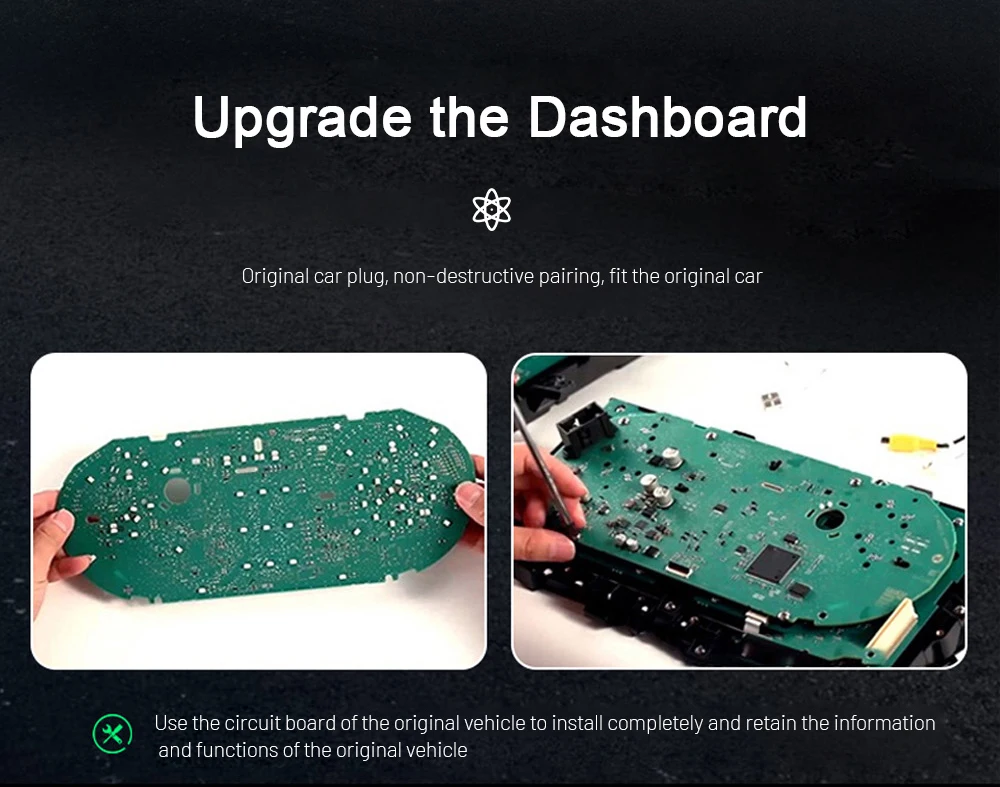
Vehicle information support depends on correct communication between the cluster hardware and the van. The installation direction is designed to retain supported original data and warning behavior instead of bypassing the vehicle. This is why connector and original-cluster photos are useful before shipment.
Stable Linux-Style Driver Display Platform
A driver cluster needs stability more than unnecessary entertainment features. The Linux-style platform direction is used for fast startup and consistent dashboard display behavior. That matters for a vehicle you use every day, especially on long routes or family travel.
Eye Comfort for Long-Distance Van Driving
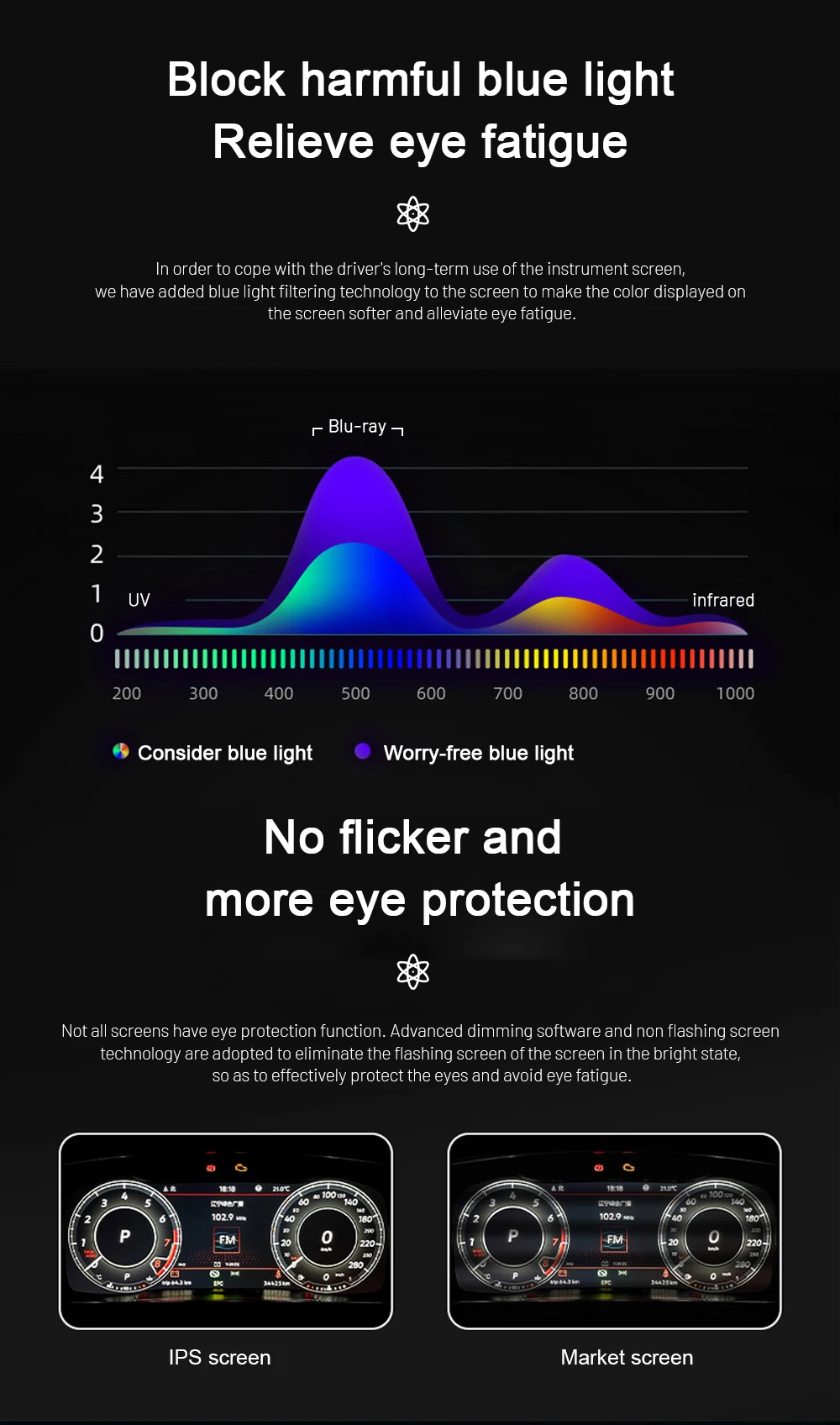
A clearer screen should not become tiring during night driving or long trips. The display direction includes dimming and visual-comfort tuning so information stays readable without feeling harsh. Final brightness and theme settings should be adjusted after installation.
Ambient Color Settings for a More Personal Cockpit
Color and theme control helps the digital dashboard feel less like a replacement part and more like part of the cabin. Drivers can select a display style that suits daily driving, night use or a cleaner OEM-style look. iKAGOO still recommends function testing before final trim reassembly.
Phone Projection Display Support When the System Allows It
Supported phone projection can help bring map, music and call information closer to the driver. This feature depends on the selected version and the compatible connected multimedia system. It should be treated as a supported display function, not as a replacement for full head-unit confirmation.
Installer, tester, puis remonter
Do not rush the final trim reassembly. The correct process is to connect the cluster, confirm power, check display behavior, test warning indicators, verify steering-wheel operation where supported, check vehicle data and confirm any map or media display behavior before closing the dashboard.
- Avant l'installationDisconnect power safely according to your installer’s method and protect the dashboard trim.
- During connectionDo not force unmatched plugs, alter pins blindly or cut factory wiring.
- Before reassemblyCheck speed, RPM, fuel level, warning indicators, door status and display themes.
- Map and CarPlay checkConfirm supported output only after the connected head unit or multimedia system is working correctly.
- Condition d'arrêtStop if the connector, warning behavior, frame position or vehicle data does not match the expected setup.
- Support materialSend clear photos, short videos, order number and vehicle details when requesting help.
iKAGOO Support for Vehicle-Specific Orders
Vehicle-specific electronics need more than a tracking number. iKAGOO supports compatibility review, tracked international shipping, installation communication, eligible hardware warranty handling and policy-based return or refund decisions.
Questions fréquemment posées
Will this VW T6 Digital Cluster fit my exact model year?
It depends. This product is prepared for selected 2015-2019 Volkswagen Transporter T6, Multivan T6 and Caravelle T6 vehicles. T6.1 and T7 should not be treated as the same fitment. Send your model year, dashboard photo and original cluster photo before shipment preparation.
Is this the same as an original VW Virtual Cockpit?
No. This is an aftermarket 12.3-inch LCD digital cluster retrofit for selected VW T6 vehicles. It is designed to create a modern digital dashboard experience, but it should not be described as an official Volkswagen OEM product.
Les commandes au volant d'origine fonctionneront-elles toujours ?
Yes, where the vehicle version, CANBUS setup and installation are supported. Multifunction steering-wheel behavior depends on the original configuration and correct wiring connection. iKAGOO checks your vehicle details before shipment to reduce mismatch risk.
Will original vehicle data and warning information continue to work?
Yes, supported data can continue after correct matching and installation. Typical supported information may include speed, RPM, fuel level, coolant temperature, warning icons, door status and trip information. Exact behavior depends on vehicle equipment and CANBUS communication.
Does it support Apple CarPlay and map display?
Yes, supported versions can display Wireless CarPlay-related information and navigation content when the connected multimedia system allows it. This cluster is not a full Android head unit by itself. Map and media display behavior depends on the connected system, software version and wiring setup.
Dois-je couper le câblage d'origine ?
No, the supported installation direction is designed to avoid intentional factory harness cutting. Do not force unmatched connectors or modify pins blindly. If the plug route does not match, stop and contact iKAGOO before continuing.
Peut-on l'installer soi-même ?
It depends. The iKAGOO Installation Ease Level is L3 Advanced DIY. Experienced DIY users may handle it with proper tools and guidance, but an installer familiar with dashboard trim, connectors and vehicle electronics is safer.
Que dois-je envoyer avant l'expédition ?
Send your vehicle year, model name, LHD or RHD position, full dashboard photo, original instrument cluster photo and connector photo if available. Also mention any previous retrofit work, special audio system or unusual warning behavior. These details help iKAGOO prepare the correct version.
Puis-je demander à voir des photos réelles du produit avant l'emballage ?
Yes. You can request actual product photos before packing when you want extra confirmation. This is useful for vehicle-specific electronics because the buyer can check the product housing and accessory preparation before dispatch.
Que se passe-t-il si mon installateur détecte un problème de câblage ou de configuration ?
Contact iKAGOO with photos or short videos before changing wiring. Include your order number, vehicle details and a clear description of the issue. iKAGOO can help check connector direction, settings and compatible software handling when available.
Pourquoi acheter chez iKAGOO plutôt qu'un appareil générique moins cher ?
Because the risk is not only screen quality; the risk is wrong vehicle matching. iKAGOO checks the vehicle year, dashboard, cluster shape, connector and steering position before shipment, then supports installation and after-sales handling under the applicable policies.
Que se passe-t-il si mon connecteur ou mon système d'origine est différent ?
It depends. Stop installation and contact iKAGOO before forcing the fitment. If the vehicle information you supplied is accurate and the issue cannot be solved through reasonable technical steps, the case is handled under the applicable iKAGOO return, refund and support policy.
Choose This Upgrade If You Want a Real Driver Display Change
The VW T6 Digital Cluster is the right upgrade when you want your 2015-2019 Transporter T6, Multivan T6 or Caravelle T6 to feel newer from the driver’s seat, not only from the center console. The best result comes from correct vehicle confirmation, careful installation and full function testing before reassembly.


Laurent Moreau -
Je voulais quelque chose de lisible et stable, pas un écran “spectacle”. Le tableau de bord d’origine faisait vieillir l’auto. Ce modèle m’a attiré par son système Linux, plus simple et rassurant.
Système Linux fluide et stable
Andrea Conti -
Il Scirocco ha ancora una linea fantastica, ma il cruscotto originale non rendeva giustizia all’auto. Cercavo qualcosa di moderno ma sobrio, senza effetti inutili. Questo display mi ha convinto proprio per la sua semplicità.
CarPlay comodo per l’uso quotidiano